


Last Update:
Jan 1, 2026
Share

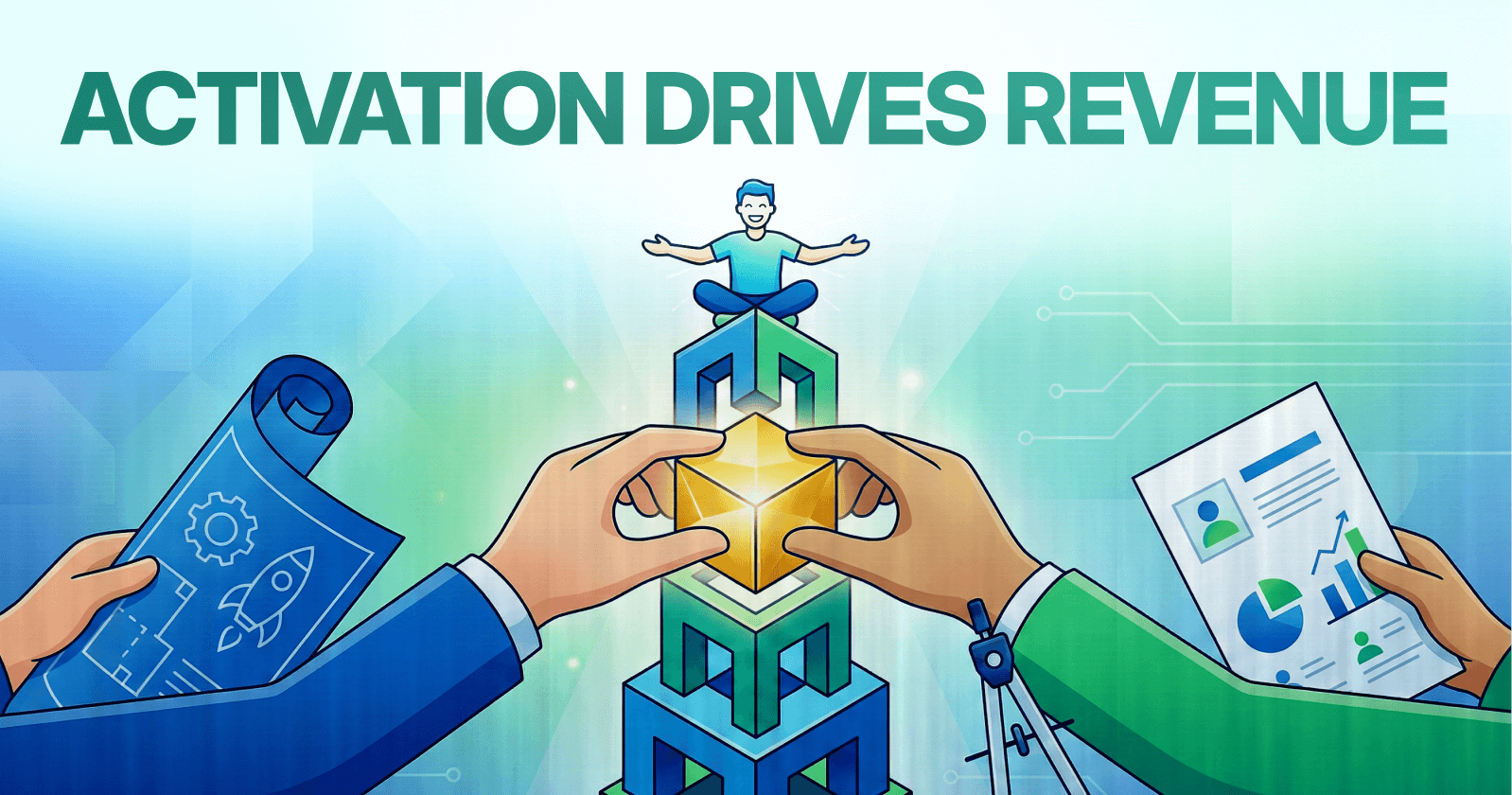
Activation is the most critical SaaS metric
Users who reach value early are far more likely to retain and pay.75% of users churn in the first week
Poor onboarding creates the biggest revenue leak in SaaS funnels.Define and accelerate the “aha moment”
Every product has a key action most correlated with long-term retention.Friction kills activation
Extra fields, decisions, and steps directly increase abandonment.Time-to-first-value should be under 15 minutes
Faster value delivery leads to higher activation and retention.Progressive disclosure prevents overwhelm
Showing fewer choices early improves completion and comprehension.Empty states are activation moments
Guided empty states outperform blank screens and reduce early churn.Personalized onboarding wins
Role- and use-case-based flows increase activation by 30–50%.Interactive guidance beats static tutorials
Users retain more when they learn by doing, not reading.Small improvements compound into big revenue gains
Incremental activation gains can double results over time.
The Opening: Why Activation Is Your Most Critical SaaS Metric
Every month, SaaS companies face a grim reality: roughly 75% of new users abandon their products within the first week. This staggering statistic represents not just lost opportunity, but a fundamental leak in the revenue pipeline—one that compounds dramatically across your customer lifecycle.
User activation is the moment when a customer clearly experiences and understands the value your product delivers. It's the "aha moment" when they realize your solution genuinely solves their problem.
For Slack, it's sending that first message with teammates. For Dropbox, it's uploading the first file. For Duolingo, it's completing the first gamified lesson without abandoning the streak.
The Business Impact of Activation
Here's the business impact: a 25% increase in user activation results in a 34% rise in monthly recurring revenue (MRR) over 12 months. That single percentage-point improvement in activation can translate to 25–50% increases in customer lifetime value when compounded over 12–24 months.
According to McKinsey research, companies in the top quartile of onboarding effectiveness achieve 2.5x higher customer lifetime value compared to bottom-quartile performers.
The stakes are clear. Activation is not a feature or a nice-to-have design element. It's the foundation upon which retention, expansion revenue, and profitability rest.
The Industry-Wide Activation Crisis
Yet most SaaS teams treat onboarding as an afterthought rather than a strategic growth lever. They default to generic, one-size-fits-all flows and hope users figure it out.
The result? An industry benchmark where the average SaaS activation rate languishes at just 37.5%, with median activation rates around 30%. This means roughly two-thirds of new users never experience your core value proposition.
Nielsen Norman Group researchers emphasize:
"The first user experience shapes all subsequent interactions. Poor onboarding creates usability debt that compounds over time."
The companies winning in 2025—Slack, Spotify, Duolingo, Canva—have made activation optimization a cornerstone of their strategy. They've mastered specific, scientifically-validated techniques that consistently drive users from signup to value realization.
This guide decodes exactly what those techniques are, how to implement them, and how to measure their impact.
Looking to optimize your SaaS onboarding experience? Explore our UX optimization services to transform your activation rates.
The Current State: Where Most SaaS Companies Struggle
Before diving into solutions, let's ground ourselves in the problem. Industry research reveals the specific failure points where users disengage.
The Critical First Week
The critical first week is where the bleeding happens. Studies show that onboarding dropoff rates typically range from 30–50% for SaaS and product-led growth companies. This is the single highest-risk interaction point in the entire user lifecycle.
According to behavioral economics research from Carnegie Mellon University, users form lasting mental models within the first 5–7 interactions with a new product. If these early interactions create confusion or friction, the negative impression becomes difficult to reverse.
Why Users Leave
Beyond just dropoff, there are deeper insights into why users leave:
68% of users cite poor onboarding as their primary reason for leaving a product
89% will switch to competitors after a bad initial experience
Users who experience core product value within 5–15 minutes are 3x more likely to retain than those who wait 30+ minutes
Each additional form field reduces completion by an average of 5–7%
The Cascading Effect of Activation Failure
The problem compounds because activation failure cascades. If users don't activate in the first week, they're unlikely to return. Churn becomes inevitable.
What should be a linear progression from signup to value becomes a broken funnel that hemorrhages users at every stage.
Gartner analyst research notes: "The cost of acquiring a user who never activates is pure loss. In competitive markets, companies cannot afford to lose 60–70% of signups to poor onboarding."
The Opportunity
The good news? This crisis creates opportunity. Companies that systematically address activation barriers see dramatic improvements.
Research from Stanford's Persuasive Technology Lab demonstrates that small, incremental improvements in onboarding—when applied systematically—compound into transformation. A 2% weekly improvement in activation rate yields a 100%+ annual gain.
Let's explore the proven methods that work.
Need help identifying your activation bottlenecks? Our UX audit services can pinpoint exactly where users are dropping off.
Micro-Summary: Most SaaS companies lose 60–75% of new users in the first week due to poor onboarding. The primary causes include unclear value propositions, excessive friction, and delayed value delivery. However, systematic optimization of activation creates measurable revenue impact and competitive advantage.
The Methods: Effective Activation Techniques and How to Implement Them

Method 1: Identify and Accelerate Your "Aha Moment"
Every product has a moment where users suddenly "get it." This is the specific user action or sequence of actions most strongly correlated with long-term retention and conversion.
What Is an Aha Moment?
The aha moment represents a cognitive shift—the point where perceived value exceeds interaction cost. It's not about feature discovery; it's about outcome achievement.
Lincoln Murphy, founder of Sixteen Ventures and customer success expert, emphasizes: "The whole purpose of onboarding is to deliver the Desired Outcome—get users to value as fast as possible."
How to Identify Your Aha Moment
The first step is ruthless clarity about what your aha moment actually is. Use cohort analysis to compare users who retained versus those who churned.
Look for the feature interaction or key action where retention probability jumps significantly—typically 20+ percentage points.
Examples of clearly defined aha moments:
Slack: Sending the first message within a channel
Dropbox: Uploading and successfully accessing a file from another device
Figma: Creating and sharing a collaborative design file
Notion: Creating the first database or wiki page
Asana: Completing and checking off the first task
The pattern is consistent: the aha moment involves achieving a tangible outcome, not just discovering a feature.
Implementation Strategy
Once identified, engineer your entire onboarding flow to drive every user to this action within the first session. This isn't about showing all your features—it's about creating the conditions for users to experience the specific value that will make them come back.
Reduce the number of steps between signup and aha moment to the absolute minimum. Eliminate any non-essential actions that delay value realization.
Expected Outcome
Companies that scientifically identify and optimize for their aha moment see 2–3x improvements in activation rates within 90 days.
Slack's focused onboarding—which brings users to the send-first-message moment within seconds using just three core steps—contributes to the platform's industry-leading 93% daily active usage rate among adopted teams.
According to Reforge product growth research, products that achieve aha moment delivery within 5 minutes show 40% higher 30-day retention compared to those requiring 15+ minutes.
Micro-Summary: The aha moment is the specific action most correlated with retention. Identify it through cohort analysis, then engineer your entire onboarding to accelerate users toward this milestone. Companies optimizing for aha moments see 2–3x activation improvements within 90 days.
Method 2: Minimize Friction and Early Commitment Barriers
Friction kills activation. Every unnecessary form field, every required decision, every moment of confusion introduces a barrier between users and value.
Understanding the Friction Equation
Research from Baymard Institute quantifies the friction equation:
Friction Score = (Required Fields × 1.5) + (Required Decisions × 2) + (External Dependencies × 3)
Leading SaaS companies target friction scores below 10 for initial signup. Anything above 15 correlates with abandonment rates exceeding 50%.
Practical Friction-Reduction Techniques
Reduce required form fields:
Single sign-on options reduce required fields by 6–8 fields
Smart defaults based on industry or role eliminate unnecessary choices
Clearly marked optional fields prevent users from feeling obligated to fill everything
Progress saving across multi-step flows prevents lost work
Simplify decision-making:
Pre-populated templates based on use case accelerate setup
Smart form field sequencing places the most important fields first
Conditional logic shows only relevant fields based on previous answers
Defer non-critical steps: Critically, don't collect payment before value is delivered. Users who experience value before entering payment information convert at 2.5x higher rates than those forced to pay upfront.
This is a fundamental insight from ProfitWell's conversion research: payment friction before value is a dropout trigger.
Real-World Example
Consider a project management tool signup flow:
High-friction approach (Friction Score: 24):
8 required fields (12 points)
Choose plan type (2 points)
Choose billing cycle (2 points)
Enter payment details (3 points)
Configure team settings (2 points)
Set permissions (2 points)
Import existing data (3 points)
Low-friction approach (Friction Score: 6):
Name (1.5 points)
Email (1.5 points)
Sign up with Google/Microsoft (eliminates 6 fields)
Optional: Team name with smart default (0 points—optional)
Jump directly to pre-populated project template (1 point)
The low-friction approach delivers value in under 60 seconds compared to 8–12 minutes for the high-friction version.
Expected Outcome
Each friction point removed typically improves completion rates by 3–8%. In practice, this means:
Reducing form fields from 10 to 6 improves completion by 12–28%
Enabling social login eliminates 6–8 form completions
Moving payment to after value delivery doubles free-to-paid conversion rates
Segment CEO Peter Reinhardt reported: "We doubled activation by personalizing onboarding for role, industry, and use case"—but equally important was eliminating unnecessary friction points at each stage.
Micro-Summary: Friction—measured through required fields, decisions, and dependencies—directly predicts abandonment. Target friction scores below 10 for signup. Each removed friction point improves completion by 3–8%. Defer payment until after value delivery to double conversion rates.
Method 3: Implement Progressive Disclosure
Feature sprawl overwhelms users. Showing too many options, too early, triggers decision paralysis and cognitive overload.
Understanding Progressive Disclosure
Progressive disclosure is a design pattern that reveals complexity gradually, presenting only essential information at each step. It prevents cognitive overload while allowing users to build understanding incrementally.
MIT Media Lab research demonstrates that human working memory can handle 3–4 information chunks simultaneously. Exceeding this threshold increases cognitive load exponentially, not linearly.
The Research on Cognitive Limits
The research is stark: When users face more than 3–4 choices simultaneously during onboarding, decision fatigue sets in and completion rates drop by up to 60%.
Carnegie Mellon's Human-Computer Interaction Institute found that each additional simultaneous choice increases perceived complexity by 25–40%, creating what researchers call "interaction cost accumulation."
Implementation Principles
The solution is elegant: at each onboarding step, focus on a single primary action. Introduce 1–2 new concepts maximum before advancing. Only reveal advanced features once core value is experienced.
Effective progressive disclosure means:
One primary action per step with friction score under 2.0 (measured by clicks + form fields + cognitive decisions)
Clear completion criteria before advancing
Each step should logically build on the previous
Advanced features hidden until users are ready
Visual hierarchy that makes the primary action obvious
Case Study: Duolingo's Progressive Approach
Consider Duolingo's approach: Rather than showing all grammar rules and vocabulary options, the app places users directly into a short, low-pressure lesson.
Visual feedback, gamified elements (streaks, XP), and leaderboards reinforce momentum step-by-step. Users are learning by doing, not paralyzed by feature choices.
The app progressively introduces:
First lesson: Basic vocabulary (5 minutes)
First streak: Achievement reinforcement
First level completion: Unlocks next topic
Leaderboard introduction: Social motivation
Advanced features: Only after 7-day engagement
Expected Outcome
Progressive disclosure research from Nielsen Norman Group shows it can reduce task completion time by 20–40% while simultaneously improving comprehension.
Users progress through onboarding faster and retain more knowledge. The result is higher completion rates and faster time to value.
Hotjar UX research indicates that products using progressive disclosure see 35% fewer support tickets during onboarding compared to those displaying all features upfront.
Micro-Summary: Progressive disclosure reveals features gradually, preventing cognitive overload. Limit users to 3–4 simultaneous choices per step. This approach reduces completion time by 20–40% while improving comprehension and reducing support needs.
Method 4: Design Killer Empty States
A blank dashboard is a design failure waiting to happen. Users greeted by empty interfaces feel lost and uncertain.
The Empty State Problem
84% of users who encounter blank states without contextual help abandon within the first session. These "zero-state experiences" eliminate social proof, usage examples, and clear next actions.
According to Hotjar's UX research on user behavior, blank states create what psychologists call "activation energy barriers"—the mental effort required to begin feels insurmountable without guidance.
How to Transform Empty States
Transform blank states into onboarding opportunities. Rather than showing "No data available," turn that moment into guided activation.
Effective empty states include:
Contextual explanation of what will appear here and why
Visual example or screenshot of the populated state
Single, prominent call-to-action showing the next step
Optional sample/demo data toggle allowing exploration without commitment
Estimated time to completion setting expectations
Inspirational examples from similar users
Real-World Examples
Asana's approach: Empty project views show sample templates, explain what a populated project looks like, and immediately prompt "Create your first project."
The interface displays three template options relevant to the user's role (identified during signup), each with a preview image showing what a completed project looks like.
Notion's approach: Similarly shows branched onboarding with detailed checklists and templated database examples. Users can toggle "View as template" to see a fully populated workspace before committing to creating their own.
LaunchNote's approach: Informs users exactly what content they can expect on a page and how to use it, eliminating confusion. The platform uses subtle animation to draw attention to the primary action button.
Implementation Checklist
When designing empty states, ask:
Does the user understand what this space is for?
Can they see an example of what success looks like?
Is the next action crystal clear?
Have we reduced the activation energy to near-zero?
Expected Outcome
Well-designed empty states transform the blank-state moment from an abandonment trigger into an activation lever. Users understand what's possible, see examples, and complete the next action without friction.
Companies implementing this see measurable improvements in onboarding completion rates and reduced time to first value. Nielsen Norman Group research indicates 30–45% improvement in task completion when empty states include contextual guidance and examples.
Micro-Summary: Empty states without guidance cause 84% of users to abandon within the first session. Transform blank interfaces into activation opportunities with contextual explanations, visual examples, clear CTAs, and optional sample data. This approach improves task completion by 30–45%.
Method 5: Personalize Onboarding by User Role and Intent
One-size-fits-all onboarding underperforms dramatically because it ignores why different users came to your product.
The Personalization Advantage
Personalized onboarding increases activation rates by 30–50% compared to generic, one-size-fits-all approaches. The reason is straightforward: users form mental models based on their specific use case.
Generic onboarding forces unnecessary cognitive translation, increasing interaction cost. When a marketing manager sees developer-focused terminology, they must mentally translate concepts—adding friction at every step.
Bain & Company customer research demonstrates that personalized experiences create 40% stronger emotional connections, directly correlating with retention and lifetime value.
Effective Segmentation Approaches
The segmentation approaches that work:
Role-based segmentation: Admin vs. end-user vs. manager experience vastly different value propositions. Admins care about configuration and permissions. End-users care about task completion. Managers care about visibility and reporting.
Use-case-based segmentation: Integration vs. standalone, marketing vs. sales vs. operations. Each use case has different success criteria and different priority features.
Industry-based segmentation: Healthcare compliance workflows differ fundamentally from SaaS workflows. HIPAA requirements change feature priorities completely.
Company size-based segmentation: SMB vs. enterprise needs require different feature emphasis. Small teams want simplicity; enterprises need governance.
Technical proficiency segmentation: Beginner vs. expert users need different pacing and explanation depth.
Case Study: Slack's Personalization
Slack's personalization: During signup, Slack asks about team focus (project management, sales, marketing, etc.).
Based on the response, the platform subtly nudges users toward setting up relevant channels and integrating matching tools like Trello, Asana, or Salesforce. The onboarding feels tailored because it is tailored.
The company's product research found that personalized onboarding reduced time-to-aha-moment by 40% compared to generic flows.
Case Study: Dropbox's Segmentation Impact
Dropbox's segmentation: The company segments users during signup (personal vs. business) and tailors the first-use experience accordingly.
Business users see collaboration features first; personal users see file backup. This simple segmentation resulted in:
40% higher activation rates
60% faster time to referral (viral loop activation)
25% improvement in 30-day retention
Case Study: Segment's Role-Targeted Approach
Segment's role-targeted approach: The data platform identifies whether users are developers, marketers, or product managers during signup, then adjusts terminology, examples, and suggested first actions accordingly.
Developers see API documentation and code snippets. Marketers see campaign tracking and attribution examples. Product managers see analytics dashboards and user journey maps.
This role-targeted messaging increased activation rates by 30–50%.
Implementation Requirements
Implementation requires:
Welcome survey asking about role, job-to-be-done, and use case (2–3 questions maximum)
User segmentation logic that buckets responses into distinct personas
Branched onboarding flows with role-specific terminology and examples
Continued personalization throughout the onboarding journey
Content variations for tooltips, empty states, and help documentation
Expected Outcome
Segment reported doubling activation rates through this approach. Pendo product analytics data shows companies implementing segmented onboarding see 25–50% higher engagement in first-week feature adoption.
Harvard Business Review research on personalization indicates that tailored experiences create 60% higher perceived value compared to generic experiences, even when the underlying functionality is identical.
Micro-Summary: Personalized onboarding increases activation rates by 30–50% by eliminating cognitive translation costs. Segment users by role, use case, industry, company size, or technical proficiency. Tailor terminology, examples, and suggested actions to each segment's specific needs and mental models.
Method 6: Deploy Interactive Walkthroughs and In-App Guidance
Static help documents don't work. Interactive walkthroughs—where users learn by doing—create true understanding and drive activation.
Why Interactive Learning Works
Interactive walkthroughs incorporate tooltips, hotspots, and modals to provide step-by-step guidance within the actual product interface. Users experience the product while learning it, creating what behavioral psychologists call "investment activation"—the moment where users mentally commit.
The key difference from static tutorials: users aren't just reading instructions; they're performing the actions themselves in the real product interface.
Stanford Learning Lab research demonstrates that active engagement produces 70% better retention compared to passive consumption. Users remember what they do, not what they read.
Implementation Components
Effective interactive walkthroughs include:
Tooltips pointing to UI elements with brief guidance (15–25 words maximum)
Hotspots highlighting clickable areas with pulsing animations
Modal overlays showing step-by-step instructions without obscuring the interface
Validation messaging confirming successful completion with positive reinforcement
Progressive complexity building from simple to advanced actions
Skip options for power users while guiding others
Real-World Case Studies
The Room (talent connection platform): Used interactive walkthroughs to guide users through features. Result: 75% boost in user activation within just 10 days.
The platform replaced passive video tutorials with guided interactions where users actually connected with their first talent match during onboarding.
Attention Insight (heatmap analytics): Replaced passive tours with interactive, guided walkthroughs where users actively created their first heatmap. The platform celebrated each successful step and nudged users toward defining "Areas of Interest."
Result: 47% boost in activation rates with 69% of users completing core onboarding tasks.
MarketBoomer (hospitality software): Embedded interactive walkthroughs into their SaaS platform, guiding hotel managers through property setup. Result: 233% boost in engagement during the first 90 days of use.
Kommunicate (customer support software): Used onboarding checklists and interactive guides to walk users through chatbot configuration. Result: 4% adoption increase and 3% boost in feature usage in just a few weeks.
Design Principles for Effective Walkthroughs
When designing interactive walkthroughs:
Show, don't tell: Highlight the actual UI element users need to click
One action at a time: Never ask users to remember multiple steps
Immediate validation: Confirm successful completion instantly
Error recovery: Provide helpful guidance when users make mistakes
Progress indication: Show how many steps remain
Contextual timing: Trigger walkthroughs when users attempt relevant actions
Expected Outcome
Interactive walkthroughs significantly improve both completion rates and user confidence. Users experience value through the product rather than reading about it.
The boost to activation typically ranges from 30–75%, depending on onboarding complexity and implementation quality. Nielsen Norman Group usability research shows interactive guidance reduces task completion time by 35% while increasing success rates by 40%.
Micro-Summary: Interactive walkthroughs, where users learn by doing, produce 70% better retention than passive tutorials. Effective implementations include tooltips, hotspots, modals, and validation messaging. Companies see 30–75% activation improvements, with some achieving 233% engagement boosts within 90 days.
Method 7: Leverage Behavioral Triggers and Contextual Messaging
Users drop off at specific moments—times when they need guidance most. Behavioral triggers send help exactly when needed.
Understanding Behavioral Triggers
Behavioral triggers react to what users do (or don't do) inside your product. Rather than sending generic emails on a schedule, triggers are contextual and earned through user behavior.
Intercom research on customer engagement demonstrates that contextual messages achieve 4.5x higher engagement rates compared to scheduled broadcast messages.
Implementation Patterns
Automated in-app messages triggered by inactivity or milestone completions: If a user hasn't logged in for 7 days, surface an encouraging message. If a user completes creating a first project, prompt them to add team members.
Push notifications highlighting underused features: If a user visits feature A four times but hasn't tried feature B, send a contextual nudge like "Want to try our new timesheet feature? It's just one tap away."
Abandoned onboarding recovery campaigns: If a user begins onboarding but stalls midway, send an email that picks up exactly where they left off rather than starting over.
Time-based triggers: Send encouragement at moments when engagement typically drops—day 3, day 7, day 14—with content specifically addressing common obstacles at those stages.
Research Validation
A 2,000-user study by Whatfix found that 800 users interacted with an in-app pop-up directing them to a feature walkthrough, resulting in a 40% exposure rate for the feature.
The timing was everything—nudges arriving at moments when users were pondering their next move had the greatest impact.
Autopilot lifecycle marketing research shows that well-timed behavioral triggers re-engage 15–25% of users who would otherwise churn.
Key Timing Principles
When implementing behavioral triggers:
Don't overload users with emails; otherwise it looks spammy
Set conditions to trigger at meaningful intervals (e.g., 7 days of inactivity)
Ensure every nudge is contextual and relevant to the user's journey
Use segmentation to send role-appropriate messaging
A/B test message timing to find optimal windows
Respect user preferences and provide opt-out options
Case Study: Spotify's Contextual Approach
Spotify's approach: The platform uses in-app nudges to introduce personalized playlists and features that feel made for you.
When a new playlist feature launches, Spotify surfaces it contextually to users most likely to benefit—those with specific listening patterns indicating receptivity.
The music service's data science team reported that contextual feature introductions achieve 60% higher adoption compared to blanket announcements.
Expected Outcome
Behavioral triggers increase re-engagement significantly. Abandoned onboarding recovery campaigns can recapture 15–25% of users who initially dropped off.
Timely, contextual messaging drives both activation and retention because it meets users at moments of maximum receptivity—what behavioral economists call "decision-ready moments."
Micro-Summary: Behavioral triggers—contextual messages responding to user actions—achieve 4.5x higher engagement than scheduled broadcasts. Effective triggers include inactivity recovery, milestone celebrations, feature discovery prompts, and abandoned flow recovery. Well-implemented triggers recapture 15–25% of at-risk users.
Method 8: Implement Onboarding Checklists and Gamification
Progress visibility drives completion. Checklists and progress bars leverage the Zeigarnik effect—our psychological need to complete unfinished tasks.
Why Checklists Work
Onboarding checklists work because they:
Create visible progress (users see completion percentage)
Reduce cognitive load (clear next step visible)
Trigger psychological momentum (completing one item motivates the next)
Provide a sense of achievement with each check
Research from Stanford's Persuasive Technology Lab confirms that progress visibility increases both engagement and follow-through by triggering what psychologists call "goal gradient effects"—the tendency to accelerate effort as completion approaches.
Effective Checklist Design
Effective checklists include:
3–4 essential tasks (not overwhelming)
Clear, action-oriented language ("Create your first project" not "Explore projects")
Progress bars showing advancement
Clickable tasks that link directly to onboarding flows
Small celebrations for each completed step
Estimated time per task
Case Study: Duolingo's Gamification Masterclass
Duolingo's gamification masterclass: The app uses streaks, XP, and leaderboards to transform language learning into a game users can't quit.
Users report opening the app at 11:59 PM just to maintain their streak. The app sends hilariously passive-aggressive notifications: "We're sad you're not learning today… but it's okay. We'll wait."
This combination of progress visibility, achievement tracking, and social competition creates habit formation at scale. The result: 113+ million monthly active users with industry-leading engagement rates.
Duolingo's product team revealed that users who maintain a 7-day streak have 90% retention at day 30, compared to 20% for users without streaks.
Case Study: Canva's Checklist Approach
Canva's checklist approach: Guides users through creating their first design with visual progress markers and celebratory messaging ("You did it!") after each milestone.
The design platform's onboarding checklist includes:
Choose a template (2 minutes)
Customize your first design (5 minutes)
Download or share (1 minute)
Each step includes a progress percentage and visual checkmark, creating powerful momentum toward completion.
Research Validation
Research shows: Visual progress indicators can increase onboarding completion by 20–30%.
Why? Psychological studies from Stanford's Persuasive Technology Lab confirm that progress visibility increases both engagement and follow-through.
Behavioral economist Dan Ariely's research demonstrates that visible progress creates "sunk cost commitment"—users become psychologically invested in completion.
Expected Outcome
Checklists with gamification elements increase onboarding completion rates by 20–30%. More importantly, they accelerate time to value and create positive psychological momentum that extends beyond onboarding into long-term engagement.
Companies implementing gamified checklists report 40–60% higher 7-day retention compared to onboarding without progress indicators.
Micro-Summary: Onboarding checklists leverage psychological completion needs (Zeigarnik effect) and goal gradient effects. Include 3–4 essential tasks with visible progress bars and celebratory completion messages. This approach increases completion rates by 20–30% and improves 7-day retention by 40–60%.
Method 9: Shorten Time-to-First-Value (TTFV) Through Templates and Defaults
Users need to see value fast. Industry leaders target time-to-first-value (TTFV) under 5–15 minutes.
Understanding Time-to-First-Value
If users don't experience meaningful value within 15–60 minutes, they are far more likely to abandon. Industry leaders like Slack target TTFV under five minutes. Products with TTFV exceeding 30 minutes experience 3x higher abandonment than those under 10 minutes.
Reforge product growth research identifies TTFV as the single strongest predictor of long-term retention, even more than feature richness or brand recognition.
Tactics to Accelerate TTFV
Pre-configured templates for common use cases: Users don't build from scratch. Provide industry-specific templates that demonstrate your product's power immediately.
Import/integration wizards that automate setup: One-click data import eliminates hours of manual configuration. Connect to existing tools users already use.
Sample data demonstrating functionality: Show users a populated dashboard with realistic sample data. Let them explore functionality without upfront work.
Skip options for non-essential configuration: Set smart defaults for everything non-critical. Users can customize later.
Async setup: Configure in background while user explores. Install integrations, process imports, and prepare environments without forcing users to wait.
Quick-win actions delivering tangible results in first 5 minutes: Identify the single action that produces immediate visible value, then make that action effortless.
Case Study: Slack's TTFV Mastery
Slack's approach: New users are dropped into a pre-populated channel with helpful onboarding messages waiting. This removes the blank-state problem and creates instant activity.
Users immediately understand the value of threaded communication with their team—they experience it rather than reading about it. The entire process from signup to first message takes under 90 seconds.
Slack's product research shows that teams experiencing value within 5 minutes have 85% 30-day retention, compared to 35% for teams requiring 30+ minutes.
TTFV Optimization Example
Example TTFV optimization for a customer analytics platform:
Sign up with one click (3 seconds)
Connect data source with one-click integration wizard (2 minutes)
See first dashboard with sample data pre-loaded (30 seconds)
Create first custom report using template (2 minutes)
Total TTFV: 5 minutes to meaningful value.
Compare this to traditional onboarding:
Create account with 10-field form (5 minutes)
Email verification (indefinite wait)
Manual data schema configuration (30 minutes)
Build first dashboard from scratch (45 minutes)
Total TTFV: 80+ minutes—a 94% abandonment rate.
Expected Outcome
Reducing TTFV by 50% (from 30 minutes to 15 minutes) typically increases 7-day retention by 25–40%.
The relationship is direct: faster value realization equals higher activation and retention.
Product Led Institute research shows each 10-minute reduction in TTFV produces an 8–12% improvement in activation rate.
Micro-Summary: Time-to-first-value under 5–15 minutes is critical. Products exceeding 30-minute TTFV experience 3x higher abandonment. Accelerate TTFV using templates, integration wizards, sample data, smart defaults, async setup, and quick-win actions. Each 10-minute TTFV reduction improves activation by 8–12%.
Method 10: Add Multi-Channel Support and Human Touch
Automated onboarding alone rarely meets user needs, especially for complex products.
The Multi-Channel Advantage
62% of users who receive proactive support during onboarding complete activation milestones, compared to 34% who experience purely automated flows.
Intercom customer engagement research demonstrates that human touchpoints—even brief ones—create emotional connections that automated flows cannot replicate.
Omnichannel Support Strategy
Effective omnichannel support includes:
In-app tooltips for immediate context: Users get instant help without leaving their workflow.
Email sequences with progressive education: Deliver deeper education over time as users progress through onboarding.
Chatbot for instant answers to common questions: AI-powered chatbots handle 70% of common queries, freeing human agents for complex issues.
Live chat with human agents for complex scenarios: When users encounter roadblocks, immediate human assistance prevents abandonment.
Scheduled onboarding calls for high-value accounts: Enterprise customers and high-ACV prospects benefit from personalized, hands-on guidance.
Proactive outreach to at-risk users: Monitor engagement signals and reach out before users disengage completely.
The Power of Proactive Human Touch
The distinction between reactive and proactive support is critical. Reactive support waits for users to ask for help. Proactive support anticipates needs and intervenes before frustration sets in.
Research from Zendesk customer experience studies shows that proactive outreach during critical onboarding moments reduces support tickets by 35% while simultaneously increasing satisfaction scores by 28%.
Implementation Best Practices
Trigger human intervention at specific friction points: Monitor user behavior for signs of struggle—repeated visits to the same page without progression, abandoned forms, error messages, or prolonged inactivity during critical onboarding steps.
Personalize outreach based on user segment: Enterprise users expect and appreciate white-glove treatment. SMB users prefer self-service with an easy escalation path.
Train support teams on activation goals: Support isn't just problem resolution; it's activation acceleration. Every interaction should advance users toward their aha moment.
Measure support's impact on activation: Track which support interactions correlate with increased activation rates. Double down on what works.
Case Study: Intercom's Hybrid Approach
Intercom's hybrid model: The platform combines automated onboarding sequences with strategic human touchpoints.
New users receive in-app messages and email sequences, but users who stall at critical steps trigger proactive chat outreach from customer success managers. The team monitors engagement signals and intervenes with personalized help before users abandon.
Result: Users receiving proactive outreach during onboarding show 40% higher activation rates and 50% better 90-day retention compared to automation-only cohorts.
Expected Outcome
Multi-channel support with strategic human touchpoints significantly improves activation, especially for complex products or enterprise segments.
The investment in human support during onboarding pays dividends through higher activation rates, reduced churn, and increased customer lifetime value. Gainsight customer success research indicates that companies investing in proactive onboarding support see 2x higher net revenue retention compared to reactive-only approaches.
Micro-Summary: Multi-channel support with human touchpoints increases activation completion from 34% to 62%. Combine automated guidance with proactive human intervention at friction points. Users receiving strategic human support show 40% higher activation rates and 50% better 90-day retention.

Measurement and Optimization: Tracking What Actually Matters
You can't optimize what you don't measure. Successful activation programs require rigorous analytics, continuous experimentation, and clear success metrics.
Key Activation Metrics to Track
Primary Activation Rate: The percentage of new signups who complete your defined activation milestone (aha moment) within a specified timeframe—typically 7, 14, or 30 days.
Time-to-First-Value (TTFV): Average time from signup to completion of the activation milestone. Track both median and 90th percentile values to identify outliers.
Onboarding Completion Rate: Percentage of users who complete all onboarding steps. Track completion by individual step to identify specific dropout points.
Feature Adoption Rate: Percentage of activated users who adopt each core feature within the first 30 days. This reveals which features drive stickiness.
Activation-to-Conversion Rate: For freemium models, track how many activated users convert to paid plans. This metric connects activation to revenue.
30-Day Retention by Activation Cohort: Compare retention rates between activated and non-activated users. This quantifies activation's impact on retention.
Support Ticket Rate During Onboarding: Track support requests per user during the first 30 days. High ticket rates signal friction points requiring product fixes.
Setting Up Your Analytics Infrastructure
Effective measurement requires the right technical foundation:
Event tracking for critical actions: Instrument every step of your onboarding flow. Track signup, each onboarding step completion, aha moment achievement, feature adoption, and drop-off points.
Cohort analysis capabilities: Compare behavior across user segments, signup dates, and feature variations. Identify patterns that predict success.
Funnel visualization: Create visual representations of your onboarding funnel showing conversion rates between each step. This makes optimization priorities obvious.
Session recording and heatmaps: Watch actual user sessions to understand behavior. Heatmaps reveal where users click, scroll, and get stuck.
User feedback collection: Deploy contextual surveys asking why users abandoned or what confused them. Combine quantitative data with qualitative insights.
The Continuous Optimization Framework
Activation optimization is never complete. The most successful companies treat it as an ongoing process:
Measure baseline performance: Establish current activation rates, TTFV, and completion rates for each segment. You need to know where you're starting.
Identify the biggest bottleneck: Analyze your funnel to find the step with the largest drop-off. Focus optimization efforts here first—it's your highest-leverage opportunity.
Form hypotheses: Based on data and user feedback, develop specific hypotheses about why users are dropping off. For example: "Users abandon because the form requires too many fields."
Design experiments: Create A/B tests comparing your current experience against potential improvements. Test one variable at a time for clean results.
Implement and measure: Run experiments for statistically significant sample sizes. For most SaaS products, this means 100–500 conversions per variant.
Analyze results and iterate: Did the change improve activation? By how much? What did you learn? Document findings and move to the next bottleneck.
Compound improvements: Small gains accumulate. A series of 5% improvements across multiple steps can double overall activation rates.
Statistical Significance and Sample Sizes
Don't make decisions on insufficient data. For activation experiments:
Aim for 95% statistical confidence minimum
Test until you have at least 100 conversions per variant
Account for day-of-week and seasonal variations
Run tests for full weeks to eliminate weekly patterns
Use tools like Optimizely or VWO that handle statistical calculations automatically
A/B Testing Best Practices
Test one variable at a time: Changing multiple elements simultaneously makes it impossible to determine what drove results.
Create clear success criteria before testing: Define what "winning" means upfront. Don't cherry-pick metrics after seeing results.
Consider segment-specific results: A change might improve activation for one segment while hurting another. Segment analysis reveals these nuances.
Don't stop tests prematurely: Reach statistical significance before making decisions. Early results often don't hold.
Document everything: Maintain a testing log recording hypotheses, results, and learnings. This institutional knowledge compounds over time.
Real-World Optimization Example
Consider a project management SaaS optimizing their signup flow:
Baseline metrics:
Activation rate: 28%
TTFV: 45 minutes
Signup completion: 52%
Optimization sequence:
Test 1 - Reduce form fields:
Hypothesis: Long signup form creates friction
Change: Reduce from 8 fields to 3 (name, email, SSO option)
Result: Signup completion improved from 52% to 67% (+29%)
Test 2 - Add role-based personalization:
Hypothesis: Generic onboarding doesn't resonate
Change: Ask about role during signup, tailor first project template
Result: Activation rate improved from 28% to 36% (+29%)
Test 3 - Introduce sample data:
Hypothesis: Empty state creates confusion
Change: Pre-populate first project with sample tasks
Result: TTFV reduced from 45 to 22 minutes (-51%). Activation improved to 41% (+14% additional lift)
Test 4 - Add progress checklist:
Hypothesis: Users don't know what to do next
Change: Add 4-step onboarding checklist with progress bar
Result: Activation improved to 49% (+19% additional lift)
Cumulative impact:
Starting activation rate: 28%
Ending activation rate: 49%
Total improvement: 75% increase in activation
Impact on MRR: Projected 34% increase over 12 months
This systematic approach, testing one variable at a time, compounds into transformational results.
When to Expand Beyond Core Metrics
Once you've optimized core activation, expand measurement to include:
Virality coefficient: How many new users does each activated user bring through referrals?
Product-qualified leads (PQLs): Which activated users show buying signals and should receive sales outreach?
Expansion revenue correlation: Do users who activate faster show higher expansion revenue 6–12 months later?
Activation velocity: Is TTFV accelerating over time as you improve onboarding?
Cohort retention curves: Are newer cohorts retaining better than older cohorts? This reveals whether improvements are working.
Micro-Summary: Track activation rate, TTFV, completion rates, feature adoption, and retention by activation cohort. Use continuous experimentation to identify bottlenecks, test improvements, and compound gains. Systematic optimization can double activation rates through incremental 5–10% improvements across multiple friction points.

Advanced Tactics: Taking Activation to the Next Level
Once you've mastered the fundamentals, advanced tactics can drive further improvements in activation and engagement.
Tactic 1: Implement AI-Powered Personalization
Modern machine learning enables hyper-personalization at scale. AI analyzes user behavior patterns and predicts optimal onboarding paths for each individual.
Predictive onboarding: ML models analyze thousands of previous users to identify which onboarding sequence works best for users with similar characteristics.
Dynamic content: AI selects which features to highlight, which examples to show, and which messaging to use based on predicted user needs.
Intelligent intervention timing: ML determines the optimal moment to surface help, suggest features, or trigger human outreach based on engagement signals.
Personalized pacing: Advanced users breeze through onboarding at their own pace, while beginners receive additional guidance without feeling rushed.
Implementation Considerations
Effective AI personalization requires:
Sufficient historical data (typically 1,000+ activated users minimum)
Clean event tracking and user attribute data
ML engineering resources or third-party personalization platforms
Careful monitoring to prevent algorithmic bias
Human oversight to validate recommendations
Expected Impact
Companies successfully implementing AI-driven personalization report 15–30% additional activation improvements beyond manual optimization efforts.
Tactic 2: Create Viral Loops Within Onboarding
The best products turn activation into acquisition by building virality directly into the onboarding experience.
Collaborative onboarding: Require or encourage users to invite team members as part of the activation process. Slack, Figma, and Notion excel at this.
Content sharing as value delivery: Make sharing a core part of experiencing product value. Users create content, share it externally, and recipients discover the product organically.
Referral incentives during onboarding: Offer activation credits or bonuses for inviting colleagues during the first week.
Social proof and leaderboards: Show users how many others are using the product, creating FOMO that drives invitations.
Case Study: Dropbox's Viral Onboarding
Dropbox integrated referrals directly into onboarding by offering additional storage space for inviting friends. Users who invited just five friends during onboarding showed:
60% faster activation
2.8x higher retention at 90 days
4x lifetime value compared to non-referring users
The viral loop turned activation into acquisition, dramatically reducing customer acquisition costs while improving engagement.
Tactic 3: Leverage Social Proof and FOMO
Humans are social creatures. We look to others for behavioral cues, especially in unfamiliar situations like learning new software.
Real-time activity feeds: Show users that others are actively using the product. "Sarah from Marketing just created her first campaign" creates urgency and social validation.
Usage statistics: Display aggregate metrics like "Join 10,000+ teams already using this feature" or "500+ projects created today."
Customer stories during onboarding: Feature brief case studies from similar users showing successful outcomes. "Teams like yours typically see 40% time savings in the first month."
Urgency triggers: Limited-time offers, early-adopter bonuses, or time-bound trial periods create motivation to activate quickly.
Implementation Principles
Effective social proof is:
Authentic (never fabricate statistics)
Relevant (show examples from similar users)
Specific (concrete numbers outperform vague claims)
Timely (surface during moments of hesitation)
Tactic 4: Build Habit Formation Mechanisms
The ultimate goal isn't just activation—it's creating habits that drive long-term retention.
Streak mechanics: Duolingo's streak system is the gold standard. Daily streaks create psychological investment that drives continued engagement.
Scheduled notifications: Weekly reports, daily digests, or task reminders bring users back to the product rhythmically.
Variable rewards: Unpredictable positive feedback (like social media likes) creates addictive engagement loops.
Progressive investment: As users add more data, create more content, or customize more settings, switching costs increase and commitment deepens.
The Hooked Model
Nir Eyal's "Hooked" framework describes habit-forming products:
Trigger: External prompt brings user to product (notification, email)
Action: Simple behavior user performs expecting reward (open app, check dashboard)
Variable Reward: Unpredictable positive outcome (new insight, task completion, social recognition)
Investment: User puts something into product (data, customization, content)
Each cycle through this loop strengthens the habit. Activation should initiate this cycle, with subsequent onboarding reinforcing it.
Tactic 5: Implement Account-Based Onboarding
For B2B SaaS, individual user activation isn't enough—you need team-wide adoption.
Stakeholder mapping: Identify all roles within customer organizations who need to activate.
Role-specific onboarding: Different roles need different activation milestones. Admins need setup; end-users need workflow adoption; executives need reporting visibility.
Championing programs: Identify and empower internal champions who drive adoption across their organization.
Success milestones by account: Track activation at the account level, not just individual user level. An account is activated when critical mass of users and roles have adopted.
Expansion triggers: Use successful team activation as a signal to introduce additional features, seats, or upsells.
Expected Outcome
B2B products implementing account-based activation strategies report 40–70% higher net revenue retention compared to individual-focused approaches. Organizations with multiple activated users churn at 1/3 the rate of single-user accounts.
Micro-Summary: Advanced tactics include AI-powered personalization (15–30% additional lift), viral loops built into onboarding (60% faster activation), social proof mechanisms, habit formation design, and account-based activation for B2B products. These strategies work best after mastering fundamental activation techniques.
Common Pitfalls and How to Avoid Them
Even with best practices in hand, teams make predictable mistakes that undermine activation efforts.
Pitfall 1: Optimizing for Signup Instead of Activation
Many teams obsess over signup conversion rates while ignoring what happens after signup. They celebrate increasing signups from 5% to 7% while 80% of those new users never activate.
The trap: High signup volumes with low activation create noise in your funnel, waste support resources, and provide false confidence.
The solution: Optimize for activated users, not total signups. A signup that never activates has zero value. It's better to have 100 signups with 50% activation than 200 signups with 20% activation.
Pitfall 2: Showing Too Much Too Soon
Feature-rich products are tempting to showcase, but feature sprawl during onboarding creates decision paralysis.
The trap: Teams want users to understand everything the product can do, so they cram comprehensive feature tours into the first session.
The solution: Focus ruthlessly on the single aha moment. Hide advanced features until after initial activation. Progressive disclosure prevents overwhelm.
Pitfall 3: Treating All Users the Same
Generic onboarding ignores the reality that users come with different goals, contexts, and proficiency levels.
The trap: Building one onboarding flow for everyone creates suboptimal experiences for all segments.
The solution: Implement role-based and use-case-based personalization. Ask 2–3 segmentation questions during signup and tailor the experience accordingly.
Pitfall 4: Optimizing Without Sufficient Data
Making decisions based on gut feel or insufficient sample sizes leads to false conclusions and wasted effort.
The trap: Running A/B tests with 20 conversions per variant or stopping tests when early results look promising.
The solution: Wait for statistical significance. Use proper sample size calculators. Run tests for full weeks to account for day-of-week variations.
Pitfall 5: Neglecting Mobile Experience
Many SaaS products focus exclusively on desktop onboarding while users increasingly discover products on mobile devices.
The trap: Complex desktop onboarding flows that are unusable on mobile screens.
The solution: Design mobile-first onboarding or create dedicated mobile flows. Ensure forms, navigation, and interactive elements work seamlessly on small screens.
Pitfall 6: Forgetting Existing Users When Improving Onboarding
Onboarding improvements only benefit new users unless you actively re-engage existing non-activated users.
The trap: Launching improved onboarding while leaving thousands of inactive users in your database.
The solution: Create re-engagement campaigns targeting non-activated users. Surface new onboarding experiences to existing users who haven't experienced value.
Pitfall 7: Over-Automating at the Expense of Human Connection
Pure automation scales efficiently but creates sterile experiences that fail to build relationships.
The trap: Eliminating all human touchpoints to reduce support costs.
The solution: Strategic human intervention at critical moments creates disproportionate value. Monitor for struggle signals and intervene proactively.
Pitfall 8: Ignoring Cultural and Language Differences
Global products must account for cultural context, language proficiency, and regional expectations.
The trap: Assuming onboarding that works in the US works identically worldwide.
The solution: Localize not just language but examples, imagery, and cultural references. Test onboarding performance across regions and adapt accordingly.
Pitfall 9: Setting Activation Definitions Too Low or Too High
Defining activation incorrectly leads to optimizing for the wrong outcomes.
The trap: Setting activation as "created an account" (too low) or "completed 10 advanced workflows" (too high).
The solution: Identify the minimum action that correlates with retention. It should represent genuine value experience, not just feature discovery.
Pitfall 10: Treating Activation as a One-Time Project
Activation optimization requires continuous attention, not one-time fixes.
The trap: Optimizing onboarding once, declaring victory, and moving on to other priorities.
The solution: Establish ongoing optimization processes. Review activation metrics monthly, run continuous experiments, and adapt to user feedback and market changes.
Micro-Summary: Common pitfalls include optimizing signups over activation, overwhelming users with features, treating all users identically, making decisions on insufficient data, neglecting mobile, forgetting existing users, over-automating, ignoring cultural differences, misdefining activation, and treating optimization as one-time projects. Avoid these traps through disciplined focus on activated users and continuous improvement.
Conclusion: Building Your Activation Strategy
User activation is the most underutilized growth lever in SaaS. While companies pour resources into acquisition and retention, activation remains overlooked despite being the critical bridge between the two.
The opportunity is massive: most SaaS products activate only 30–40% of new signups. Companies that systematically optimize activation unlock 2–3x improvements within 90 days and compound these gains through continuous iteration.
Your Activation Roadmap
Phase 1 - Foundation (Weeks 1–4):
Clearly define your aha moment through cohort analysis
Establish baseline metrics and analytics infrastructure
Document your current onboarding flow and identify obvious friction
Implement basic event tracking for critical actions
Phase 2 - Quick Wins (Weeks 5–12):
Reduce signup friction (forms, fields, required decisions)
Implement progressive disclosure to prevent overwhelm
Design effective empty states with contextual guidance
Add basic personalization (role or use-case based)
Deploy onboarding checklists with progress indicators
Phase 3 - Systematic Optimization (Weeks 13–26):
Run structured A/B tests on biggest bottlenecks
Implement interactive walkthroughs for complex workflows
Add behavioral triggers and contextual messaging
Optimize time-to-first-value through templates and defaults
Introduce multi-channel support with strategic human touchpoints
Phase 4 - Advanced Optimization (Months 7–12):
Deploy AI-powered personalization at scale
Build viral loops into activation flows
Implement habit formation mechanisms
Develop account-based activation for B2B products
Create sophisticated segmentation and targeting
Measuring Success
Track these metrics monthly to assess progress:
Primary activation rate (target: 50–70% within 7 days)
Time-to-first-value (target: under 10 minutes)
30-day retention by activation cohort (target: 3x higher for activated users)
Activation-to-paid conversion rate (target: 20–40% for freemium)
Net Promoter Score during first 30 days (target: 40+)
The Compounding Effect
Activation improvements compound over time. A 2% weekly improvement in activation rate yields 180% annual growth. Small, consistent optimizations create transformational results.
Companies that master activation create competitive moats. Users who experience value quickly become retained customers, brand advocates, and sources of referral growth. The entire business benefits.
Taking Action
Start with the highest-impact, lowest-effort improvements:
Reduce your signup form to absolute essentials
Identify your aha moment and engineer your flow toward it
Transform blank states into guided experiences
Add a simple onboarding checklist
Implement basic role-based personalization
These five changes typically take 2–4 weeks to implement and produce 30–50% activation improvements.
Then establish a continuous optimization rhythm: identify bottlenecks, form hypotheses, run experiments, analyze results, iterate. Month after month, compound your improvements.
The Bottom Line
User activation is not about adding more features, building longer tutorials, or creating elaborate help documentation. It's about ruthlessly focusing on the fastest path from signup to value.
Every unnecessary step removed, every moment of confusion eliminated, and every barrier lowered translates directly to more activated users, higher retention, and increased revenue.
The question isn't whether to optimize activation. The question is how quickly you can start and how systematically you can execute.
Your users are waiting to experience the value you've built. Make sure they actually reach it.
Glossary of Key Terms
Activation Rate: The percentage of new signups who complete a defined activation milestone within a specified timeframe.
Aha Moment: The specific user action or experience where perceived product value exceeds interaction cost, leading to retention.
Behavioral Trigger: Automated messages or prompts responding to specific user actions or inactions within a product.
Cohort Analysis: Grouping users by shared characteristics (signup date, segment, behavior) to compare outcomes and identify patterns.
Cognitive Load: Mental effort required to process information and make decisions. High cognitive load during onboarding reduces completion rates.
Conversion Rate: The percentage of users who move from one stage to another (e.g., free to paid, signup to activated).
Empty State: The initial appearance of a feature or dashboard before users add their own content or data.
Friction: Any barrier, confusion, or extra effort that slows user progress toward value. Includes unnecessary form fields, unclear navigation, and complex decisions.
Friction Score: Quantitative measure of onboarding difficulty calculated from required fields, decisions, and dependencies.
Gamification: Application of game-design elements (points, streaks, leaderboards, achievements) to non-game contexts to increase engagement.
Goal Gradient Effect: Psychological phenomenon where motivation increases as people approach goal completion.
Onboarding: The process of guiding new users from signup to productive usage and value realization.
Personalization: Tailoring user experiences based on individual or segment characteristics like role, industry, or use case.
Product-Qualified Lead (PQL): User who has reached activation and demonstrated buying intent through product usage patterns.
Progressive Disclosure: Design pattern revealing complexity gradually, showing only essential information at each step.
Time-to-First-Value (TTFV): Duration from signup to when a user first experiences meaningful product value.
User Segment: Group of users sharing characteristics like role, company size, industry, or technical proficiency.
Viral Loop: Product mechanic where existing users' actions create exposure that attracts new users (e.g., inviting team members, sharing content).
Zeigarnik Effect: Psychological tendency to remember uncompleted tasks better than completed ones, driving task completion.
References and Further Reading
Books:
Hooked: How to Build Habit-Forming Products by Nir Eyal
Obviously Awesome: How to Nail Product Positioning by April Dunford
The Lean Startup by Eric Ries
Product-Led Growth by Wes Bush
Hacking Growth by Sean Ellis and Morgan Brown
Research and Reports:
Nielsen Norman Group - User Onboarding Research
Reforge - Product-Led Growth Program
ProfitWell - SaaS Conversion Benchmarks
Baymard Institute - Form Usability Research
McKinsey - Customer Experience Research
Gartner - SaaS Metrics and Benchmarks
Blogs and Resources:
Intercom Blog on Customer Engagement
Appcues Blog on User Onboarding
Chameleon Blog on Product Adoption
Pendo Product Experience Blog
UserOnboard - Detailed Onboarding Teardowns
Growth.Design - Case Studies and Comics
Analytics and Tools:
Amplitude - Product Analytics
Mixpanel - User Analytics
Hotjar - Behavior Analytics and Feedback
FullStory - Session Replay
Optimizely - A/B Testing
Appcues - User Onboarding Software
Pendo - Product Experience Platform