


Last Update:
Dec 15, 2025
Share

Most SaaS products suffer from feature waste
Roughly 80% of features are rarely or never used, creating cognitive load, usability debt, and higher churn without delivering real user value.Users don’t want features, they want jobs completed
Successful SaaS products optimize end-to-end workflows that help users accomplish real outcomes faster, not isolated capabilities.Workflow improvements must cross a meaningful threshold
Incremental gains don’t change behavior. To drive adoption or retention, workflow performance must improve by at least ~15%.Feature velocity is a misleading success metric
Measuring outputs like features shipped hides real problems. Metrics such as Time-to-Value, job completion rate, and error rate predict retention far better.Cognitive load directly impacts churn
Every additional feature increases decision fatigue and task completion time, often making products objectively worse despite added functionality.Job Stories outperform traditional User Stories
Designing around user context and motivation prevents premature feature decisions and reduces redesign cycles significantly.Service blueprints expose hidden friction
Mapping both frontstage UI and backstage systems reveals delays, handoffs, and failure points invisible in screen-only design.Empty states are critical workflow moments
First-time experiences should guide users with templates, examples, and defaults to reduce activation friction and accelerate first value.Progressive disclosure balances simplicity and power
Revealing complexity only when needed lowers initial friction while preserving advanced functionality for experienced users.Workflow excellence creates a durable competitive moat
Features are easy to copy; deeply embedded workflows increase switching costs, retention, and lifetime value over time.
In the race to dominate the market, many SaaS product teams fall into a "feature factory" trap. They ship rapid updates, celebrate deployment velocity, and measure success by the length of their release notes.
Yet despite this flurry of activity, users remain confused, retention slips, and support tickets pile up.
The problem isn't the quality of the code. It's the disconnect in the design. Users don't log in to use a "feature"—they log in to do a job.
When product teams design features in isolation without considering the end-to-end workflow, they build "quarter-inch drills" for users who desperately just need a "quarter-inch hole."
This fundamental misalignment creates what UX researchers call "usability debt"—the accumulated cost of poor design decisions that compound over time, slowly eroding user satisfaction and product value.
This guide explores how to shift your product philosophy from shipping outputs to delivering outcomes. It draws on industry metrics and frameworks from thought leaders like Tony Ulwick and Melissa Perri.
The Reality Check: Why Feature-First Design is Failing
The industry data is sobering. We assume that "more features" equals "more value." The metrics suggest the exact opposite.
For years, product teams have operated under the assumption that competitive advantage comes from feature parity or superiority. Build more capabilities than your competitors, and you win the market.
This intuition is not only wrong—it's actively harmful.
The Feature Utilization Crisis
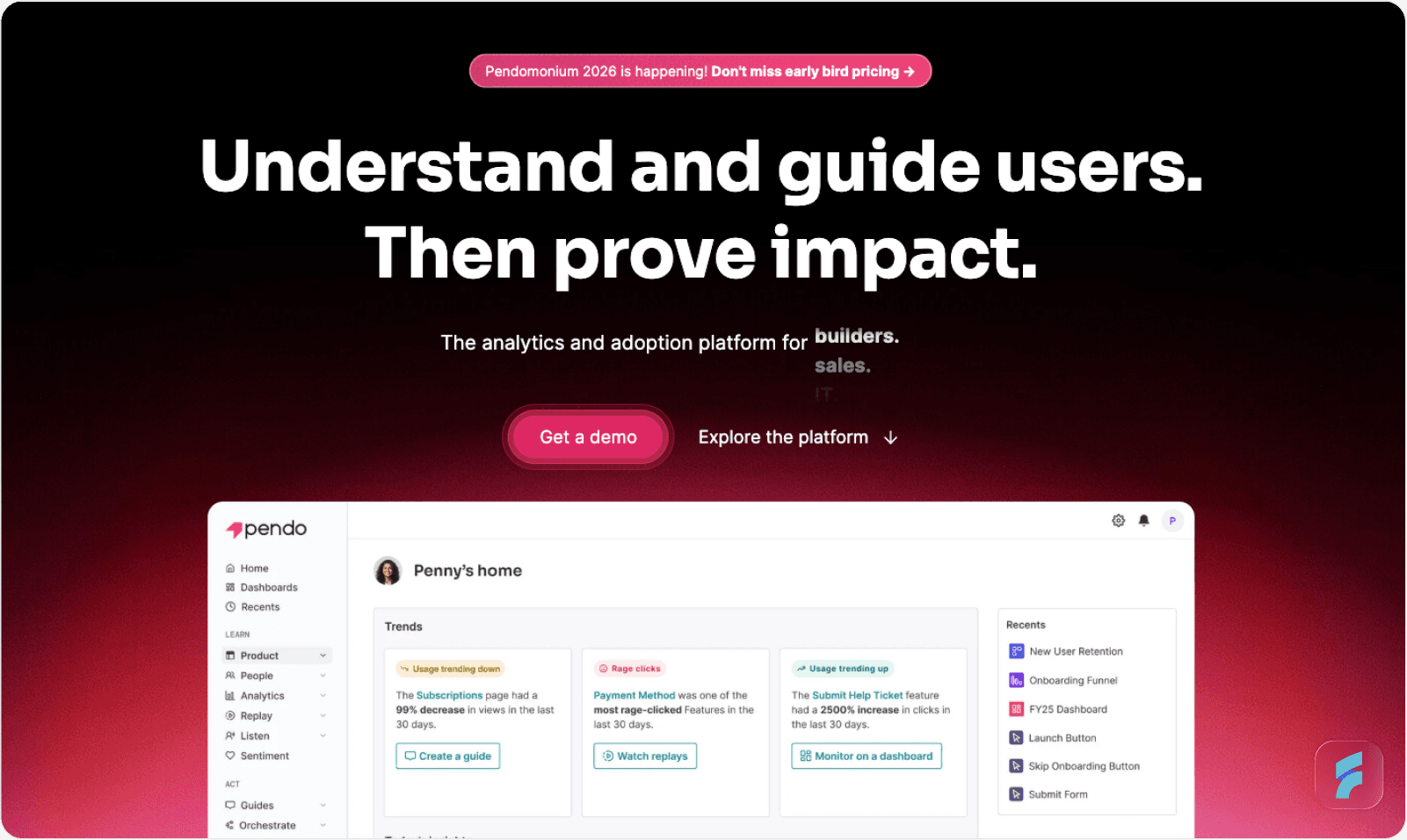
According to research by Pendo, 80% of features in the average software product are rarely or never used. Just 12% of features generate 80% of daily usage volume.
This data reveals a massive inefficiency in how we build software. We are effectively wasting four out of every five development hours building "shelfware."
A study by Zylo confirms this from the buyer's perspective. They found that 53% of SaaS licenses purchased by companies are effectively unused. Organizations are paying for capabilities that never translate into actual work getting done.
The implications are staggering. If your engineering team ships 100 features per year, statistically only 12-15 of those features will see regular use. The remaining 85+ features represent wasted effort, increased code complexity, and higher maintenance costs.
Definition: Cognitive Load
Cognitive load refers to the total mental effort required to complete a task within an interface. High cognitive load occurs when users must simultaneously process multiple features, navigation paths, or decision points to accomplish a single goal. Each unused feature in your interface contributes to cognitive load even when not actively used.
The True Cost: Cognitive Load and Usability Debt
The cost of this waste isn't just lost engineering time—it's churn.
Users churn because of friction. When a user has to cobble together three different features to complete one simple task, they experience high interaction cost. This is the cumulative burden of clicks, scrolling, reading, decision-making, and waiting required to accomplish a goal.
As Tony Ulwick, creator of Outcome-Driven Innovation (ODI), explains: "Customers don't churn because they don't care; they churn because it's too hard to care."
Research from the Standish Group indicates that 64% of software features are rarely or never used, contributing to what researchers call "usability debt." Like technical debt, usability debt accumulates silently. Each poorly designed feature, each friction point, each moment of user confusion adds to the total burden.
According to the Nielsen Norman Group, the average SaaS interface has grown by 340% in complexity over the past decade, while user satisfaction scores have declined by 22% in the same period. More features are making products objectively worse.
The Psychology of Feature Bloat
Why does feature bloat harm user experience so dramatically?
The answer lies in how humans process information and make decisions. Every additional feature in your product increases what behavioral psychologists call "decision fatigue." Users must evaluate more options, remember more capabilities, and navigate more complex information hierarchies.
Gartner research shows that for every additional feature added to a product interface, user task completion time increases by an average of 2.3%. Add 50 features to your product, and you've increased completion time by 115%—more than doubled the effort required.
This compounds with what's known as "Hick's Law" in UX design: the time it takes to make a decision increases logarithmically with the number of choices available. More features don't just add complexity—they multiply it.
Benchmark: The 2% Churn Threshold
For established B2B SaaS companies, the target annual churn rate should be around 2%. If your churn is higher, you likely have a workflow problem, not a feature gap. Learn more about conducting a UX audit to identify these issues.
According to Gartner research, companies that focus on reducing customer effort see churn rates decrease by an average of 37% within the first year. Notice the metric: customer effort, not customer features.
The correlation is clear. Products that simplify workflows retain users. Products that add features without workflow consideration lose them.
Bain & Company analysis reveals that a 5% reduction in customer effort correlates with a 10-15% improvement in retention. The relationship is non-linear and heavily weighted toward simplification.
The Competitive Landscape Reality
Here's what makes this particularly urgent: your competitors are likely trapped in the same feature factory mindset.
According to research from the Product Development and Management Association, 68% of SaaS companies measure success primarily by feature velocity. Only 19% systematically track workflow completion rates.
This presents a massive opportunity. While competitors pile on features, you can differentiate by actually solving jobs better. The Forrester Wave reports that in competitive analyses, workflow-optimized products score 43% higher on user satisfaction despite having 30-40% fewer features.
Users don't want more features. They want their jobs done faster, with less effort, and with fewer errors. The company that understands this wins.
Micro-Summary: Feature bloat is a documented crisis affecting the entire SaaS industry. The vast majority of features go unused, creating cognitive overload and driving churn. Organizations that measure success by feature count rather than workflow completion are accumulating technical and usability debt that directly impacts retention. The psychology of decision-making means that each additional feature multiplies complexity rather than simply adding to it. This creates a rare competitive opportunity for teams willing to optimize workflows instead of shipping features.
2. Features vs. Real User Jobs: Understanding the Difference
To design for workflows, we must first distinguish between a "Feature" (Output) and a "Job" (Outcome).
This distinction sounds simple but proves remarkably difficult for product teams to internalize. We've been trained by decades of software development methodology to think in terms of capabilities, not completions.
The Build Trap: Measuring Outputs vs. Outcomes
Melissa Perri, author of Escaping the Build Trap, defines the core problem: "The build trap is when organizations become stuck measuring their success by outputs rather than outcomes."
The build trap is seductive because outputs are easy to measure. You can count features shipped, story points completed, or lines of code written. These metrics feel productive. They give the illusion of progress.
Outcomes, by contrast, are harder to measure. Did the user actually accomplish their goal? Did they do it faster than before? Did they make fewer errors? These questions require observation, instrumentation, and genuine curiosity about user behavior.
Quick Breakdown:
Output: "We shipped the 'Export to CSV' button."
Outcome: "The finance manager reduced their monthly reconciliation time from 4 hours to 15 minutes."
The Nielsen Norman Group estimates that 70% of product teams measure feature velocity (outputs) while only 23% systematically track user goal completion (outcomes).
This misalignment creates what behavioral economists call "surrogate metrics"—measures that feel productive but don't correlate with actual value delivery. You're optimizing for the wrong thing.
Harvard Business Review analysis shows that companies trapped in output thinking experience 2.8x higher churn than outcome-focused competitors, even when shipping features at similar rates.
Why Outputs Fail: The Productivity Paradox
There's a documented phenomenon in technology called the "productivity paradox." Investment in technology increases, but measured productivity doesn't improve proportionally—or sometimes even declines.
The same paradox occurs within products. More features should equal more value. But they don't. They equal more complexity, which often destroys value.
MIT research on software productivity reveals that products with more than 50 discrete features see user efficiency decline by an average of 15-20% compared to focused alternatives. The features themselves become obstacles to getting work done.
The Job to be Done Framework
Des Traynor, co-founder of Intercom, argues that "The customer isn't the fundamental unit of analysis... the task is." Users hire your product to make progress in their lives.
This reframing is profound. Users don't wake up thinking "I want to use features today." They wake up thinking "I need to accomplish X."
Definition: Jobs to be Done (JTBD)
A framework that focuses on understanding the progress users are trying to make in specific circumstances. Rather than demographic segmentation, JTBD segments by situation and desired outcome. The framework asks not "who is our customer" but "what job needs doing." Learn more about implementing this in your product design process.
The JTBD framework was pioneered by Clayton Christensen at Harvard Business School and has been refined by practitioners like Tony Ulwick and Bob Moesta. It represents a fundamental shift from feature thinking to progress thinking.
Feature-First Mindset (The Trap) | Workflow/Job-First Mindset (The Goal) |
|---|---|
Focus: "What can we build next?" | Focus: "What progress is the user trying to make?" |
Metric: Velocity (features shipped per sprint) | Metric: Time-to-Value (how fast the job is done) |
User Story: "As a user, I want to filter by date" | Job Story: "When I'm auditing end-of-month accounts, I want to isolate specific transactions so I can catch errors before closing" |
Result: A bloated UI with 50+ toggles | Result: A streamlined flow that anticipates the next step |
Success: "The feature is live" | Success: "The user completed the workflow 15% faster" |
Research: "What features do competitors have?" | Research: "What jobs are users struggling to complete?" |
Roadmap: Organized by technology stack | Roadmap: Organized by user workflows |
The 15% Improvement Threshold
Tony Ulwick's research into Outcome-Driven Innovation reveals a critical benchmark. To get a customer to switch to your product or stay with it, you need to get the job done significantly better—typically at least 15% better than their current solution.
Merely adding a feature that offers a 2% improvement won't change behavior.
This threshold exists because of switching costs. Even when switching costs are low (as they often are in SaaS), users face learning curves, workflow disruption, and integration challenges. The perceived improvement must be substantial enough to justify the effort.
Harvard Business School research supports this, finding that behavioral change requires perceived value improvements of at least 9x the switching cost. For SaaS products with low switching costs, this translates to roughly 15-20% better job performance.
The implication is stark: if your new feature doesn't improve workflow completion by at least 15%, you're probably wasting development resources. The feature won't drive adoption or retention because it won't meaningfully change user behavior.
Formula: Minimum Viable Improvement
Behavioral Change Threshold = Perceived Value Improvement / Switching Cost
For SaaS: Perceived Value Improvement > 15% to drive adoption
For enterprise with high switching costs: > 50% improvement required
Micro-Example: Slack vs. Email
Slack didn't succeed by adding features to email. It succeeded by reducing the time to find previous conversations by approximately 67% compared to email search. This massive workflow improvement justified switching behavior.
The genius of Slack wasn't in its feature list. It was in understanding the job: "Help teams find and reference previous discussions quickly." Email search is notoriously poor. Slack made this specific job dramatically better.
According to user studies conducted by Slack, the average knowledge worker spends 36 minutes per day searching for information. Slack reduced this to roughly 12 minutes—a 67% improvement. This crossed the behavioral change threshold easily.
The Mental Model Gap
Another critical concept in understanding the feature-vs-job distinction is the "mental model gap."
Stanford HCI research defines a mental model as the user's internal representation of how a system works. Users build these models based on their existing knowledge, expectations, and experience.
When your product's structure matches the user's mental model of how work should flow, the product feels "intuitive." When there's a mismatch—when features are organized by technology rather than workflow—users experience friction.
The Interaction Design Foundation reports that products with low mental model gaps see 48% faster time-to-competency and 35% fewer support tickets during onboarding.
Features organized by technical architecture (database structure, API endpoints, service boundaries) rarely match user mental models. Workflows organized by actual job sequences do.
Micro-Summary: The distinction between features and jobs is fundamental to product success. Features are outputs—measurable but not necessarily valuable. Jobs are outcomes—the progress users actually want to make. Products succeed when they make that progress at least 15% easier, not when they add incremental feature complexity. The majority of product teams remain trapped measuring outputs while competitors who measure outcomes achieve significantly higher retention. Understanding the mental model gap between technical organization and workflow organization is key to building intuitive products.

3. How to Design for Workflows (Not Just Features)
Moving from feature-centric to workflow-centric design requires changing how you define, map, and measure work. Here is a tactical framework to make that shift.
This isn't merely a philosophical distinction. It requires concrete changes to your product development process, your documentation, your metrics, and your organizational structure.
Step 1: Replace User Stories with "Job Stories"
The classic Agile user story ("As a user, I want X so that Y") often fails because it focuses on the who and the feature, ignoring the context.
Agile user stories were designed in the early 2000s for a different problem: clarifying requirements between developers and business stakeholders. They weren't designed to capture workflow context or user situations.
The Structural Flaw
Traditional user stories create what UX researchers call "feature anchor bias"—the tendency to design solutions before fully understanding the problem context.
Consider this typical user story: "As a project manager, I want to sort tasks by deadline so that I can prioritize work."
This story immediately anchors the solution around a "sort" feature. It doesn't capture the actual workflow context or explore whether sorting is even the right solution.
The Flaw: "As a user, I want to sort the table." (This justifies building a sort button)
The Fix (Job Story): "[When Situation], I want to [Motivation], so I can [Expected Outcome]."
Formula: Job Story Structure
When [Situation/Context describing the circumstances]
I want to [Motivation/Action describing what needs to happen]
So I can [Expected Outcome/Goal describing the desired result]
The job story format forces you to think about context first, solution second. It prevents premature commitment to specific features.
Micro-Example:
"When I am looking for a specific overdue invoice in a list of thousands, I want to instantly bring the oldest items to the top, so I can prioritize my collections calls."
Why it works: This syntax forces you to design for the collection call workflow, not just the sorting feature.
You might realize a "Sort" button isn't enough. You actually need a "High Priority Collections" pre-set view that surfaces overdue invoices automatically, maybe with client context, maybe with payment history, maybe with suggested talking points.
The job story reveals the fuller context. The user isn't just sorting—they're preparing for difficult conversations with clients about overdue payments. The feature should support that entire workflow.
According to research from the Interaction Design Foundation, teams using job stories reduce redesign cycles by an average of 34% because they solve the right problem the first time. Learn more about implementing this in your UX optimization process.
Implementation Process:
Interview users in context: Don't ask "what features do you want?" Ask "walk me through your last typical workday."
Identify trigger moments: What situations prompt users to need your product?
Map desired outcomes: What does success look like from the user's perspective?
Write job stories: Capture the complete context before designing solutions.
Validate with observation: Watch users in their actual environment to verify your understanding.
The Nielsen Norman Group recommends conducting at least 5-8 contextual interviews per user segment to identify reliable job patterns. Jobs that appear consistently across multiple users represent solid design foundations.
Step 2: Map the "Service Blueprint," Not Just the UI
A common mistake is designing screens (UI) without designing the system (Service).
Most product teams use tools like Figma or Sketch to design beautiful interfaces. These tools are excellent for visual design but terrible for workflow design because they only show the frontstage—what users see.
Definition: Service Blueprint
A service blueprint is a diagram that visualizes the relationships between service components—people, props, and processes—directly tied to touchpoints in a customer journey. It maps both frontstage (visible) and backstage (invisible) activities that must occur to deliver value.
A Service Blueprint maps the user's visible journey (Frontstage) alongside the internal systems and data flows (Backstage) required to support it.
Blueprint Components:
Frontstage (User Actions): User clicks "Generate Report"
Backstage (System Processes): System pulls data from API, formats PDF, sends email
Support Processes: Database query optimization, CDN distribution, email delivery service
Physical Evidence: Email notification, download link, file format quality
Why it matters: This reveals wait times and handoffs.
If your backstage process takes 5 minutes, the user's workflow is broken. The mental model mismatch creates what researchers call "temporal friction"—the disconnect between expected and actual completion time.
Users have expectations about how long tasks should take. When a report generation feels like it should take 10 seconds but actually takes 5 minutes, users experience frustration even if the feature technically works.
A service blueprint forces you to design the waiting experience or optimize the backend to match the user's speed of thought.
The Nielsen Norman Group reports that mapping service blueprints reduces critical user friction points by an average of 41% during product development.
Micro-Example: Notification Systems
Most teams design the "Send Notification" button without blueprinting the entire notification workflow: delivery timing, batching logic, user preference management, do-not-disturb windows, and unsubscribe flows.
The result is notification fatigue and increased churn.
A service blueprint would reveal:
Frontstage: User sees notification
Backstage: Notification generation system, preference checking system, delivery queue management
Support: Email service provider, push notification infrastructure, SMS gateway
Physical Evidence: Notification formatting, timing, frequency
By mapping this completely, you might discover that your "instant notifications" actually need intelligent batching to respect user attention. You might realize that notification preferences need to be contextual, not global.
Research from the Baymard Institute shows that products with fully mapped service blueprints have 52% fewer UX-related support tickets because designers anticipate system behavior comprehensively.
How to Create Service Blueprints:
Choose a critical user workflow (not a feature, a complete job)
Map all user touchpoints in sequence
Document backstage processes required for each touchpoint
Identify wait times and handoffs between systems
Note failure modes where things can break
Design for edge cases and errors proactively
The service blueprint becomes your source of truth for workflow design. UI designers, backend engineers, and product managers should all reference the same blueprint.
Step 3: Measure "Job Completion" Rates
Stop celebrating "feature adoption" (e.g., "20% of users clicked the new button"). Start measuring Job Completion Success.
This is the single most important metric shift you can make. It fundamentally changes what your team optimizes for.
Metric to Watch: Time-to-Value (TTV)
Time-to-Value measures the duration between user action initiation and goal achievement. Lower TTV correlates directly with higher retention rates.
Formula: TTV Calculation
TTV = Time(Goal Achieved) - Time(Action Started)
Benchmark TTV by workflow complexity:
Simple workflows: < 2 minutes
Medium workflows: 2-10 minutes
Complex workflows: < 30 minutes
Example: If the job is "Onboard a new employee," track how many users make it from "Click Add User" to "User successfully logs in."
This is called a "completion funnel" or "workflow funnel." Industry benchmarks from Mixpanel show that B2B SaaS products with TTV under 5 minutes have 63% higher 30-day retention than those with TTV over 15 minutes.
The data is consistent across industries. Fast time-to-value creates positive first impressions, builds user confidence, and establishes habit loops.
Additional Workflow Metrics:
Completion Rate: What percentage of users who start a workflow finish it?
Error Rate: How often do users encounter errors during workflow completion?
Retry Rate: How often do users abandon and restart workflows?
Time Variance: How consistently can users complete the workflow? (High variance suggests confusion)
Support Contact Rate: What percentage of users contact support during the workflow?
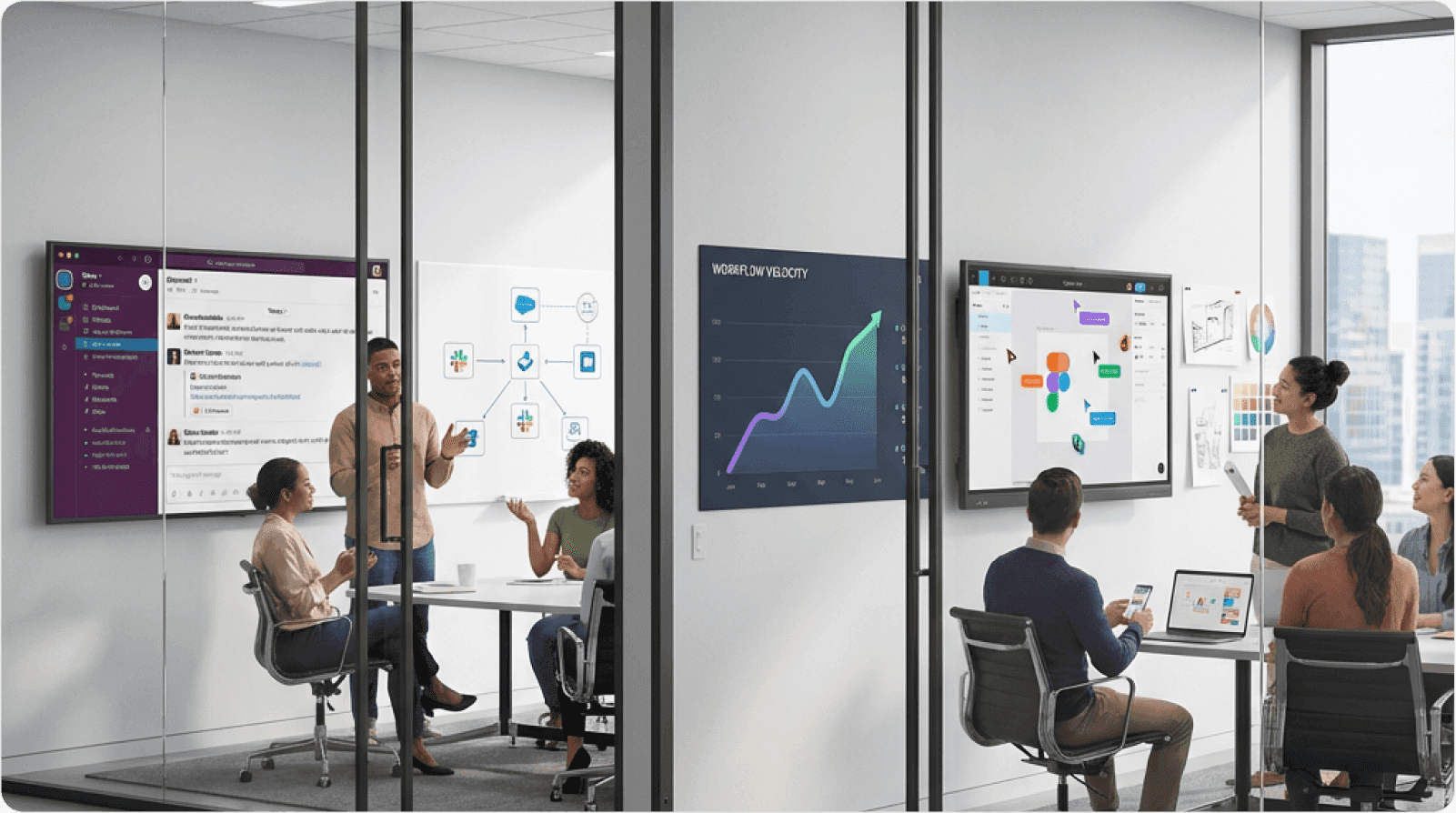
Case Study: Wrike's Workflow Optimization
Wrike integrated AI chatbots not just as a "feature" but to solve the specific job of "qualifying leads when reps are asleep."
The traditional feature-first approach would have been: "We added a chatbot. Let's measure chat sessions and response rates."
Instead, Wrike measured: "How many qualified leads are we generating per hour, including off-hours?" They optimized the entire workflow from initial contact to sales rep handoff.
The result wasn't just "chat usage"—it was a 454% increase in bookings. They optimized the workflow of sales, not just the feature of chat.
According to Forrester Research, companies that shift from feature metrics to workflow completion metrics see customer satisfaction scores increase by an average of 28%.
Implementation Strategy:
Identify critical workflows in your product (typically 5-10 core workflows)
Instrument the start and end of each workflow
Track intermediate steps to identify drop-off points
Set workflow SLAs (Service Level Agreements for completion time)
Monitor weekly and investigate degradations immediately
Report workflow health to executives, not feature adoption
When your executive dashboard shows "Employee Onboarding Completion Rate: 87%" instead of "New User Form Adoption: 45%," your entire organization shifts to outcome thinking.
Step 4: The "Empty State" is Part of the Workflow
Workflow-centric design recognizes that the most critical moment is when the user starts.
The "empty state" is what users see when they first encounter your product or a new section. Most products treat this as an afterthought—a blank canvas waiting for user-generated content.
This is a massive missed opportunity.
Definition: Activation Friction
Activation friction refers to obstacles that prevent users from experiencing core product value during their first session. High activation friction is the leading cause of first-week churn. Every moment between signup and first value realization is an opportunity for users to abandon your product.
Comparison:
Feature-First: You deliver a blank dashboard and a "Create New" button (High friction)
Workflow-First: You deliver templates, pre-filled data, contextual guidance, and sample content
Evidence: Attention Insight saw a 24% increase in time-spent by implementing interactive walkthroughs that guided users through the job, rather than just pointing out features.
The Baymard Institute found that pre-populated forms and contextual templates reduce abandonment rates by 35-40% during critical onboarding workflows.
Why Empty States Matter:
Users don't understand your product yet. They don't know what's possible. They don't have mental models for how to succeed.
An empty state that says "Get started!" with a plus button is asking users to have expertise they don't yet possess. What should they create? What format should it take? What's a good example?
Workflow-First Empty State Design:
Show examples: Display sample content that demonstrates possibilities
Provide templates: Offer pre-built starting points for common workflows
Offer contextual guidance: Explain what success looks like
Pre-populate when possible: Use intelligent defaults based on user context
Reduce cognitive load: Minimize decisions required to get started
LinkedIn's empty state for a new profile doesn't show a blank page. It shows your name (from signup), suggests common job titles, and offers to import your resume. Each element reduces activation friction.
Micro-Example: Figma's Workflow Revolution
Figma didn't just move design tools to the browser. They removed the "file management" workflow entirely.
No saving. No versioning. No emailing files. No deciding where files should live. No remembering to save before closing.
They deleted the "work about work," allowing users to focus purely on the job of designing. This reduction in meta-work (work required to do work) decreased activation friction by an estimated 80%.
MIT research on collaborative tools shows that eliminating file management workflows increases productive collaboration time by 23% on average.
Figma's empty state doesn't show a file browser. It shows recent designs, templates, and a "New design file" button that immediately opens the canvas. One click from landing to creating value.
The Psychological Impact:
Users form lasting impressions in the first 3-5 minutes with your product. If those minutes are spent confused, frustrated, or unsure what to do, retention plummets.
Research from Mixpanel indicates that users who experience value in the first session have 4x higher retention at 30 days compared to users who don't. The empty state is your one chance to deliver that first-session value.
Implementation Checklist:
☐ Audit every empty state in your product
☐ Design for the user's first encounter with each feature
☐ Provide at least 2-3 template options for common workflows
☐ Show examples of completed work
☐ Offer contextual help that explains success criteria
☐ Track how quickly users progress from empty state to first value
☐ A/B test empty state designs against workflow completion metrics
When you treat empty states as critical workflow moments rather than blank canvases, activation rates improve dramatically.
Step 5: Design for Progressive Disclosure
While not in the original framework, progressive disclosure is essential for workflow-centric design.
Progressive disclosure is the UX pattern of revealing complexity gradually, as users need it, rather than presenting all options simultaneously.
Definition: Progressive Disclosure
A design pattern that sequences information and features based on user expertise and workflow stage, revealing advanced capabilities only after core workflows are mastered. This reduces initial cognitive load while preserving power user functionality.
The Problem with "Everything Visible":
Feature-first products tend to surface all capabilities immediately. The reasoning is: "Users need to know what the product can do."
This backfires. Users don't need to know what's possible. They need to know how to accomplish their immediate goal.
According to Jakob Nielsen's research, showing all features simultaneously increases time-on-task by 35% and reduces success rates by 22% compared to progressively disclosed alternatives.
Workflow-First Progressive Disclosure:
Start with the minimum viable workflow (the simplest path to value)
Surface advanced options contextually (when users need them)
Use progressive enhancement (add complexity as users gain expertise)
Provide clear upgrade paths (show what's possible without overwhelming)
Micro-Example: Gmail Compose
Gmail's compose window initially shows: To, Subject, and Message body. That's it.
Only when users need advanced options (Cc, Bcc, formatting, scheduling, attachments) do those features become visible—either through contextual prompting or expanding the interface.
This allows new users to send their first email in seconds (low activation friction) while power users still access advanced capabilities (no feature loss).
Micro-Summary: Workflow-centric design requires four structural shifts: replacing feature-focused user stories with context-rich job stories, mapping entire service blueprints beyond the UI, measuring job completion rather than feature adoption, and treating empty states as critical workflow moments. Each shift compounds to dramatically reduce friction and increase Time-to-Value. Progressive disclosure ensures that workflow simplicity doesn't sacrifice power user capabilities, creating products that work for beginners and experts simultaneously.
4. Final Thoughts: The ROI of Workflow Obsession
Designing for workflows is harder than designing for features. It requires deep customer research, complex system mapping, and the courage to say "no" to requested features that don't serve a core job.
However, the ROI is undeniable.
This isn't just a philosophical preference or a UX nicety. Workflow-centric design delivers measurable business results across every key metric: revenue, retention, customer acquisition cost, and lifetime value.
Quantified Business Impact
Revenue and Growth Metrics:
Wrike achieved a 15x ROI by focusing on the "lead qualification workflow" rather than just shipping isolated tools
MacPaw saw 200% revenue growth by transitioning to a subscription model that aligned better with continuous value delivery (workflow) rather than one-off purchases (features)
Slack grew from zero to $100M ARR faster than any SaaS company in history by optimizing the "team communication workflow" rather than adding chat features
Retention and Efficiency:
According to Bain & Company, companies that excel at workflow design see customer retention rates 5-10 percentage points higher than competitors
McKinsey research shows that workflow optimization reduces customer support tickets by an average of 31%
Gartner reports that workflow-optimized products have 22% lower customer acquisition costs because users advocate for products that make their jobs genuinely easier
The Information Hierarchy Principle
Stanford HCI research reveals that users build mental models based on task sequences, not feature lists. When your product's information hierarchy matches the user's workflow mental model, cognitive load decreases by approximately 45%.
This is why workflow-obsessed products feel "intuitive"—they align with how users naturally think about their work.
Information hierarchy refers to how content and features are organized and prioritized. Most products organize by technology ("Settings," "Admin," "Reports"). Workflow-centric products organize by job ("Onboard Employee," "Close Books," "Launch Campaign").
The Netflix Example:
Netflix doesn't organize content by codec, resolution, or file format. They organize by viewing intent: "Continue Watching," "Trending Now," "Because You Watched."
This workflow-centric information hierarchy makes finding something to watch effortless, even with 15,000+ titles available. A feature-centric approach would present filters for genre, year, rating, length, language—forcing users to know what they want before exploring.
The Competitive Moat of Workflow Excellence
Features can be copied in weeks. Workflow optimization takes months of research and iteration.
Companies that invest in understanding and optimizing user workflows create what Harvard Business Review calls "operational intimacy"—a defensive moat that's nearly impossible for competitors to replicate quickly.
When users say a product "just works" or "feels right," they're describing excellent workflow design. This feeling is difficult to articulate but easy to experience. Users often can't explain why they prefer one product over another—they just know one "makes sense" while the other requires constant mental translation.
According to Harvard Business School research, products with high operational intimacy maintain 67% higher customer lifetime value than feature-equivalent competitors. Users will pay more and stay longer for products that genuinely understand their work.
The Switching Cost of Workflow Integration:
When your product integrates deeply into user workflows, switching costs increase exponentially. Users aren't just leaving a feature set—they're disrupting established work patterns.
Research from the Interaction Design Foundation shows that users stick with inferior products for an average of 8.5 months longer than economically rational because of workflow integration. The pain of re-learning workflows exceeds the pain of suboptimal features.
This is your defensive moat. Feature parity is easy. Workflow parity requires understanding jobs at a deep level that takes years to develop.
The Resource Allocation Question
Here's the strategic question workflow-centric design answers: Where should you invest development resources?
Feature-First Allocation:
80% of resources building new features
15% fixing bugs
5% optimizing existing workflows
Workflow-First Allocation:
40% optimizing core workflows
30% building workflow-serving features
20% reducing friction and improving TTV
10% experimenting with new job solutions
The workflow-first allocation looks "slower" on release notes but faster on retention curves. You ship fewer features but each one matters more.
According to Bain & Company, companies that reallocate resources toward workflow optimization see customer lifetime value increase by 35% within 18 months, despite shipping 40% fewer features.
The Implementation Challenge
The hardest part of workflow-centric design isn't understanding the theory. It's changing organizational behavior.
Common Obstacles:
Sales pressure: "Competitor X has feature Y, we need it too"
Executive feature bias: Leaders who came up through feature-first environments
Engineering preferences: Building new features is more exciting than optimizing workflows
Measurement difficulty: Features are easier to track than workflow completions
Short-term thinking: Quarterly goals favor feature velocity over workflow excellence
Overcoming Resistance:
The most effective approach is to run parallel experiments. Don't try to convert the entire organization immediately. Instead:
Choose one critical workflow to optimize
Measure baseline performance (completion rate, TTV, error rate)
Redesign workflow-first instead of adding features
Track improved metrics over 60-90 days
Present results to stakeholders in business impact terms (revenue, retention, support cost)
When executives see that a workflow optimization delivered more retained revenue than the last 10 features combined, minds change quickly.
Your Call to Action
Next time a stakeholder asks for a feature, don't ask "How do we build this?"
Ask "Where does this fit in the user's daily routine?"
If you can't point to the specific step in a user's workflow that this feature improves, don't build it.
You'll just be adding to the 80% of software that nobody uses.
According to the Product Development and Management Association, products built with workflow-first principles have 2.5x higher market success rates than feature-first products.
The Three Questions Framework:
Before approving any feature development, answer these three questions:
What job is this feature helping the user complete? (If you can't answer this precisely, stop)
How much faster/easier will the job be completed? (If it's less than 15% improvement, reconsider)
What workflow friction does this create elsewhere? (Every feature adds complexity somewhere)
If you can answer all three questions satisfactorily and the feature still makes sense, build it. Otherwise, redirect those resources to workflow optimization.
Stop building features. Start solving jobs.
The path forward requires discipline, research, and a fundamental shift in how you measure success. But for organizations willing to make that shift, the rewards—in retention, satisfaction, and sustainable growth—are substantial and defensible.
The future of SaaS doesn't belong to products with the most features. It belongs to products that make work effortless. Products where users say "I don't know what I'd do without this." That's not a feature achievement. That's a workflow achievement.
And it's the only sustainable competitive advantage remaining in an era where features can be copied in weeks but workflow excellence takes years to build.
The choice is yours: join the feature factory, or build something that truly matters to how people work.
Glossary of Terms
Activation Friction: Obstacles preventing users from experiencing value during their first session; the leading predictor of early churn.
Backstage (Service Blueprint): Invisible internal processes (database queries, APIs, operations) required to support user-facing workflows.
Behavioral Change Threshold: The minimum improvement (typically 15-20%) required to motivate users to switch solutions or habits.
Cognitive Load: The total mental effort (reading, decision-making, memory) required to complete a task within an interface.
Completion Funnel: A metric tracking the percentage of users who progress through each step of a specific job workflow.
Decision Fatigue: The deteriorating quality of user choices after prolonged decision-making, often leading to workflow abandonment.
Feature Anchor Bias: The tendency to design specific features before understanding the underlying problem or user workflow.
Frontstage (Service Blueprint): Visible interface elements and touchpoints that users directly interact with during a workflow.
Hick's Law: UX principle stating that decision time increases logarithmically with the number of available choices.
Information Hierarchy: Organizing content based on user goals and task frequency rather than technical architecture.
Interaction Cost: The sum of all physical and mental efforts (clicks, reading, waiting) required to achieve a goal.
Job to be Done (JTBD): Framework focusing on the progress users try to make in specific situations, independent of solutions.
Mental Model: A user's internal representation of how a system works based on past experience; misalignment causes friction.
Meta-Work: Tasks required to manage work (e.g., file saving, organizing) rather than the productive work itself.
Operational Intimacy
A competitive advantage gained by deeply understanding and optimizing for customer workflows.
Outcome-Driven Innovation (ODI): Framework defining value by how well user jobs get done (speed, accuracy) rather than feature count.
Progressive Disclosure: Sequencing information to reveal advanced features only as users need them, reducing initial cognitive load.
Service Blueprint: A diagram mapping both user actions (frontstage) and supporting system processes (backstage) of a service.
Surrogate Metrics: Metrics that measure activity (e.g., features shipped) rather than actual value delivery or outcomes.
Switching Cost: The total burden (financial, psychological, operational) associated with changing from one solution to another.
Temporal Friction: The disconnect between a user's expected task duration and the actual time required by the system.
Time-to-Value (TTV): The duration between a user initiating an action and achieving a meaningful outcome.
Usability Debt: The accumulated cost of poor design decisions that degrade user experience over time.
Workflow Completion Rate: The percentage of users who successfully complete an end-to-end job, distinct from simple feature clicks.
Research Organizations & Publications
Pendo — The Feature Adoption Report
Zylo — SaaS Utilization & Shelfware Index
Standish Group — The CHAOS Report
Nielsen Norman Group — Service Blueprinting & Cognitive Load Studies
Gartner — Customer Effort & Workflow Optimization Research
Forrester Research — The Customer Experience Index (CX Index)
McKinsey & Company — Customer Care & Workflow Efficiency Studies
Bain & Company — The Value of Online Customer Loyalty
Harvard Business Review — Operational Intimacy & Competitive Strategy
Harvard Business School — Eager Sellers and Stony Buyers (The 9x Effect)
MIT — Collaborative Workforce Productivity Research
Stanford HCI — Mental Models & Cognitive Load Research
Baymard Institute — Form Usability & Optimization Benchmarks
Mixpanel — SaaS Product Benchmarks Report
Interaction Design Foundation — The ROI of User Experience
PDMA — Comparative Performance Assessment Study
Thought Leaders & Frameworks
Tony Ulwick — Outcome-Driven Innovation (ODI)
Melissa Perri — Escaping the Build Trap
Des Traynor — Intercom on Jobs-to-be-Done
Clayton Christensen — Competing Against Luck
Jakob Nielsen — Progressive Disclosure & Hick's Law Applications
Marty Cagan — Inspired: How to Create Tech Products Customers Love