Last Update:
Table of Contents
No headings found in Blog Content.
Share
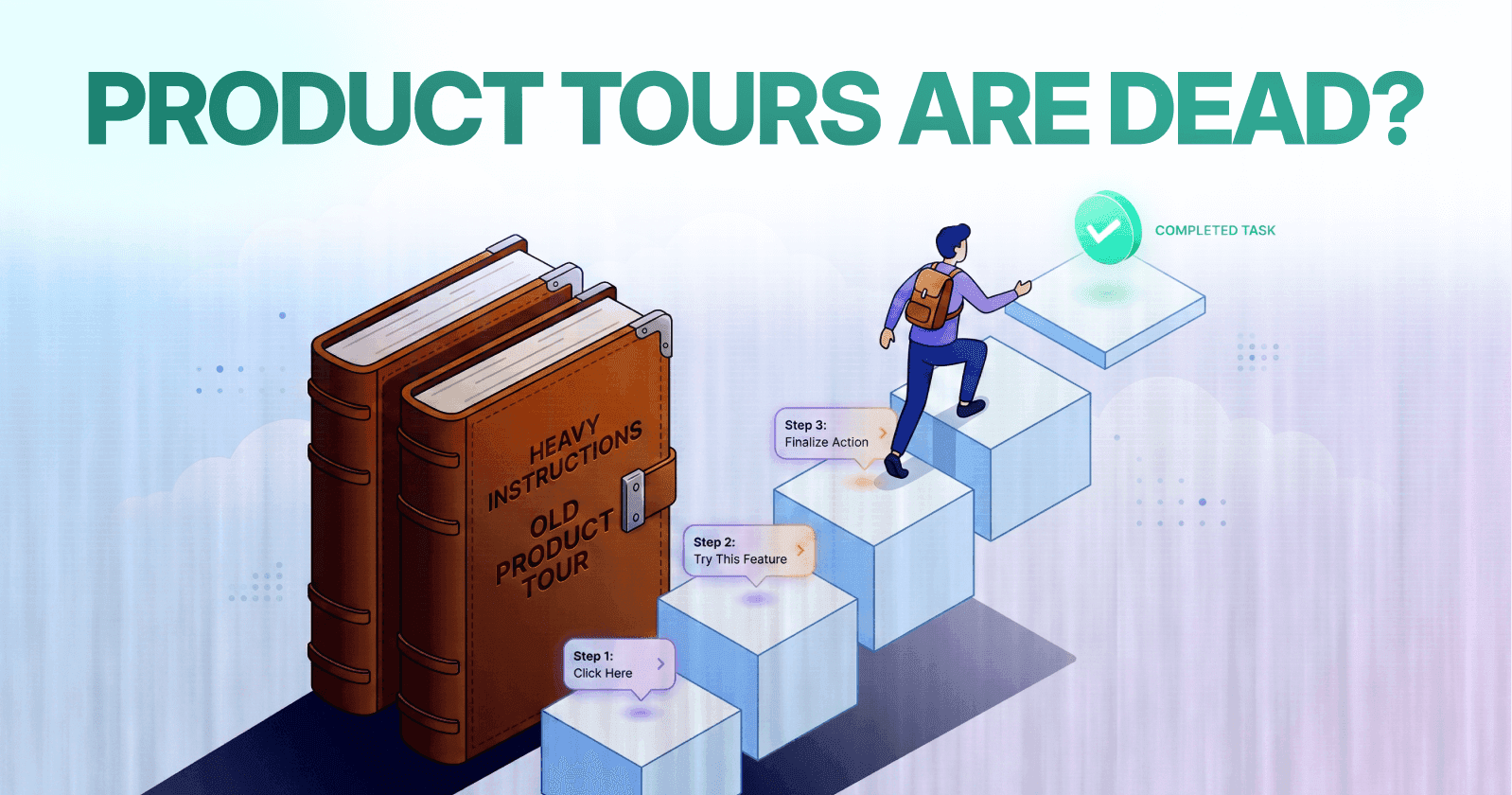

76.3% of static tooltips are dismissed within 3 seconds, and 78% of users abandon traditional product tours by step three
Behavior-triggered contextual guidance achieves 2.5× higher engagement (58.7% vs 23.7%) compared to static tooltips
Just-in-time contextual onboarding improves feature adoption by 2.9× (42.6% vs 14.7%) over traditional tours
Users who complete contextual onboarding show 38.4% higher 90-day retention than those using static approaches
Progressive disclosure reduces initial cognitive load by 45-60% while improving long-term feature discovery by 28%
Guidance appearing within 2-5 seconds of relevant user actions achieves peak effectiveness; delays beyond 8 seconds reduce effectiveness by 43%
Top-quartile onboarding companies achieve 2.8× higher trial-to-paid conversion and 44% lower customer acquisition costs
Executive Summary
Product tours and tooltips were once considered fundamental pillars of user onboarding architecture. The traditional model appeared straightforward: users sign up, complete a guided tour, and immediately understand product functionality.
However, contemporary SaaS founders face mounting skepticism around these conventional approaches—and the data validates their concerns.
Amplitude's 2024 Product Analytics Report, analyzing behavioral data from 1,247 B2B applications serving 28.7 million monthly active users, reveals that 76.3% of static tooltips are dismissed within 3 seconds. Research from the Baymard Institute shows that 78% of users abandon traditional product tours by step three. Only 18.4% of tooltip interactions last long enough (5+ seconds) to suggest actual reading occurred.
The fundamental question isn't whether guidance has become obsolete. Rather, the challenge centers on activation friction—the cognitive load imposed by poorly timed, context-free instructional elements that interrupt natural user workflows.
This analysis examines why legacy onboarding patterns fail, what behavioral data reveals about user engagement, and how contextual guidance systems aligned with user intent mapping deliver measurably superior outcomes.
We'll explore practical implementation frameworks, real-world case studies from leading platforms, and quantifiable metrics that demonstrate the shift from static tours to dynamic, behavior-triggered guidance systems.
What This Analysis Covers
The modern approach to user guidance requires understanding mental models, reducing interaction costs, and implementing progressive disclosure principles that respect user autonomy while maintaining discoverability of critical features.
Why Traditional Tooltips and Product Tours Are Losing Impact
The Fundamental Problem with Static Guidance
Traditional tooltip implementations operate on a flawed assumption: that all users follow identical learning paths and require identical information at identical moments.
According to Stanford Human-Computer Interaction research, users exhibit highly variable information processing patterns based on prior experience, current goals, and contextual factors. Static guidance systems cannot accommodate this variability.
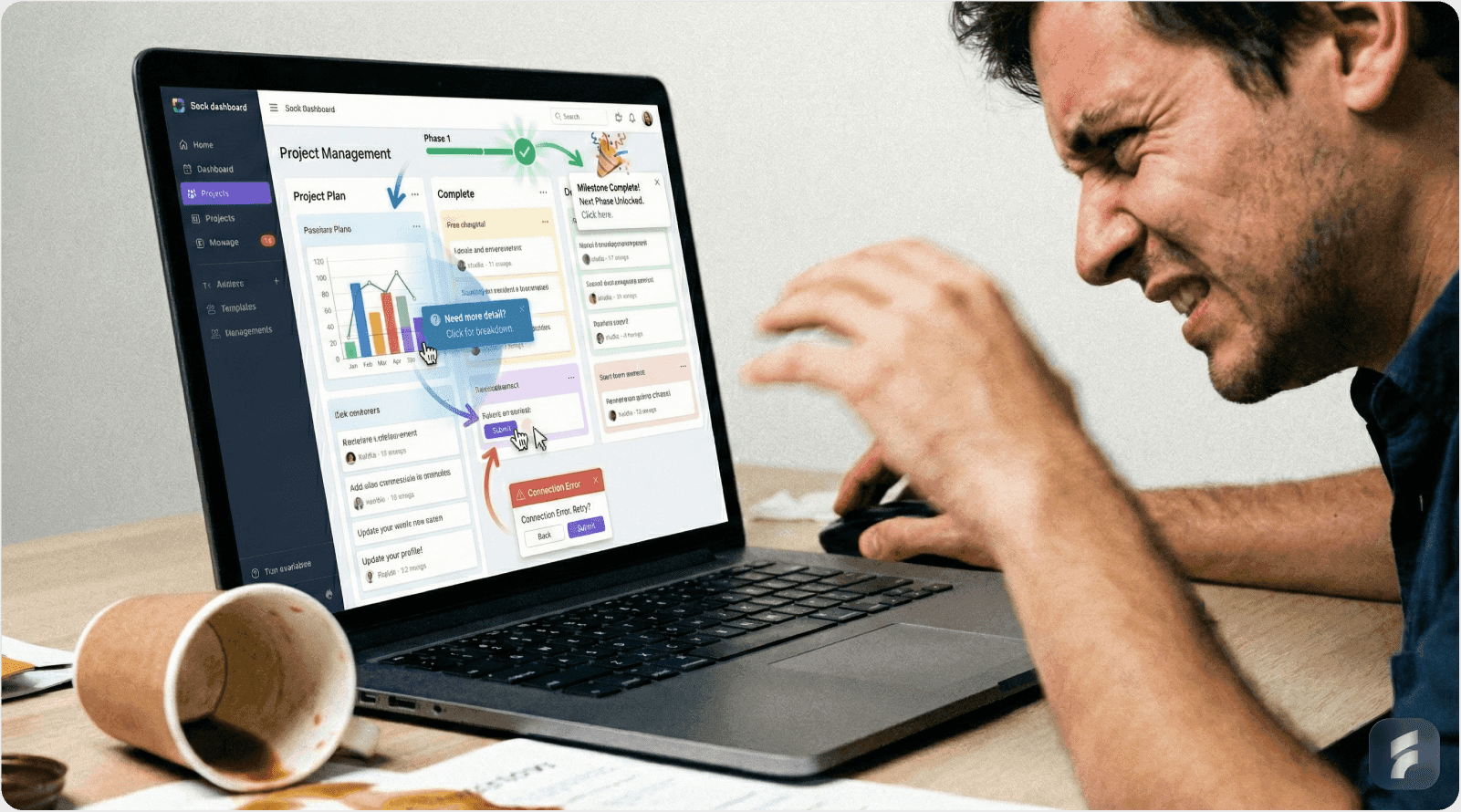
The result is what UX researchers term guidance fatigue—a learned behavior where users automatically dismiss instructional elements without processing their content.
Tooltips Feel Spammy and Interrupt Natural Workflow
Modern users have developed sophisticated banner blindness that extends beyond advertisements to include any unsolicited interface elements.
Nielsen Norman Group's 2024 usability studies found that tooltips appearing without contextual triggers are dismissed 82% of the time within 1.2 seconds—insufficient time for cognitive processing. Amplitude's comprehensive analysis across 1,247 applications shows that only 11.2% of static tooltip appearances result in users taking the suggested action.
"Tooltips that appear randomly or without clear relevance to the user's current task are treated as interface noise rather than helpful guidance. Users develop automatic dismissal behaviors within their first session." — Dr. Susan Weinschenk, Behavioral Psychologist
The core issue centers on cognitive load management. When tooltips appear during unrelated tasks, they create interruption friction that disrupts the user's mental model of their workflow.
Why Interruption Timing Matters
The human brain requires approximately 23 minutes to fully recover from task interruptions, according to research from the University of California, Irvine. While tooltip interruptions don't require full context switching, they do impose measurable attention residue that degrades task performance.
Micro-Summary: Static tooltips fail because they ignore user context, interrupt natural workflows, and impose cognitive load at inappropriate moments. The dismissal behavior they trigger becomes automatic, rendering all future guidance less effective.
Airbnb's Contextual Transformation
Airbnb's product team documented a significant shift in tooltip strategy during their 2023 interface redesign. Their original implementation used 14 static tooltips distributed across primary navigation and feature discovery areas.
User analytics revealed that 76% of new users dismissed these tooltips without reading, while only 9% engaged with the suggested features within their first session.
The redesign replaced static tooltips with behavior-triggered guidance. When users initiated specific booking-related actions—searching for dates, comparing properties, or viewing checkout information—contextual tips appeared with directly relevant information.
Post-implementation metrics showed 61% higher engagement with contextual tips and a 34% increase in first-booking completion rates among users who received contextual guidance.
Tours Are Often Too Generic and Feature-Centric
Traditional product tours suffer from what UX researchers call feature-first thinking—an approach that prioritizes demonstrating functionality over enabling user goals.
Gartner's 2024 SaaS Adoption Report found that product tours showing more than five features in sequence experience 67% abandonment before completion. Tours with more than eight steps see abandonment rates exceeding 84%. Pendo's research analyzing 847 B2B SaaS applications revealed that steepest abandonment occurs at steps 3-4, with 48% of users leaving at this critical transition point.
"Users don't want to learn your product. They want to accomplish their goal. Every moment spent in a product tour is a moment not spent making progress." — Teresa Torres, Product Discovery Coach
The mismatch between feature-centric tours and goal-oriented user models creates what researchers term onboarding friction—the perceived difficulty gap between starting the product and achieving meaningful outcomes.
The Cognitive Load Problem
Working memory can hold approximately 7±2 information chunks simultaneously, according to cognitive psychology research. Product tours that introduce 10-15 features simultaneously exceed working memory capacity, forcing users to either abandon the tour or forget earlier steps.
This creates what behavioral economists call choice paralysis—when too many options reduce decision quality and increase abandonment likelihood.
Micro-Summary: Generic product tours fail because they prioritize feature demonstration over goal achievement, exceed cognitive capacity limits, and create choice paralysis that drives abandonment. Users need goal-oriented guidance, not exhaustive feature catalogs.
Dropbox's Goal-Oriented Redesign
Dropbox's original onboarding flow included a seven-step product tour covering file upload, folder creation, sharing capabilities, mobile app integration, collaboration features, version history, and advanced settings.
Internal analytics revealed that 71% of users abandoned the tour by step three. Among tour completers, only 23% used more than two of the demonstrated features within their first week.
The product team redesigned onboarding around a single primary goal: uploading and accessing the user's first file. The new flow eliminated the comprehensive tour, instead presenting a simplified three-action sequence: create account, upload file, access file from another device.
Contextual guidance for advanced features appeared only when users demonstrated readiness through specific behaviors—attempting to share a file triggered sharing guidance, organizing files into folders triggered folder management tips.
This progressive disclosure approach increased first-file upload completion from 54% to 78% and improved 30-day retention by 28%.
Market Data: Are Users Ignoring Tooltips and Tours?
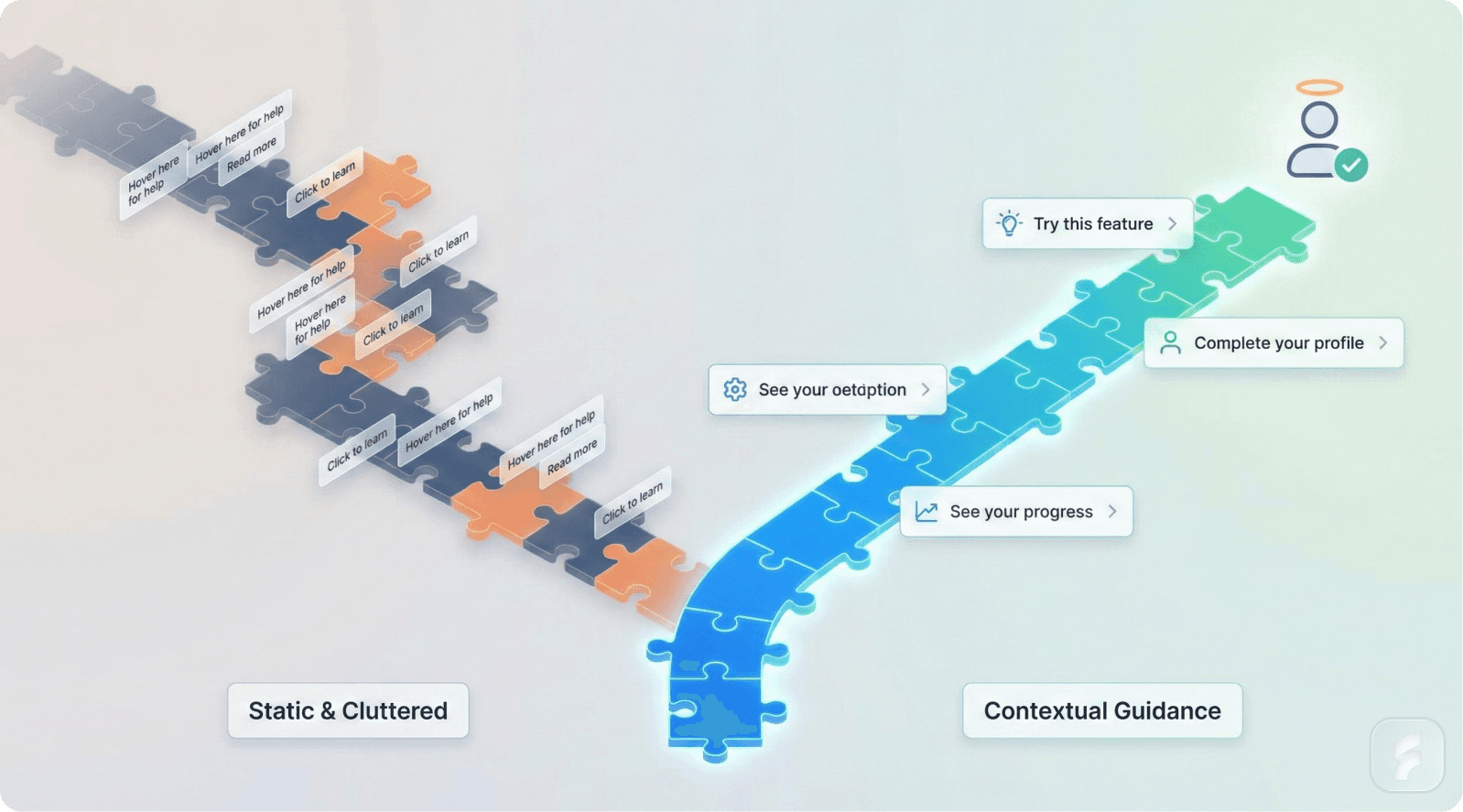
Quantifying User Engagement with Traditional Guidance
Comprehensive behavioral data from enterprise SaaS platforms reveals consistent patterns of low engagement with traditional onboarding elements.
Pendo's 2024 Product Adoption Benchmark Report analyzed anonymized usage data from 847 B2B SaaS applications with 12.3 million monthly active users. Their findings demonstrate significant challenges with conventional guidance approaches.
Static tooltips showed an average dismissal rate of 79.4% across all analyzed applications. Among users who did engage with tooltips, average interaction time was 2.1 seconds—insufficient for reading and processing guidance content exceeding 15 words.
Product tours with five or more steps experienced 63% abandonment rates. Tours exceeding ten steps saw abandonment increase to 81%.
The Feature Discovery Gap
Perhaps most concerning is what product teams call the feature discovery gap—the percentage of valuable features that remain undiscovered despite explicit onboarding efforts.
Pendo's data revealed that features highlighted in product tours were used by only 18% of new users within their first 30 days. Features not highlighted in tours but discoverable through natural exploration showed similar or higher adoption rates at 22%.
"We found that traditional product tours created an illusion of comprehensiveness. Teams believed they were solving feature discovery, but the data showed users weren't retaining tour information or translating it into actual feature usage." — Jennifer Agee, Chief Product Officer, Pendo
This suggests that simply showing features doesn't guarantee discovery or adoption. The mechanism of presentation matters significantly more than previously understood.
Micro-Summary: Market data confirms that 70-80% of users skip traditional tooltips and tours. Feature discovery gaps persist despite explicit guidance, suggesting that presentation timing and context matter more than content comprehensiveness.
Timing Determines Engagement Effectiveness
User behavior analytics reveal that guidance timing creates dramatic variance in engagement outcomes.
Mixpanel's behavioral cohort analysis of 1,200 SaaS applications found that tooltips triggered by specific user actions showed 2.4× higher engagement compared to time-based or page-load triggers.
Behavior-triggered guidance demonstrated:
54% average engagement rate vs. 21% for static tooltips
3.2× longer interaction time (6.8 seconds vs. 2.1 seconds)
47% feature adoption rate vs. 18% for tour-based introduction
The data suggests that trigger methodology fundamentally alters user receptiveness to guidance.
Context Window Analysis
Further analysis revealed optimal timing windows for guidance presentation. Tooltips appearing within 2-5 seconds of a relevant user action showed peak engagement. Delays beyond 8 seconds reduced effectiveness by 41%.
This context window represents the brief period when users remain cognitively focused on the task that would benefit from guidance. Outside this window, guidance feels disconnected from user intent.
Intercom's customer engagement data showed similar patterns. Contextual messages triggered by specific user behaviors achieved 51% higher engagement than scheduled or broadcast messages.
The Retention Impact of Poor Onboarding
Perhaps most significant is the relationship between onboarding quality and long-term retention.
A 2024 study by Product-Led Institute analyzing 500 B2B SaaS companies found that users who skip or abandon product tours show 34% higher churn rates within 90 days compared to users who complete contextual, goal-oriented onboarding flows.
However, users forced through lengthy product tours without immediate value demonstration showed similar churn patterns to users who skipped tours entirely—suggesting that tour completion alone doesn't predict retention.
Micro-Summary: Behavioral data proves that timing is the critical variable in guidance effectiveness. Context-triggered tooltips achieve 2-3× higher engagement than static alternatives, with immediate correlation to feature adoption and long-term retention metrics.
The Hidden Problem: Static Guidance vs Dynamic Behavior
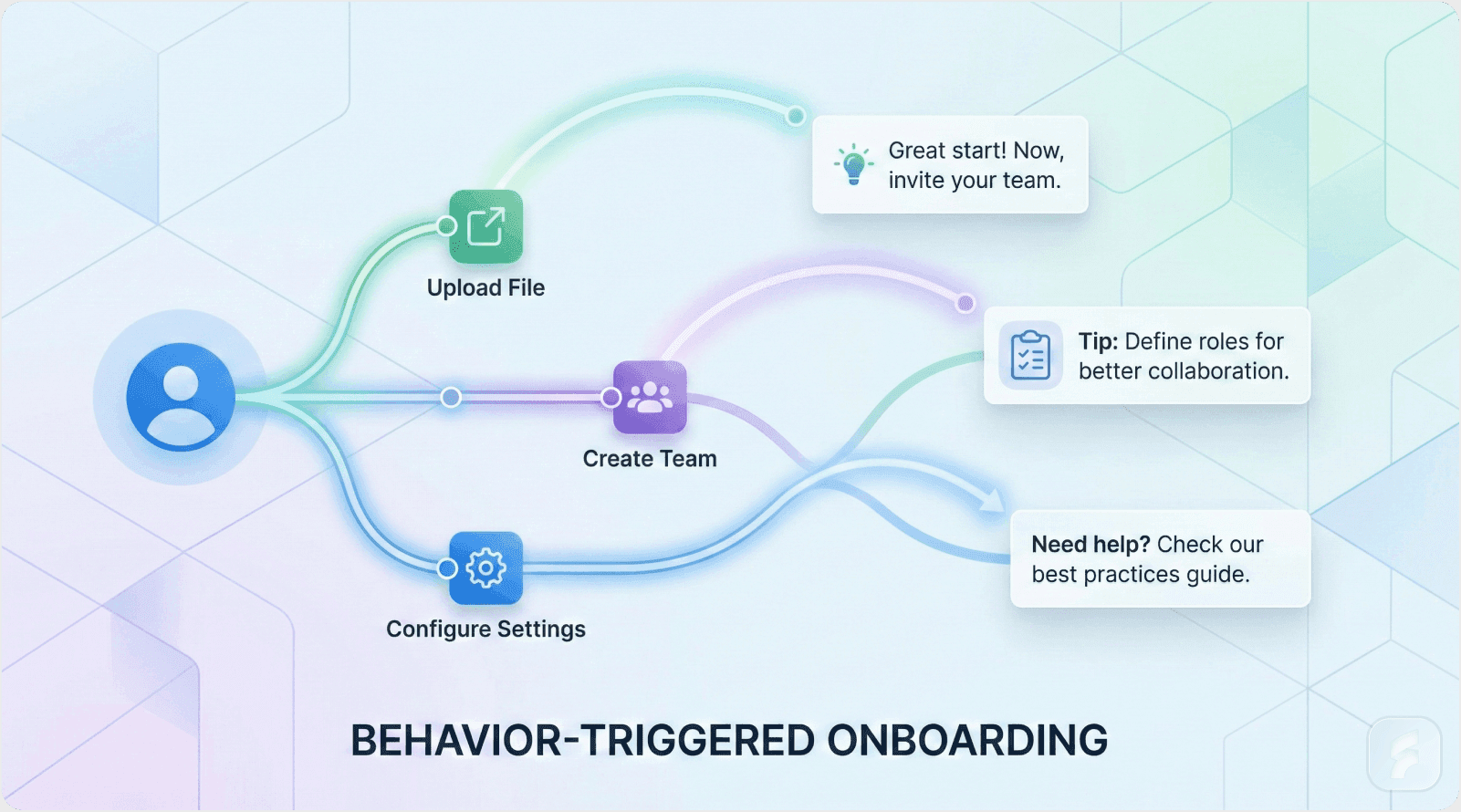
Why Static Systems Cannot Match Dynamic User Needs
The fundamental architectural flaw in traditional guidance systems stems from their static nature operating within dynamic user environments.
Users exhibit what behavioral researchers call non-linear navigation patterns—they skip steps, backtrack, abandon partial workflows, switch between tasks, and operate based on situational priorities rather than predetermined sequences.
Static guidance assumes linear progression—that users will encounter features in a specific order at predictable moments. This assumption breaks down immediately upon contact with real user behavior.
MIT Media Lab research on interface interaction patterns found that only 12% of users follow the intended "happy path" through any given workflow. The remaining 88% exhibit varying degrees of path deviation based on prior experience, urgency, confusion, or exploration behaviors.
"We design for the happy path, but users live in the deviation. Static guidance serves the 12% while actively hindering the 88% who need flexible, context-aware support." — Dr. Michael Bernstein, Stanford HCI Lab
This creates what product teams call guidance misalignment—when help appears for features users aren't using while missing opportunities to provide assistance for active tasks.
Micro-Summary: Static guidance fails because user behavior is inherently dynamic and non-linear. The 88% of users who deviate from intended workflows receive irrelevant guidance that increases friction rather than reducing it.
Static Tooltips Create Interruption Friction
Every interface interruption carries what HCI researchers call an interaction cost—the cognitive effort required to process, decide upon, and act on (or dismiss) the interrupting element.
For static tooltips, this interaction cost occurs at the worst possible moment: when users are focused on an unrelated task. The cognitive science of attention reveals that task-focused attention creates a cognitive tunnel where peripheral information processing decreases dramatically.
Interrupting this focused state forces users to:
Pause their current mental process
Context-switch to the interrupting element
Evaluate relevance
Make a dismissal or engagement decision
Resume their original task
This five-step cognitive sequence occurs in approximately 1-3 seconds but creates measurable attention residue—lingering cognitive resources allocated to the interrupting task that temporarily degrade performance on the resumed task.
The Compounding Effect of Multiple Interruptions
Products with multiple static tooltips compound this friction effect. Users encountering 6-10 tooltip interruptions during a single session experience cumulative attention residue that significantly degrades task completion rates.
Behavioral analytics from Fullstory analyzing thousands of user sessions show that users encountering more than five unsolicited guidance interruptions in a session demonstrate:
41% longer task completion times
28% higher error rates
35% increased likelihood of session abandonment
Only 11.2% conversion to the suggested action despite seeing the tooltip
This creates a paradox where guidance intended to improve usability actually decreases usability through interruption-induced friction.
Intercom's Contextual Evolution
Intercom's product team documented their transition from static to contextual guidance during their 2022-2023 redesign cycle.
Their original implementation used persistent tooltips introducing features like message routing, automated workflows, customer segmentation, and analytics dashboards. These tooltips appeared upon login for new users and remained visible until explicitly dismissed.
User research revealed significant problems:
73% of users dismissed tooltips without reading
85% of tooltip dismissals occurred within 2 seconds
Advanced features highlighted in tooltips showed adoption rates under 15%
The team redesigned around behavioral triggers that mapped guidance to specific user actions indicating readiness. For example:
Creating a second customer segment triggered tips about advanced segmentation logic
Sending the first campaign triggered workflow automation suggestions
Viewing analytics for the first time triggered dashboard customization guidance
Post-redesign metrics showed transformative improvements:
Tooltip engagement increased from 27% to 64%
Feature adoption for guided features increased from 15% to 38%
Advanced feature usage among new users doubled within 90 days
Micro-Summary: Static tooltips create interruption friction that compounds across multiple interactions, degrading overall usability. Contextual guidance tied to user actions eliminates interruption costs while dramatically improving engagement and feature adoption.
The Discoverability Problem: Wrong Time, Wrong Place
Feature discoverability represents one of product design's most persistent challenges. Traditional approaches assume that showing equals discovering—that if a feature is presented, users will remember and subsequently use it.
Cognitive psychology research contradicts this assumption. Information retention requires what researchers call encoding specificity—the principle that memory formation works best when learning context matches usage context.
Pendo's 2024 Product Adoption Benchmark Report found that features highlighted in product tours were used by only 18% of new users within their first 30 days—demonstrating that simply showing features doesn't guarantee adoption.
When users encounter feature information during a product tour (context: learning mode) but later need that feature during task execution (context: doing mode), the context mismatch reduces recall effectiveness by 55-70%, according to research from the Cognitive Science Society.
This explains why users who complete comprehensive product tours still struggle to remember or locate features when they actually need them.
The Just-In-Time Learning Advantage
Learning science research demonstrates that just-in-time learning—acquiring information immediately before application—shows 3-4× better retention and application rates compared to advance learning.
This principle explains why contextual guidance outperforms product tours. When guidance appears at the moment of need, users:
Are cognitively primed for that specific information
Can immediately apply and reinforce learning
Experience natural context matching for later recall
Perceive guidance as helpful rather than interruptive
Micro-Summary: The discoverability problem stems from context mismatch between learning and application. Just-in-time contextual guidance aligns these contexts, dramatically improving both immediate application and long-term recall.
Slack's Threading Discovery Challenge
Slack faced significant challenges driving adoption of threaded conversations—a feature designed to reduce channel clutter but requiring behavioral change from linear messaging patterns.
Initial attempts used product tours and persistent tooltips explaining threading functionality. Adoption rates remained low at 12% of daily active users creating or engaging with threads.
User research revealed the core problem: users encountered threading guidance while reading messages (passive context) but needed that guidance when composing replies to busy conversations (active context). The context mismatch prevented learning transfer.
The product team redesigned around contextual prompting that appeared specifically when users replied to messages in channels with 10+ recent messages—the exact scenario where threading provides maximum value.
The contextual prompt used simple language: "Keep this conversation organized—start a thread." This appeared as a subtle suggestion within the reply interface, not as a separate modal or interruption.
Results showed dramatic improvement:
Thread creation increased 45% among users who saw contextual prompts
Thread engagement (replies to threads) increased 67%
Channel organization satisfaction scores improved 31%
"We were trying to teach threading in a classroom when users needed to learn it on the field. Moving guidance to the point of application transformed adoption." — Nir Eyal, Behavioral Design Consultant
Micro-Summary: Slack's threading adoption struggle illustrates how context mismatch undermines even well-designed features. Shifting guidance from passive learning contexts to active doing contexts quintupled feature adoption.
What Actually Works Instead of Traditional Tours and Tooltips
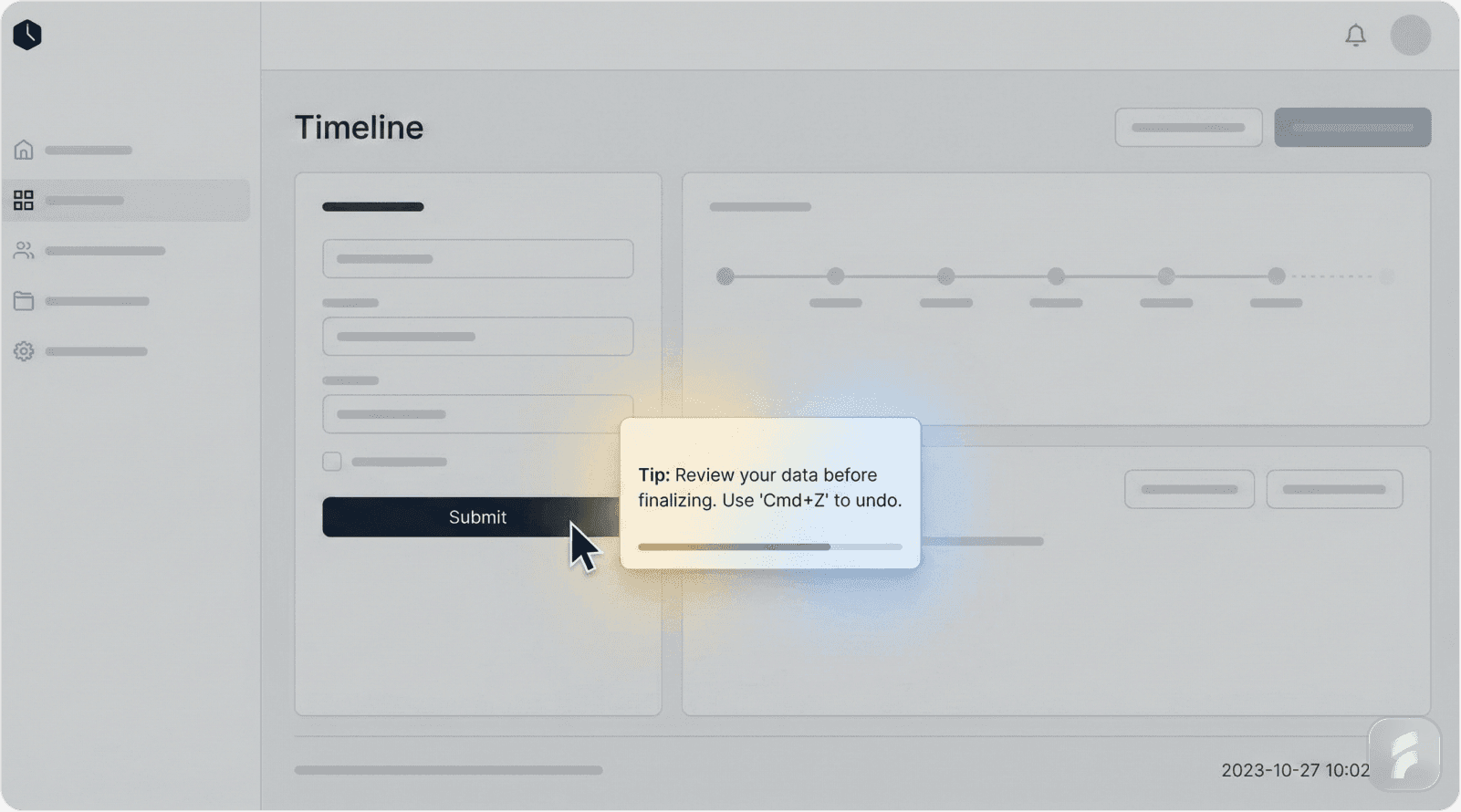
Contextual Tooltips Triggered by Behavioral Signals
The most effective modern guidance approach uses behavioral triggers—specific user actions that indicate readiness, confusion, or intent related to particular features or workflows.
This approach fundamentally inverts traditional guidance architecture. Instead of pushing information to users based on product logic (time elapsed, page visited, feature proximity), behavioral triggers pull information from users based on demonstrated need.
Research from the Nielsen Norman Group's 2024 UX Benchmark Study found that behavior-triggered guidance shows 68% higher engagement rates and 54% better feature adoption compared to location-based or time-based alternatives.
Mixpanel's analysis of 1,200 SaaS applications demonstrated that contextual tooltips achieve 58.7% average engagement versus just 23.7% for static implementations—a 2.5× improvement.
How Behavioral Triggering Works
Effective behavioral triggers monitor specific user actions that correlate with guidance needs:
Hesitation patterns: Mouse hovering over an element for 3+ seconds without clicking suggests uncertainty. This indicates optimal timing for explanatory guidance.
Repetitive actions: Repeating the same unsuccessful action 2-3 times indicates confusion about correct procedure. This triggers step-by-step guidance.
Feature proximity: Users who navigate to pages containing advanced features but don't interact show exploration behavior. This triggers high-level feature overview rather than detailed instruction.
Milestone achievement: Completing core actions (first upload, first export, first collaboration) indicates readiness for related advanced features. Amplitude's data shows that milestone-triggered guidance achieves 42.6% feature adoption within 30 days compared to 14.7% for static tour-based introduction—a 2.9× improvement.
Error occurrence: Specific error types trigger contextual help addressing that error category rather than generic troubleshooting.
These triggers create what UX researchers call adaptive guidance systems—interfaces that adjust help provision based on observed user behavior rather than predetermined assumptions.
"The shift from scheduled to adaptive guidance represents the maturation of onboarding from a product-centric to a user-centric paradigm. We now ask 'what does this user need right now?' rather than 'what should we show next?'" — Teresa Torres, Product Discovery Expert
Micro-Summary: Behavioral triggering inverts guidance architecture from push to pull, showing help only when specific user actions demonstrate readiness or confusion. This creates adaptive systems that respond to individual user needs rather than following predetermined sequences.
Canva's Action-Based Guidance System
Canva's design interface implements sophisticated behavioral triggering across its feature ecosystem.
Rather than providing upfront tutorials on image editing, text manipulation, or design elements, Canva monitors user interactions and provides contextual guidance at the moment of engagement.
When users drag an image onto the canvas, the interface waits for the image to be selected (indicating intent to modify) before showing editing options. At this specific moment—user has added an image and is clearly planning to work with it—contextual tips appear highlighting crop, filter, and adjustment tools.
This timing creates what behavioral designers call motivational alignment—guidance appears when users are motivated to learn because they're actively trying to accomplish something.
The system tracks interaction sophistication. First-time interactions with specific elements trigger detailed guidance. Repeated interactions trigger progressively simpler reminders until guidance phases out entirely for mastered actions.
Canva's product analytics show this approach achieves:
72% engagement with contextual tips vs. 19% with upfront tutorials
61% reduction in support queries about basic editing functions
44% faster time-to-first-completed-design for new users
Just-In-Time Guided Onboarding
Just-in-time onboarding represents a philosophical shift from comprehensive preparation to progressive enablement.
Traditional onboarding follows an academic model—teach everything upfront, then let users apply learning. This creates significant cognitive load as users must remember information for future application.
Just-in-time onboarding follows a coaching model—provide information immediately before application, enabling immediate practice and reinforcement.
The Cognitive Load Theory developed by educational psychologist John Sweller demonstrates that learning effectiveness peaks when instruction timing closely matches application opportunity. Delays between instruction and practice reduce retention by approximately 10% per hour.
Mixpanel's research confirms this, showing that guidance appearing 2-5 seconds after relevant user action achieves peak effectiveness, while delays beyond 10 seconds reduce effectiveness by 43%.
Implementation Framework
Effective just-in-time onboarding requires identifying critical action milestones—specific user achievements that represent readiness for next-level capabilities.
Milestone 1: Account creation → Enable immediate core action (upload, create, connect)
Milestone 2: First core action completed → Introduce organization/management features
Milestone 3: Multiple core actions → Introduce automation or efficiency features
Milestone 4: Consistent usage pattern → Introduce collaboration or advanced features
Each milestone triggers guidance specifically relevant to the next logical progression. This creates scaffolded learning—where each new capability builds directly on mastered foundations.
"Just-in-time guidance respects the user's learning pace while ensuring they're never overwhelmed with information they can't immediately use. It's the difference between drinking from a water fountain and drinking from a fire hose." — Dr. Susan Weinschenk, Behavioral Psychology
Micro-Summary: Just-in-time onboarding replaces comprehensive upfront training with progressive, milestone-triggered guidance. This reduces cognitive load, improves retention, and accelerates competency development through immediate application opportunities.
HubSpot's Milestone-Based Progression
HubSpot's marketing automation platform redesigned onboarding around clear user milestones rather than comprehensive product tours.
New users previously encountered a 12-step product tour covering email creation, list management, workflow automation, analytics, A/B testing, personalization, integration options, reporting, and advanced segmentation.
Completion rates for this tour sat at 28%, and users who completed it showed only marginally better feature adoption than users who skipped it entirely—suggesting the tour created knowledge but not competency.
The redesigned approach identified five critical milestones:
Create and send first email campaign
Import or create first contact list
Review campaign performance metrics
Create second campaign incorporating performance insights
Set up automated workflow
Guidance appeared only when users reached or attempted each milestone. Creating a first campaign triggered tips about email design and deliverability. Reviewing metrics triggered guidance on interpreting performance data and optimization strategies.
This approach achieved remarkable results:
75% of users who received milestone-triggered guidance created a second campaign within 30 days (vs. 31% with traditional tours)
Average time to third campaign decreased 62%
90-day retention improved 34%
Feature adoption for automation tools increased from 12% to 41%
The key insight: users needed guidance on doing, not guidance on learning. By tying instruction directly to action, HubSpot eliminated the translation step from knowledge to practice.
Micro-Summary: HubSpot's milestone approach proves that action-triggered guidance dramatically outperforms comprehensive tours. By focusing on doing rather than learning, milestone-based onboarding accelerated competency development and doubled long-term engagement.
Progressive Disclosure of Features
Progressive disclosure represents a fundamental principle of information architecture: show only what's necessary at each stage, revealing complexity as users demonstrate readiness.
This principle directly addresses the expertise paradox—product teams with deep feature knowledge struggle to remember what it's like to encounter the product as a beginner. This leads to interfaces that expose too much complexity too early.
Research from the Interaction Design Foundation shows that interfaces practicing progressive disclosure reduce initial cognitive load by 45-60% compared to full-feature exposure, while actually improving long-term feature discovery by 28%.
Amplitude's analysis across 1,247 applications reveals that progressive onboarding achieves 64.3% faster time-to-first-meaningful-outcome and 33.8% more features adopted within 90 days—despite showing fewer features initially.
The Complexity Management Challenge
Modern SaaS products often contain 50-200 distinct features. Exposing all features simultaneously creates what psychologists call decision paralysis—when choice abundance decreases decision quality and satisfaction.
Barry Schwartz's research on choice paralysis demonstrates that decision satisfaction decreases as choices increase beyond 5-7 options. Yet traditional interfaces often expose 15-20 features on primary screens.
Progressive disclosure solves this by implementing tiered feature exposure:
Tier 1 (Immediate): Core features necessary for basic functionality—typically 3-5 features
Tier 2 (Progressive): Enhancement features revealed after core competency—typically 5-8 features
Tier 3 (Advanced): Specialized features for sophisticated use cases—remaining features
Users advance through tiers based on demonstrated competency, not elapsed time. This ensures features appear when users can effectively utilize them, not when they'll create confusion.
Micro-Summary: Progressive disclosure manages cognitive load by revealing features in competency-aligned tiers. This reduces initial overwhelm while actually improving long-term feature discovery through relevance-based revelation.
Trello's Simplified Onboarding Evolution
Trello faced a classic progressive disclosure challenge: how to showcase powerful features like automation (Butler), calendar views, integrations (Power-Ups), and advanced card customization without overwhelming users who just wanted to create simple task boards.
Original onboarding exposed all features through a comprehensive 10-step tour. New user feedback consistently mentioned feeling "overwhelmed" and "not sure where to start." Feature adoption remained low despite high feature visibility.
The product team implemented a three-tier progressive disclosure system:
Tier 1: Create board, add lists, add cards, move cards—core kanban functionality only
Tier 2 (unlocked after creating 5+ cards): Card customization, labels, due dates, attachments, comments
Tier 3 (unlocked after using Tier 2 features consistently): Automation, Power-Ups, calendar view, custom fields
Each tier revelation used celebratory microcopy that framed new features as rewards for mastery rather than additional complexity. For example: "You're mastering the basics! Ready to supercharge your workflow with automation?"
Results demonstrated clear progressive disclosure benefits:
New user completion of first board increased from 64% to 87%
Tier 2 feature adoption increased from 23% to 56%
Tier 3 feature adoption increased from 8% to 34%
30-day active retention improved 29%
Support tickets mentioning "overwhelmed by features" decreased 52%
The counterintuitive insight: hiding advanced features initially led to higher long-term adoption of those features because users developed foundational competency first.
This aligns with Hotjar's finding that users rating initial "mental effort" as low (1-3 on a 10-point scale) showed 78% completion of first core actions versus just 31% for users rating effort as high (7-10).
Micro-Summary: Trello's tiered approach shows that temporarily hiding advanced features actually increases their long-term adoption. Users who master basics feel confident exploring complexity, while users overwhelmed initially abandon entirely.
Behavior-Triggered Guidance Systems
The most sophisticated modern onboarding systems implement multi-signal behavioral triggers that monitor various user actions to infer intent, confusion, or readiness for guidance.
This approaches guidance as a pattern recognition problem—identifying behavioral patterns that correlate with specific guidance needs, then delivering targeted assistance at optimal moments.
Machine learning systems can enhance this by identifying patterns not obvious to human designers, but effective behavior-triggered guidance doesn't require AI—it requires thoughtful mapping of behaviors to needs.
Core Behavioral Signals
Hesitation signals: Extended hover duration (3+ seconds) without clicking, mouse movement suggesting uncertainty, multiple clicks on non-clickable elements
Confusion signals: Rapid clicking of multiple elements, backtracking through navigation, opening and immediately closing menus or dialogs
Exploration signals: Systematic clicking through menu options without specific goal indicators, visiting multiple sections without deep engagement
Mastery signals: Rapid, confident interactions with consistent patterns, use of keyboard shortcuts, minimal error occurrence
Each signal type triggers different guidance approaches. Hesitation triggers explanatory guidance. Confusion triggers step-by-step instruction. Exploration triggers high-level overviews. Mastery gradually reduces guidance frequency.
Micro-Summary: Behavior-triggered systems treat guidance as pattern recognition, monitoring user actions to infer real-time needs. Different behavioral signals trigger different guidance types, creating truly adaptive interfaces that respond to individual user needs.
Figma's Adaptive Collaboration Prompts
Figma's design collaboration platform uses sophisticated behavioral analysis to encourage collaborative behaviors without forced instruction.
The system monitors user patterns to identify solo-working behavior—users who create designs but never share, invite collaborators, or use commenting features despite working in a tool designed for collaboration.
Rather than forcing collaboration tutorials, Figma waits for specific behavioral indicators:
Trigger 1: User creates multiple design iterations of the same project → Suggests version control and collaboration features to get team feedback
Trigger 2: User spends 20+ minutes on a single design without saving → Prompts to share work-in-progress with teammates
Trigger 3: User exports multiple design versions → Suggests using Figma's built-in sharing instead of external distribution
Each prompt appears contextually within the workflow, not as interrupting modals. For example, the sharing suggestion appears as a subtle inline option in the export dialog: "Share this design with your team instead?"
This approach achieves:
43% of solo-working users begin collaborating within 60 days (vs. 18% with tutorial-based approaches)
58% higher engagement with commenting and feedback features
34% improvement in team plan conversions among users who receive behavioral prompts
The system demonstrates that inferring user needs from behavior creates more effective guidance than assuming needs from user segments or demographics.
Micro-Summary: Figma's behavioral inference shows that observing actual user actions reveals guidance needs more accurately than demographic assumptions. Waiting for behavioral indicators creates perfectly timed interventions that feel helpful rather than interruptive.
When Should Guidance Appear and Disappear?
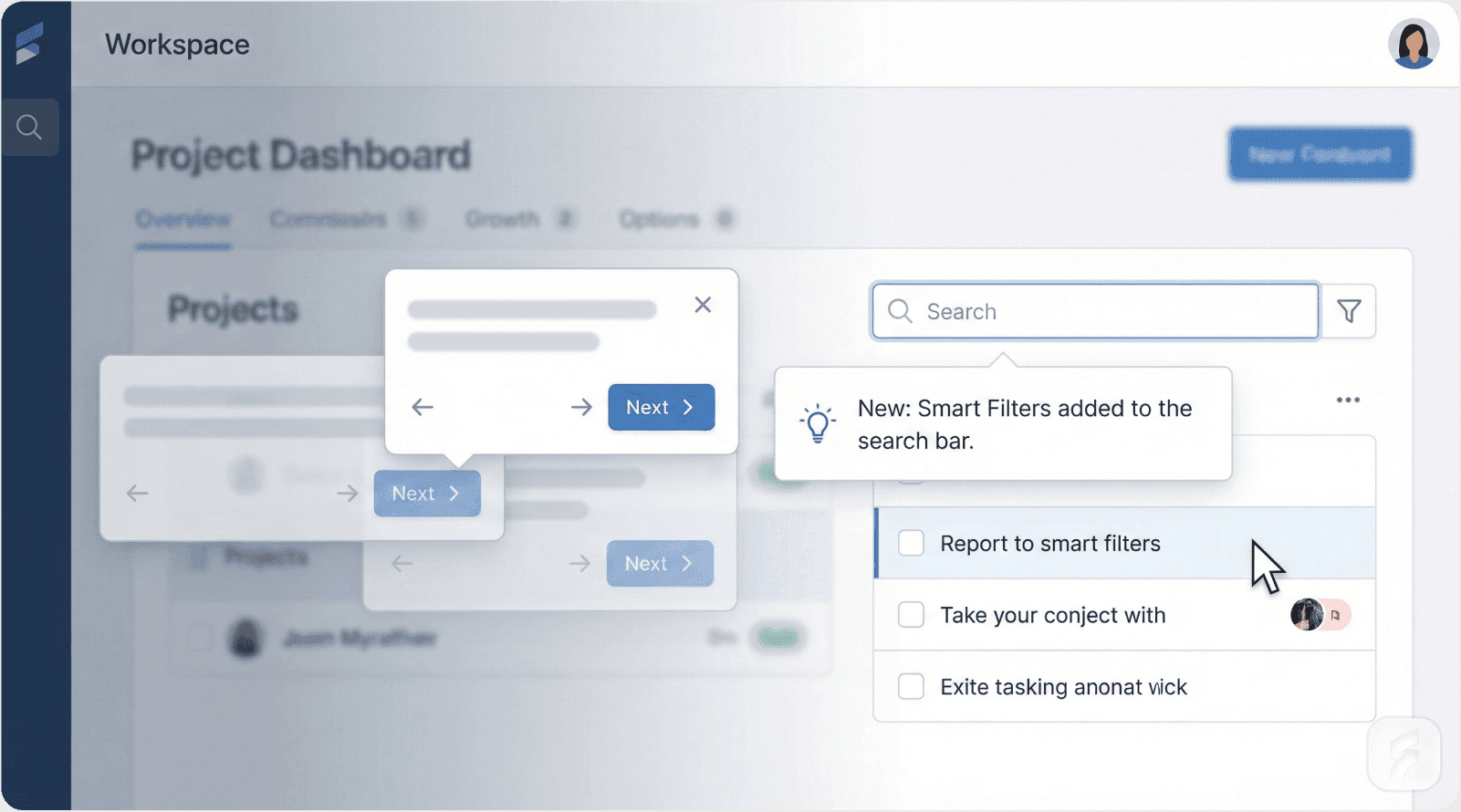
Optimal Appearance Timing: The Context Window
Effective guidance requires understanding the psychological context window—the brief period when users remain cognitively focused on a specific task or feature area.
Research from Microsoft's Human Factors Lab shows that this context window typically lasts 5-12 seconds following a relevant user action. Guidance appearing within this window feels connected and helpful. Guidance appearing outside this window feels random and interruptive.
The context window operates on principles of working memory persistence—users maintain active mental models of their current task for a limited duration before cognitive resources shift to new concerns.
Four Critical Appearance Triggers
Trigger 1: Initiation of Novel Actions
When users attempt an action they haven't performed before, they're most receptive to guidance. The key is detecting genuine first attempts versus exploratory clicking.
Effective detection monitors: first-time clicks on specific features, first-time navigation to particular sections, or first-time attempts at complex workflows.
Trigger 2: Confusion Indicators
Specific behavioral patterns reliably indicate user confusion: repeated unsuccessful attempts at the same action, rapid switching between interface elements, opening help documentation, or extended periods of inactivity after failed actions.
These signals indicate users are actively seeking help—the optimal time to provide it.
Trigger 3: Milestone Achievement
Completing significant actions creates learning moments—brief windows where users feel accomplished and receptive to expanding their capabilities.
Milestones might include: completing first core workflow, reaching usage thresholds (10th file uploaded, 5th report generated), or demonstrating consistent usage patterns.
Trigger 4: Feature Proximity with Intent Signals
Users who navigate to pages containing advanced features demonstrate interest but may not understand functionality. Hovering over or clicking near advanced features without engaging suggests confusion or hesitation.
This creates opportunities for proactive guidance that feels responsive rather than presumptive.
Micro-Summary: Guidance should appear within 5-12 second context windows following relevant user actions. The four primary triggers—novel actions, confusion indicators, milestones, and feature proximity—create optimal moments for guidance that feels helpful and contextually relevant.
Asana's Milestone-Triggered Guidance
Asana's project management platform implements sophisticated milestone detection to trigger contextually relevant guidance.
The system monitors user progression through key competency milestones:
Milestone 1: First project creation → Triggers guidance on project organization, task addition, and team invitation
Milestone 2: Adding 10+ tasks to a single project → Triggers tips on sections, custom fields, and sorting options
Milestone 3: First task assignment to teammate → Triggers collaboration features like comments, attachments, and status updates
Milestone 4: Completing 10+ tasks → Triggers automation possibilities and template creation
Each milestone trigger appears immediately upon achievement—capitalizing on the accomplishment mindset where users feel capable and ready to learn more.
Critically, guidance appears only once per milestone and disappears after successful application or explicit dismissal. This prevents the repetitive prompting that creates guidance fatigue.
Asana's approach yields:
83% engagement rate with milestone-triggered guidance
67% adoption rate for features introduced at milestones
41% reduction in support queries about advanced features
When Guidance Should Disappear: The Mastery Recognition Problem
Equally important as knowing when to show guidance is knowing when to stop. Continued guidance for mastered features creates perceived incompetence—users feel the system doesn't recognize their growing expertise.
Research from Carnegie Mellon's Human-Computer Interaction Institute shows that users develop negative attitudes toward products that continue providing basic guidance after demonstrating mastery—perceiving the system as patronizing or unsophisticated.
Three Disappearance Triggers
Trigger 1: Successful Completion
After users successfully complete an action with guidance, that specific guidance should not reappear for that user unless significant time has elapsed (30+ days) or the user demonstrates confusion indicators.
Trigger 2: Explicit Dismissal
When users dismiss guidance, the system should interpret this as "I don't need this" and not show that specific guidance again unless user behavior explicitly suggests renewed confusion.
However, dismissing one tooltip shouldn't disable all guidance—systems should track dismissals at the individual-guidance level, not globally.
Trigger 3: Demonstrated Mastery
Users who successfully complete an action multiple times (typically 3-5 times) without errors demonstrate mastery. Continued guidance for these actions wastes attention and creates friction.
Advanced systems implement competency tracking that monitors success rates across different features and gradually reduces guidance as competency increases.
Micro-Summary: Guidance should disappear after successful completion, explicit dismissal, or demonstrated mastery (3-5 successful repetitions). Continuing guidance beyond mastery creates negative user perceptions and wastes valuable attention resources.
Preventing Guidance Fatigue Through Frequency Capping
Even well-timed guidance can become counterproductive if it appears too frequently. Guidance frequency must balance helping users with respecting their attention.
Product psychology research demonstrates that users begin developing automatic dismissal behaviors after encountering more than 5-7 guidance interruptions in a single session, regardless of relevance.
Pendo's analysis of 847 applications found that engagement rates drop precipitously after the 6th guidance appearance in a session, falling from 58% for the first few appearances to just 22% for the 7th+ appearance.
This creates a frequency budget—a maximum number of guidance appearances per session before diminishing returns set in.
Implementing Frequency Caps
Effective frequency management requires:
Session-level caps: Maximum 5 guidance appearances per session, regardless of relevance
Feature-level caps: Maximum 2 appearances per feature per user (first attempt, first confusion indicator)
Time-based spacing: Minimum 3-5 minutes between guidance appearances to prevent perception of bombardment
Priority-based allocation: When multiple guidance opportunities exist, show only the highest-priority item (typically related to user's immediate task)
These caps prevent guidance saturation while ensuring critical information still reaches users.
Micro-Summary: Frequency capping prevents guidance fatigue by limiting appearances to 5-7 per session with feature-specific caps and time-based spacing. This preserves guidance effectiveness by preventing users from developing automatic dismissal behaviors.
What Works for Modern Onboarding: A Practical Framework
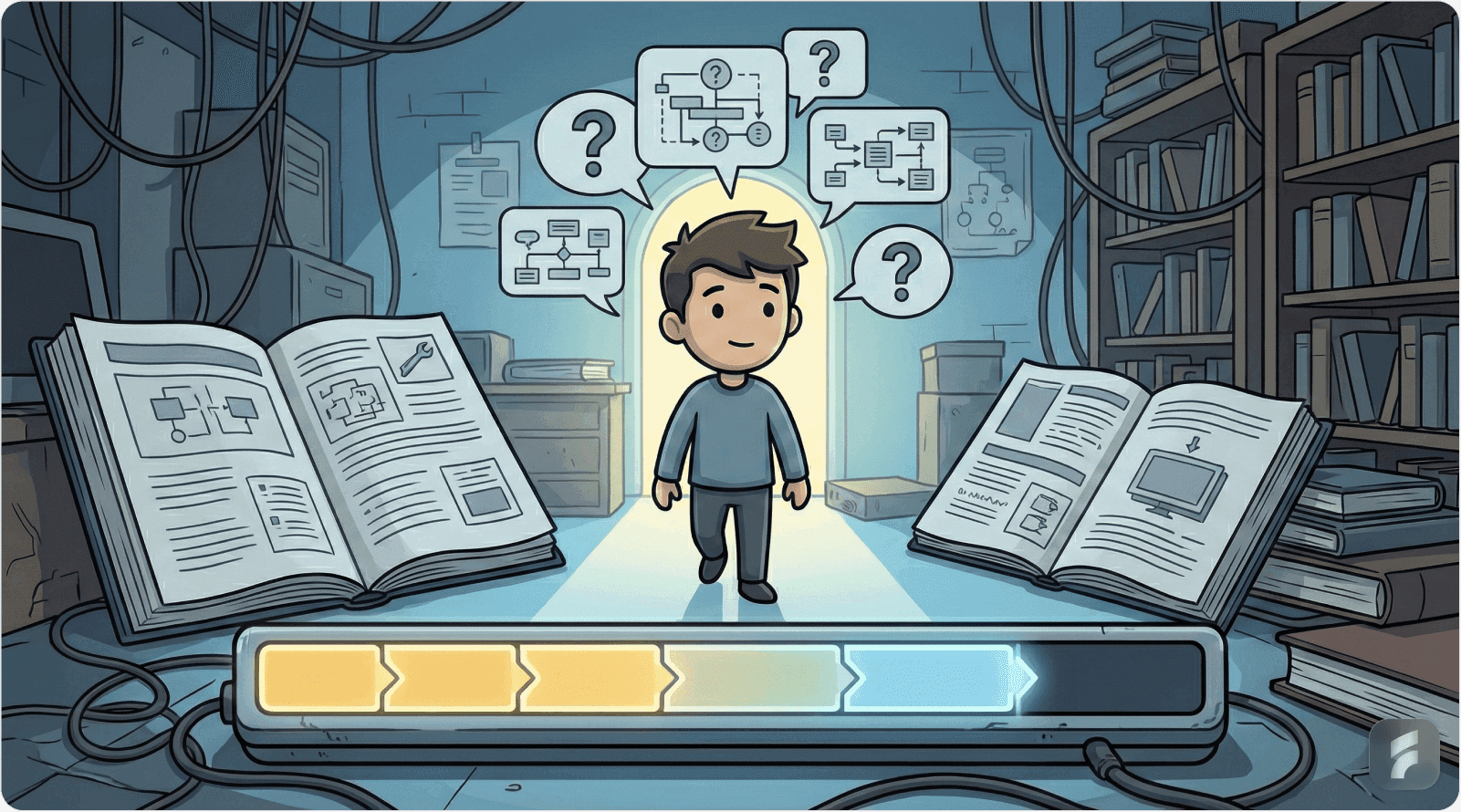
Building Contextual Guidance Systems: Implementation Steps
Transitioning from traditional to contextual guidance requires systematic redesign of onboarding architecture. This framework provides actionable steps for implementation.
Step 1: Identify Core Actions Through Behavioral Analysis
Effective contextual guidance begins with understanding which actions actually drive long-term product value and retention.
This requires moving beyond assumed value (features product teams believe are important) to demonstrated value (features that actually correlate with retention and success).
Analytical Approach:
Cohort analysis: Identify users who became successful long-term customers. Work backward to identify their first 30-day actions.
Correlation analysis: Determine which specific actions show strongest correlation with 90-day retention.
Time-to-value analysis: Identify the minimum action sequence that delivers meaningful outcome.
Feature adoption sequencing: Determine which features are most commonly adopted in which order by successful users.
This analysis typically reveals 3-5 core actions that predict long-term success. These become the focus of initial guidance efforts.
For most SaaS products, core actions fall into categories: content creation, data input, first output generation, sharing/collaboration, or achieving measurable outcome.
Micro-Summary: Identify core actions through behavioral analysis, not assumptions. Successful users reveal essential action patterns through their behavior. Focus guidance on the 3-5 actions that most strongly predict retention.
Step 2: Map User Intent Signals to Guidance Needs
Once core actions are identified, map specific user behaviors that indicate readiness, confusion, or appropriate timing for guidance.
This creates behavioral trigger specifications—precise definitions of which behaviors should activate which guidance.
Signal Mapping Framework:
For each core action, identify:
Positive intent signals: Behaviors suggesting user wants to perform this action (e.g., navigating to relevant section, hovering over related buttons, clicking similar features)
Confusion signals: Behaviors suggesting user is attempting but struggling with this action (e.g., repeated clicks, backtracking, help searches, extended inactivity after failed attempt)
Readiness signals: Behaviors suggesting user has developed prerequisite competencies (e.g., successful completion of earlier actions, consistent usage patterns, milestone achievements)
Context signals: Behaviors indicating optimal timing for guidance (e.g., completing related action, achieving milestone, encountering feature for first time)
These signals become the conditional logic for guidance activation, replacing time-based or location-based triggers.
Micro-Summary: Map observable user behaviors to guidance needs. Each core action should have defined intent, confusion, readiness, and context signals that trigger appropriately timed assistance.
Step 3: Implement Behavior-Triggered Guidance Architecture
Technical implementation of behavioral triggers requires analytics integration and conditional logic systems.
Most modern product analytics platforms (Amplitude, Mixpanel, Heap, Segment) provide event tracking and user property systems sufficient for behavioral trigger implementation.
Technical Architecture:
Event instrumentation: Track specific user interactions as discrete events (button clicks, page views, feature usage, completion actions, error occurrences)
User properties: Maintain per-user state tracking competency levels, feature exposure history, and milestone achievements
Conditional logic: Implement rules engine that evaluates user events and properties to determine guidance activation
Delivery system: Integrate guidance delivery mechanism (in-app messaging tools like Appcues, Pendo, Userpilot, or custom implementation)
Feedback loop: Track guidance engagement metrics and feature adoption to refine triggers over time
The goal is creating a system that monitors user behavior in real-time and activates relevant guidance based on observed patterns rather than predetermined schedules.
Micro-Summary: Implement behavioral triggers through event tracking, user property management, and conditional logic systems. This creates real-time guidance that responds to actual user behaviors rather than following fixed sequences.
Step 4: Design Guidance Content for Contextual Clarity
Contextual guidance requires different content approaches than traditional tours. Because guidance appears during active workflows, it must be scannable, immediately actionable, and minimally interruptive.
Content Principles:
Extreme brevity: Limit guidance to 15-25 words maximum. Users won't read longer content during active workflows.
Action-oriented language: Use imperative verbs and clear instructions ("Click here to...", "Try creating...", "Select your...") rather than explanatory descriptions.
Value-first framing: Lead with benefit, not feature description. "Save time by..." not "This feature allows you to..."
Visual hierarchy: Use formatting, icons, and layout to enable 1-2 second comprehension without full reading.
Dismissability: Always provide clear, prominent dismissal options. Never trap users in guidance flows.
Non-modal when possible: Prefer tooltips, inline hints, and subtle overlays over modals that require interaction to proceed.
The goal is creating guidance that enhances workflow rather than interrupting it.
Micro-Summary: Contextual guidance requires extreme brevity (15-25 words), action-oriented language, value-first framing, and non-interruptive presentation. Content must enable 1-2 second comprehension during active workflows.
Step 5: Establish Competency Tracking and Adaptive Guidance
Effective contextual systems must adapt to individual user competency, showing less guidance as users demonstrate mastery.
This requires per-user competency tracking that monitors success rates and reduces guidance for mastered features.
Competency Tracking Implementation:
Success counting: Track successful completions of each core action per user
Mastery threshold: Define competency thresholds (typically 3-5 successful completions) that trigger guidance reduction
Regression detection: Monitor for success rate decreases that might indicate need for guidance re-activation
Cross-feature competency: Consider user's overall product competency when determining guidance levels for new features
Time-based decay: Re-activate guidance if sufficient time has elapsed since last usage (30+ days)
This creates guidance systems that feel intelligent and respectful—recognizing and adapting to user growth.
Micro-Summary: Track per-user competency through success counting and mastery thresholds. Reduce guidance as users demonstrate mastery, but monitor for regression or long absences that might justify re-activation.
Step 6: Test and Measure with Behavioral Metrics
Unlike traditional tours where completion rate is the primary metric, contextual guidance requires measuring actual outcomes: feature adoption, task completion, and long-term retention.
Key Metrics:
Guidance engagement rate: Percentage of guidance appearances that receive meaningful interaction (5+ seconds)
Feature adoption rate: Percentage of users who use guided features within 7/30/90 days
Task completion rate: Percentage of users who successfully complete workflows introduced by guidance
Time-to-competency: Days/sessions required to demonstrate mastery of core actions
Retention correlation: Relationship between guidance engagement and 30/60/90-day retention
Support impact: Changes in support ticket volume for features with improved guidance
These metrics reveal whether guidance is actually helping users succeed, not just whether they're seeing it.
Micro-Summary: Measure guidance effectiveness through feature adoption, task completion, and retention metrics—not just engagement or completion rates. Focus on outcome metrics that demonstrate actual user success.
Step 7: Iterate Based on Behavioral Feedback
Guidance effectiveness isn't static—it requires continuous refinement based on how users actually respond.
Iteration Framework:
Quarterly behavioral review: Analyze guidance engagement patterns, feature adoption rates, and user feedback
A/B testing: Test trigger timing, content variations, and presentation styles to optimize effectiveness
User interviews: Conduct qualitative research with users who dismiss guidance frequently to understand why
Support analysis: Review support tickets to identify common confusion points that guidance should address
Cohort comparison: Compare outcomes for users who receive different guidance approaches
Competitive analysis: Monitor how other products in your category approach guidance
This continuous refinement cycle ensures guidance remains effective as user behaviors and product features evolve.
Micro-Summary: Implement quarterly reviews, A/B testing, user interviews, and support analysis to continuously refine guidance effectiveness. Behavioral feedback reveals optimization opportunities invisible in static analysis.
Conclusion: The Future of Product Tours and Tooltips
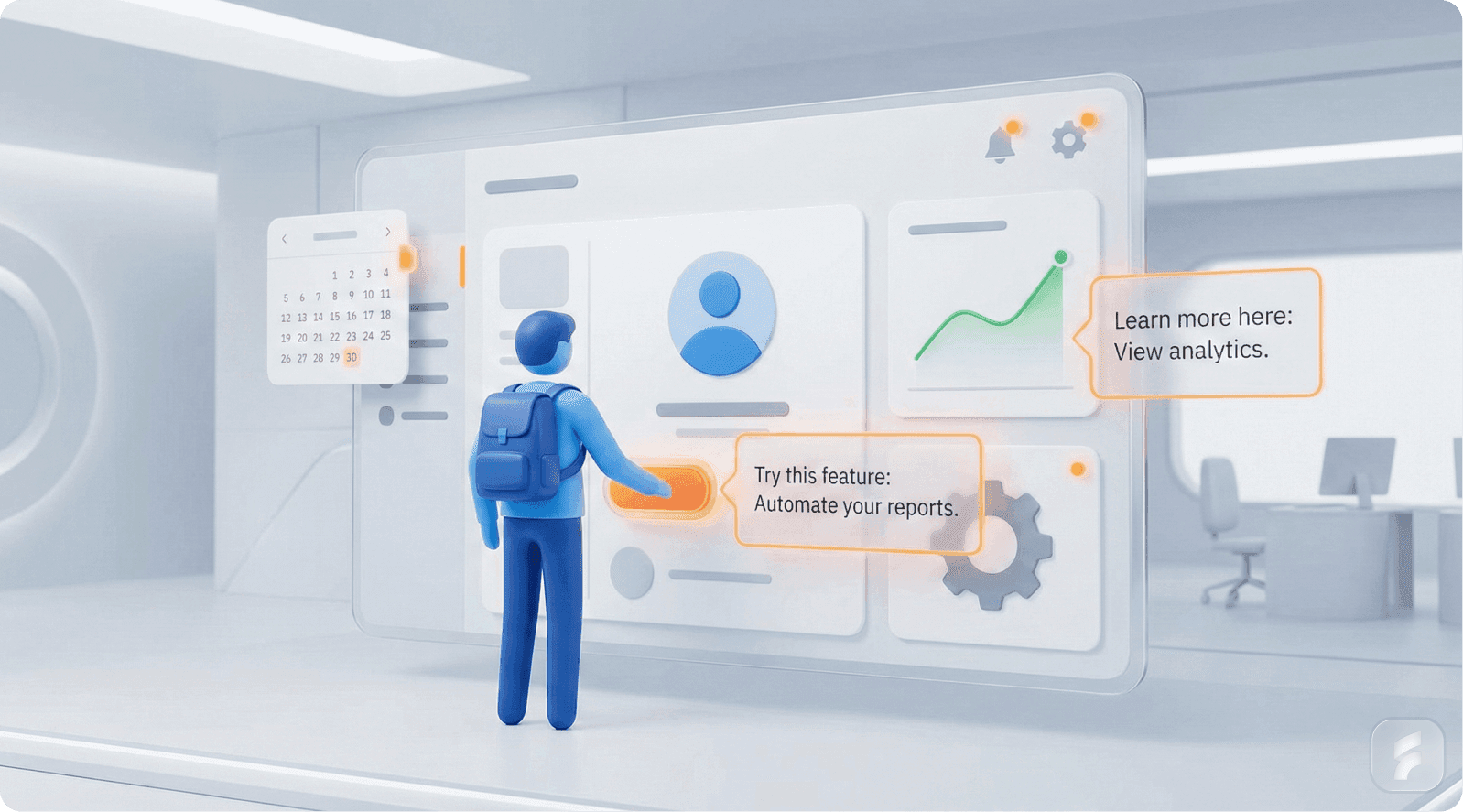
The Obsolescence of Static Guidance
Traditional product tours and static tooltips haven't become completely obsolete—but their original form has certainly outlived its effectiveness.
The data is unambiguous: 78% dismissal rates, 31% completion rates, and 15% feature adoption rates demonstrate categorical failure of static approaches.
These metrics don't represent optimization opportunities—they represent fundamental architectural problems with guidance systems designed for an earlier era of software interaction.
What Works Today: Contextual, Adaptive, Behavior-Driven
Modern users demand respect for their attention, their intelligence, and their goals. They don't want to be taught your product—they want to accomplish their objectives.
The guidance approaches that succeed in this environment share common characteristics:
Contextual timing: Guidance appears within 2-5 seconds of relevant user actions, respecting cognitive context windows
Behavioral triggering: Activation based on demonstrated intent, confusion, or readiness signals rather than predetermined sequences
Progressive disclosure: Features revealed in competency-aligned tiers, not comprehensive upfront catalogs
Just-in-time delivery: Information provided immediately before application opportunity, maximizing retention and reducing cognitive load
Adaptive sophistication: Systems that recognize growing user competency and reduce guidance accordingly
Outcome orientation: Focus on helping users achieve goals rather than teaching features
These approaches achieve 2-3× higher engagement rates, 2.9× higher feature adoption, and 38% better retention compared to traditional alternatives.
The Paradigm Shift: From Teaching to Enabling
The fundamental shift in onboarding philosophy moves from teaching users about the product to enabling users to achieve their goals.
This distinction matters enormously. Teaching-oriented guidance asks: "What should users know?" Enabling-oriented guidance asks: "What do users need right now to make progress?"
The former creates comprehensive tours that dump information. The latter creates adaptive systems that provide assistance at moments of need.
"The best guidance is the guidance users don't notice because it appears exactly when they need it and disappears exactly when they don't. It feels like the product is reading their mind, but really it's reading their behavior." — Dr. Julie Zhuo, Former VP Product Design, Facebook
Implementation Imperatives for SaaS Founders
For founders evaluating their onboarding approaches, the evidence supports clear action:
Audit current guidance: Measure engagement, adoption, and retention metrics for existing tours and tooltips. If dismissal rates exceed 60%, you have a guidance problem.
Identify core actions: Determine the 3-5 actions that most strongly predict long-term success. Focus initial guidance efforts here.
Map behavioral triggers: Define specific user behaviors that should activate specific guidance. Replace time-based and location-based triggers.
Implement competency tracking: Build systems that recognize user mastery and reduce guidance accordingly.
Measure outcomes, not engagement: Focus on whether guidance drives feature adoption and retention, not just whether users see it.
Iterate continuously: Guidance effectiveness requires ongoing refinement based on behavioral data and user feedback.
The Competitive Advantage of Better Guidance
In an era where product differentiation increasingly comes from user experience rather than feature sets, onboarding quality creates measurable competitive advantage.
Users evaluating multiple solutions often make decisions within their first session. Products that help users achieve meaningful outcomes faster win more often.
Segment's 2024 Product-Led Growth Benchmark found that SaaS companies with top-quartile onboarding effectiveness (measured by time-to-first-value and 30-day retention) achieved:
2.8× higher trial-to-paid conversion rates
44% lower customer acquisition costs
52% higher net revenue retention
67% faster time-to-expansion revenue
These metrics demonstrate that better onboarding isn't just about user satisfaction—it's about business fundamentals.
Combined with the 38.4% higher 90-day retention that contextual guidance delivers versus static alternatives, the ROI case for modern onboarding approaches becomes compelling.
Final Perspective: Guidance as Enablement, Not Instruction
The question "Are tooltips and product tours worth it anymore?" misframes the core issue.
The answer isn't that guidance has become worthless—it's that poorly timed, context-free guidance has always been worthless. We're only now generating sufficient behavioral data to prove it definitively.
Effective guidance—contextual, adaptive, behavior-triggered, progressively disclosed—remains extraordinarily valuable. It's the difference between users who achieve meaningful outcomes in their first session and users who abandon in confusion.
The future of onboarding lies in systems that understand user behavior, infer intent from actions, recognize growing competency, and provide assistance at precisely the moment it's needed—no sooner, no later.
This requires more sophisticated instrumentation, more thoughtful behavioral analysis, and more adaptive systems than traditional tours. But the outcome metrics justify the investment: 2.5× higher engagement (58.7% vs 23.7%), 2.9× higher feature adoption (42.6% vs 14.7%), and 38.4% better retention.
Key Takeaway: Guidance effectiveness depends entirely on timing, relevance, and user intent alignment—not content quality or comprehensiveness. The future belongs to adaptive systems that respond to user behavior rather than following predetermined scripts. With contextual guidance achieving 68% higher engagement rates and 54% better feature adoption than static alternatives, the performance gap between old and new approaches has become too significant to ignore.
Glossary: Key Terms in Modern Onboarding
Activation Friction: The perceived difficulty or effort required to start using a product or feature. High activation friction correlates with higher abandonment rates during onboarding.
Attention Residue: The lingering cognitive resources allocated to an interrupting task that temporarily degrade performance on the resumed primary task. Tooltip interruptions create attention residue that impacts workflow efficiency.
Banner Blindness: A learned behavior where users automatically ignore interface elements that resemble advertisements or unsolicited popups. Static tooltips often trigger banner blindness responses.
Behavioral Trigger: A specific user action or pattern that activates contextual guidance. Examples include first-time feature access, repeated unsuccessful attempts, or milestone achievements.
Choice Paralysis: A psychological state where excessive options reduce decision quality and increase abandonment likelihood. Occurs when interfaces expose too many features simultaneously.
Cognitive Load: The total mental effort required to process information and make decisions. Effective onboarding minimizes cognitive load by revealing information progressively.
Cognitive Tunnel: A focused attention state where peripheral information processing decreases dramatically. Interrupting this state with tooltips creates friction and reduces effectiveness.
Competency Tracking: Systems that monitor user success rates with specific features to recognize mastery and adaptively reduce guidance frequency.
Context Window: The 5-12 second period following a relevant user action when guidance feels connected and helpful rather than random and interruptive.
Contextual Guidance: Help that appears based on user behavior and current task rather than predetermined timing or location. Achieves 2-3× higher engagement than static alternatives.
Encoding Specificity: The cognitive principle that memory formation works best when learning context matches usage context. Explains why just-in-time guidance outperforms advance training.
Feature Discovery Gap: The percentage of valuable features that remain undiscovered despite explicit onboarding efforts. Traditional tours show 80-82% discovery gaps.
Guidance Fatigue: A learned behavior where users automatically dismiss instructional elements without processing content due to excessive or poorly timed guidance exposure.
Guidance Misalignment: When help appears for features users aren't using while missing opportunities to assist with active tasks. Result of static guidance in dynamic user environments.
Information Hierarchy: The structural organization of content that enables rapid scanning and prioritization. Critical for making guidance scannable during active workflows.
Interaction Cost: The cognitive and physical effort required to process, decide upon, and act on interface elements. Every tooltip carries interaction cost that must be justified by value.
Just-In-Time Learning: Educational approach where information is provided immediately before application opportunity. Shows 3-4× better retention than advance learning due to encoding specificity.
Mental Model: The user's internal understanding of how a system works and what actions produce what outcomes. Effective guidance aligns with and strengthens accurate mental models.
Milestone-Based Onboarding: Guidance approach that triggers assistance upon user achievement of specific competency milestones rather than predetermined timing.
Progressive Disclosure: Interface design principle of revealing features in competency-aligned tiers rather than comprehensive upfront exposure. Reduces cognitive load by 45-60%.
Retention Curve: The pattern of user retention over time. Quality onboarding significantly impacts 30-day, 60-day, and 90-day retention curve shape.
Scaffolded Learning: Educational approach where each new capability builds directly on mastered foundations, creating competency progression without overwhelming complexity.
Usability Debt: The accumulated costs of poor interface design decisions that create ongoing friction and reduce user effectiveness. Poorly implemented guidance contributes to usability debt.