


Last Update:
Dec 19, 2025

Share

Role-based personalization bridges the gap between user privacy and personalization.
Instead of behavioral tracking, simply asking users for their role and use case allows companies to deliver relevant experiences without invading privacy.Personalized onboarding and dashboards drive real business impact.
Role-specific UX can improve engagement by 30–50%, boost conversions, and reduce churn by tailoring experiences to what users actually need.Privacy-first personalization increases trust and satisfaction.
Transparency and explicit consent lead to higher Net Promoter Scores, lower churn, and better compliance with GDPR and CCPA.Segmenting communication by role improves relevance and performance.
Role-based email and in-app messages can drive 2x–3x higher engagement and reduce notification fatigue significantly.Minimal data collection equals reduced risk and complexity.
Role and use-case inputs gathered during signup simplify data architecture and improve security while respecting user agency.Ethical personalization is a competitive advantage.
Users increasingly prefer brands that personalize thoughtfully without making them feel surveilled or manipulated.Start small and scale strategically.
Begin with 2–3 core user roles, customize onboarding, and iterate using performance data and user feedback for ongoing optimization.
Modern product teams face a stark paradox: 71% of consumers expect brands to provide personalized experiences, yet 79% express serious concerns about how companies use their data. This tension creates what researchers at Stanford's HCI Lab call "the personalization-privacy divide"—a fundamental challenge that many teams struggle to navigate.
The solution doesn't require invasive tracking or endless data collection. By segmenting users based on their roles and use cases during a simplified signup process—and building dynamic, role-specific experiences—you can dramatically improve engagement while respecting user privacy.
According to Gartner research, companies like Figma have demonstrated this approach increases engagement by 30-50%. McKinsey reports that AI-driven personalization can expand your addressable audience by 35% when implemented thoughtfully.
This guide walks you through a practical, privacy-first framework for role-based UX personalization. You'll discover exactly how to implement this in your product, learn from real-world examples, and understand how to audit your personalization strategy to avoid the "creepy factor."
The Foundation—Understanding Role-Based Personalization

Why Role Matters More Than You Think
When users sign up for a product, they arrive with wildly different expectations and needs. A marketing manager using project management software needs different features and workflows than a freelance designer or an enterprise operations director.
Rather than showing everyone the same interface, you can tailor the entire experience—from the onboarding flow to the dashboard layout—based on their role or primary use case. This isn't just about hiding features. It's about fundamentally reshaping how users discover value in your product by frontloading the tools they need most.
The Cognitive Load Principle
According to Nielsen Norman Group research, reducing cognitive load during initial product interactions increases retention by up to 47%. Role-based personalization achieves this by eliminating irrelevant options and focusing user attention on their specific mental model.
The Data Proves It Works
The business case for personalization is compelling across multiple dimensions:
Engagement and Conversion Impact:
90% of marketing experts agree that personalization significantly increases business profitability
Companies that excel at personalization generate 40% more revenue than average competitors
Personalized web experiences lead to 80% higher conversion rates
122% higher ROI from personalized emails compared to generic ones
User Behavior Patterns:
59% of consumers say personalized engagement based on past interactions influences their purchasing decisions
66% of consumers believe businesses should anticipate their needs without being told
76% of consumers are more likely to repurchase from brands that personalize
As Dr. Sarah Chen from MIT's Computer Science and Artificial Intelligence Laboratory notes:
"The key distinction is between observed personalization and declared personalization. When users explicitly tell you their role, the entire interaction shifts from surveillance to service."
The beauty of role-based segmentation is that it requires minimal invasive data collection. You're not tracking every click, building behavioral profiles, or inferring attributes through algorithmic surveillance. Instead, you're simply asking users upfront: "What's your role?" or "What will you use this for?"
Their answer becomes the foundation for everything that follows.
The Privacy-First Advantage
Traditional personalization relies on extensive tracking—monitoring browsing behavior, click patterns, session duration, and dozens of other signals to infer what users want. This approach generates privacy concerns and regulatory headaches under GDPR, CCPA, and CPRA frameworks.
The Transparency Advantage
Role-based personalization inverts this logic. Instead of observing users and inferring their needs, you ask users directly and they decide what data matters. This transparency builds trust and sidesteps the creepy feeling of being watched.
According to Forrester Research on privacy-first personalization, this approach leads to:
34% higher user satisfaction and trust scores
Better compliance with privacy regulations (reducing legal exposure)
28% lower churn rates (users feel in control)
Reduced anxiety about data misuse
Stronger brand reputation and Net Promoter Scores
When users understand why you're asking for information and how it benefits them, they're significantly more willing to share it. The Baymard Institute reports that conversion rates drop 68% when users perceive data collection as excessive or unclear.
Key Takeaway: Role-based personalization delivers the engagement benefits of traditional personalization (30-50% increases) while eliminating privacy friction. By asking users their role once during signup, you create a declared preference system that feels transparent rather than surveillant.
The Implementation Framework—5 Steps to Role-Based Personalization
Step 1: Identify Your Core User Roles During Signup
The first opportunity to understand your users is the signup process. This is where most products fail by asking for too much information or asking the wrong questions.
According to research from the Stanford Persuasive Technology Lab, each additional form field during signup reduces conversion by an average of 11%. The goal is maximum insight with minimum friction.
The Simplified Signup Approach
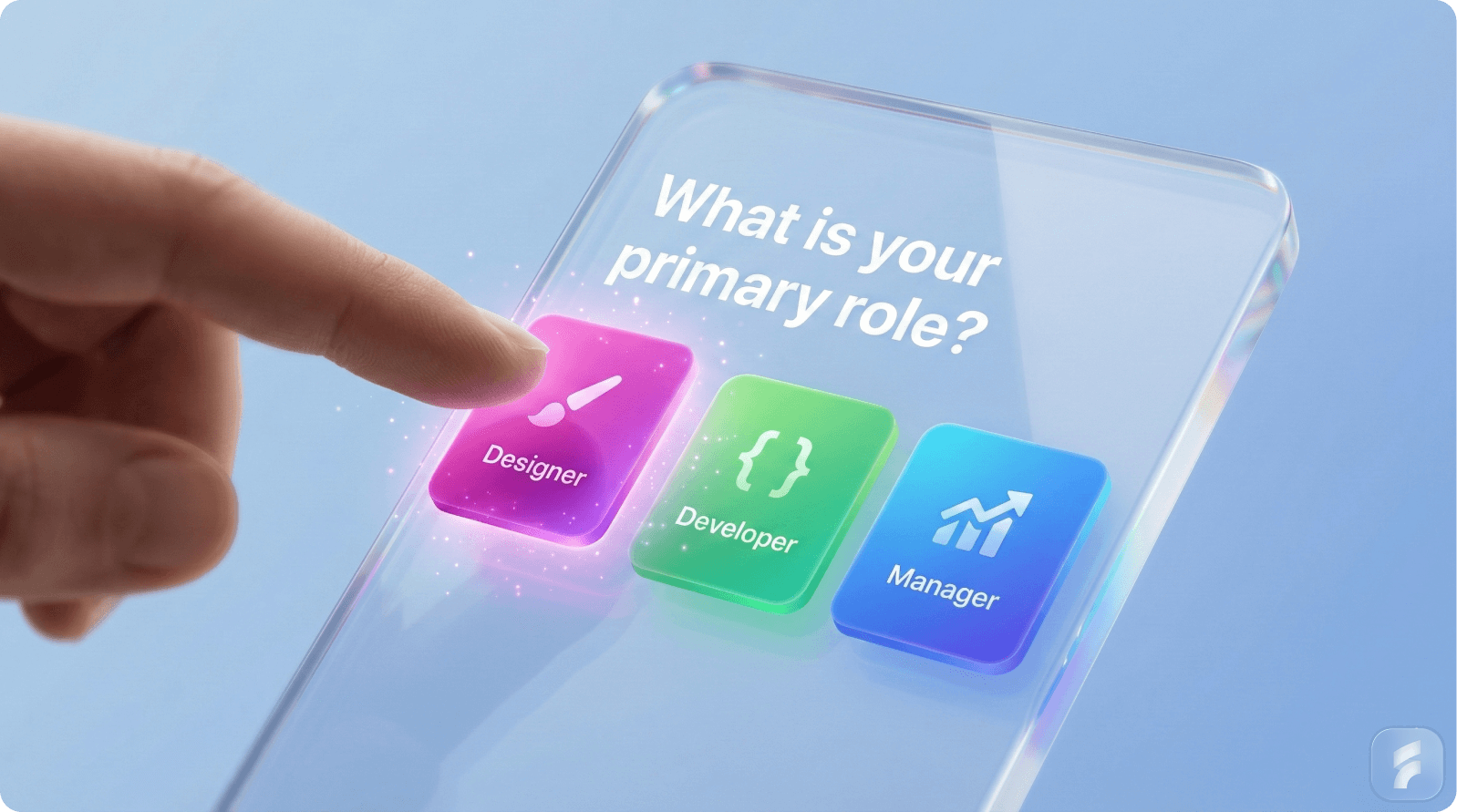
Rather than a lengthy onboarding questionnaire, craft a minimal, benefit-driven signup flow that identifies user roles in 2-3 questions:
Question 1: Role or Primary Use Case
"What describes your role best?"
Options: "Designer," "Manager," "Developer," "Marketer," "Student," "Other"
Keep it short. Users won't spend five minutes on this.
Question 2: Experience Level (Optional but Powerful)
"How experienced are you with [product category]?"
Options: "Completely new," "Some experience," "Very experienced"
This distinguishes between someone needing hand-holding versus someone who wants advanced features immediately.
Question 3: Primary Goal (Use Case)
"What's your main goal with this tool?"
Options: "Personal productivity," "Team collaboration," "Client work," "Learning," "Experimenting"
This captures intent beyond role, refining personalization further.
Real Product Example: Slack's Approach
Slack's onboarding process is masterful in its simplicity. During signup, new users answer three foundational questions:
"What's your full name?" (personalization)
"What team or company are you setting up Slack for?" (context)
"What will you primarily use Slack for?" (use case segmentation)
Based on these answers, Slack shows completely different first-run experiences. A small startup team gets guidance on channel setup and collaboration best practices. An enterprise IT administrator sees integration options and security settings first. A student using Slack for class projects sees entirely different tutorials and feature highlights.
The result? Users feel understood from the moment they land in the product, driving activation faster and reducing what UX researchers call "activation friction."
Privacy Implementation Note
Store this role/use case information in a simple database field tied to their user account. You're asking for it once during signup, with clear communication: "This helps us tailor your experience."
No hidden tracking required. Users have explicitly consented by providing the information voluntarily. This is what GDPR calls "freely given, specific, informed consent."
Step 2: Build Dynamic Role-Based Onboarding Flows
Once you know a user's role, your onboarding should be completely different for each segment. This is where most products waste tremendous opportunity by forcing everyone through the same generic tour.
Harvard Business Review research shows that personalized onboarding reduces time-to-value by 42% and increases feature adoption by 53% compared to generic flows.
The Segmented Onboarding Strategy
For each role, design a custom onboarding flow that:
Highlights the 3-5 core features that user role needs immediately
Hides or de-emphasizes features irrelevant to them (reducing information hierarchy complexity)
Uses language and examples specific to their use case
Progressively reveals advanced features as they become relevant
As Jakob Nielsen notes: "Progressive disclosure defers advanced features to secondary screens, making applications easier to learn and less error-prone."
Real Product Example: Keboola's Success
Keboola, a data integration platform, implemented user segmentation during onboarding and achieved immediate results:
They segmented users into "Data Analysts," "Engineers," and "Business Users"
Each segment received completely different in-app demos, tutorials, and feature sequencing
Data Analysts saw technical capabilities and API documentation first
Business Users saw pre-built templates and no-code workflows
The result: 25%+ improvement in trial-to-paid conversion rates and significantly higher feature adoption
This works because each user sees a product tailored to their mental model, not a generic interface they have to figure out.
Implementation Approach
Using modern onboarding platforms (UserPilot, Pendo, or Appcues), you can:
Tag users with their role immediately after signup
Create conditional onboarding flows based on role tags
Display role-specific interactive walkthroughs
Recommend role-specific features via in-app messaging
Trigger progressive onboarding as users advance
Privacy Consideration
All of this happens within your product, using first-party data the user explicitly provided. No third-party trackers. No inference engines. Just straightforward: "Since you're a designer, here's how to use [feature X]."
Step 3: Design Role-Specific Dynamic Dashboards
The dashboard is where role-based personalization creates the most visible impact. Compare three dashboards for the same product, each optimized for a different role, and the difference is stark—users immediately understand the product is designed for them.
The Dynamic Dashboard Framework
A dynamic dashboard doesn't mean a blank canvas users must configure (which adds friction). Instead, it means:
A pre-configured layout optimized for each role
A default view that shows the metrics, features, and workflows that role cares about most
Optional customization for users who want to tweak it
Progressive disclosure of advanced features as users need them
According to Gartner's Digital Experience research, pre-configured role-based dashboards reduce dashboard customization time by 73% and increase daily active usage by 41%.
Real Product Example: Figma's Role-Based Templates (30-50% Engagement Increase)
Figma offers role-based dashboard templates within their design system framework. When a designer onboards, they can select a template based on their role:
Design Manager Template: Shows team project status, asset libraries, and collaboration requests prominently
Individual Designer Template: Emphasizes recent projects, version history, and collaborative features
Design Systems Manager Template: Highlights component documentation, audit logs, and reusable assets
Stakeholder Template: Shows presentation mode, sharing links, and version comments (for non-designers reviewing work)
Each template has a completely different layout. The Design Manager sees an analytics view first. The Individual Designer sees creative tools and project history. The Stakeholder gets a presentation-ready interface.
Figma's data shows that role-based templates increase engagement by 30-50% because users spend less time hunting for tools and more time working. The dashboard does the heavy lifting of personalization.
Another Example: Salesforce's Sales Pipeline Dashboard
Salesforce's role-based dashboard system demonstrates enterprise-scale implementation:
Sales Reps see their personal pipeline, deal probability, and win/loss metrics
Sales Managers see team rollups, forecasting, and underperforming opportunities
C-Suite Executives see revenue trends, win rates by region, and high-level KPIs
Support Teams see case volume, resolution times, and customer satisfaction (completely different from the sales view)
The same product, four entirely different dashboards. No confusion. Maximum relevance. The UI communicates "this is built for you."
Implementation Best Practices for Dynamic Dashboards
Pre-configure a baseline layout for each role (don't make users build it themselves during onboarding)
Include 3-4 key widgets that matter most for that role
Surface actions relevant to that role (a manager sees "Review Team Performance," an IC sees "Update My Work")
Hide tabs and features not relevant to that role (clears cognitive load)
Allow customization after onboarding (power users will want to tweak; let them)
Update the dashboard as users advance (if someone gets promoted from IC to manager, their dashboard should transform)
Privacy Consideration
The entire dashboard is built from first-party data and user-provided role information. No behavioral inference. No external trackers. Just: "You're a manager, so here's what managers care about."
Step 4: Segment Communication and Feature Releases
Role-based personalization extends far beyond the product itself. Your email communication, in-app messaging, and feature announcements should all respect role segmentation.
In-App Messaging by Role
Instead of notifying every user about a feature release, target announcements to roles where the feature matters:
Released a new collaboration feature? Alert Managers and Team Members, but not solo freelancers
Released advanced analytics? Alert Analysts and Executives, but not designers
Released a mobile app? Alert Salespeople and Field Teams, but not desktop-only users
This isn't just less annoying (users see fewer irrelevant notifications). It's more engaging. When you announce something a user actually needs, they pay attention.
HubSpot research shows that targeted, role-specific feature announcements generate 214% higher click-through rates than generic broadcasts.
Real Product Example: HubSpot's Segmented Communications
HubSpot segments user communication based on role:
Marketing users receive updates about campaign tools, personalization features, and reporting
Sales users receive updates about pipeline tools, forecasting, and deal management
Customer success teams receive updates about documentation, feedback collection, and retention tools
Result: Higher email open rates (averaging 38% vs. 21% for generic emails), more feature adoption, less notification fatigue, and stronger NPS scores.
Email Segmentation Strategy
Use your CRM data (which includes role information) to segment email lists:
"Marketing Professionals Using HubSpot" get different educational content than "Sales Leaders Using HubSpot"
Product announcement emails are tailored: "Here's how this feature helps [your role]"
Educational content is specialized: A designer and a manager learn about the same feature via different tutorials
Implementation Approach
Tag users with role in your CRM/email platform immediately after signup
Create role-specific email sequences for onboarding
Segment feature announcement emails: "New for [Role]: [Feature]"
Use personalization tokens to reference their role: "As a designer, you'll appreciate..."
A/B test messaging: Does this resonate more with managers or with individual contributors?
Privacy Consideration
All role-based segmentation uses data users explicitly provided during signup. No behavioral inference. No tracking. Your email platform knows their role because they told you during onboarding.
Step 5: Audit Your Personalization to Avoid "Creepy"
Here's where many teams stumble: they implement personalization but don't audit whether it's crossing the line from "helpful" to "intrusive." The difference often comes down to transparency and consent.
Research from Carnegie Mellon's Privacy Engineering program shows that 67% of users find personalization "creepy" when they can't understand why they're seeing specific content.
The Personalization Creepiness Test
Ask yourself these questions about each personalization tactic:
Did the user explicitly consent to this personalization? (Not implied consent—actual, affirmative consent)
Can users easily understand why they're seeing this? ("Based on your role as Manager" ✓ vs. "Based on your browsing behavior" ✗)
Can users control it? (Do they have an "Undo" or "Don't show this" option?)
Is it helpful or just creepy? (If it surprised them in an uncomfortable way, it's creepy)
Does it require excessive data collection? (If you're tracking 20 signals to infer one attribute, something's wrong)
Real Example of Creepy Gone Wrong: Target's Pregnancy Prediction
Target notoriously targeted a teenage girl with baby product coupons before her family knew she was pregnant. The company had inferred her pregnancy from purchasing patterns (buying unscented lotion, vitamins, etc.).
Even though this was technically accurate personalization, it felt invasive because:
The girl didn't consent to pregnancy prediction
She couldn't understand why she was seeing baby ads
The personalization crossed a privacy boundary
How to Fix It
Target should have used explicit signals: "Would you like pregnancy and baby product recommendations?" If users opt in, then they've consented. If they see ads after opting in, they understand why. It's no longer creepy; it's helpful.
The Role-Based Advantage
Since you're using explicit role information (not behavioral inference), your personalization is naturally less creepy. Users understand exactly why they're seeing what they're seeing.
Recommended Audit Checklist
All personalization is based on user-provided data (role, use case, preferences)
No behavioral inference or predictive profiling
Users can explain why they're seeing personalized content
Users can disable or customize personalization easily
Privacy policy clearly explains what data you collect and why
No data sharing with third parties without explicit consent
Regular privacy audits (quarterly minimum)
Customer support can explain personalization choices to users
Data is deleted when users request it
No dark patterns or manipulative messaging
Key Takeaway: The line between helpful and creepy personalization is transparency and control. Role-based personalization stays on the helpful side because users explicitly provide their role, understand why they're seeing specific content, and can modify their preferences at any time.
The Research & Statistics—Why This Works
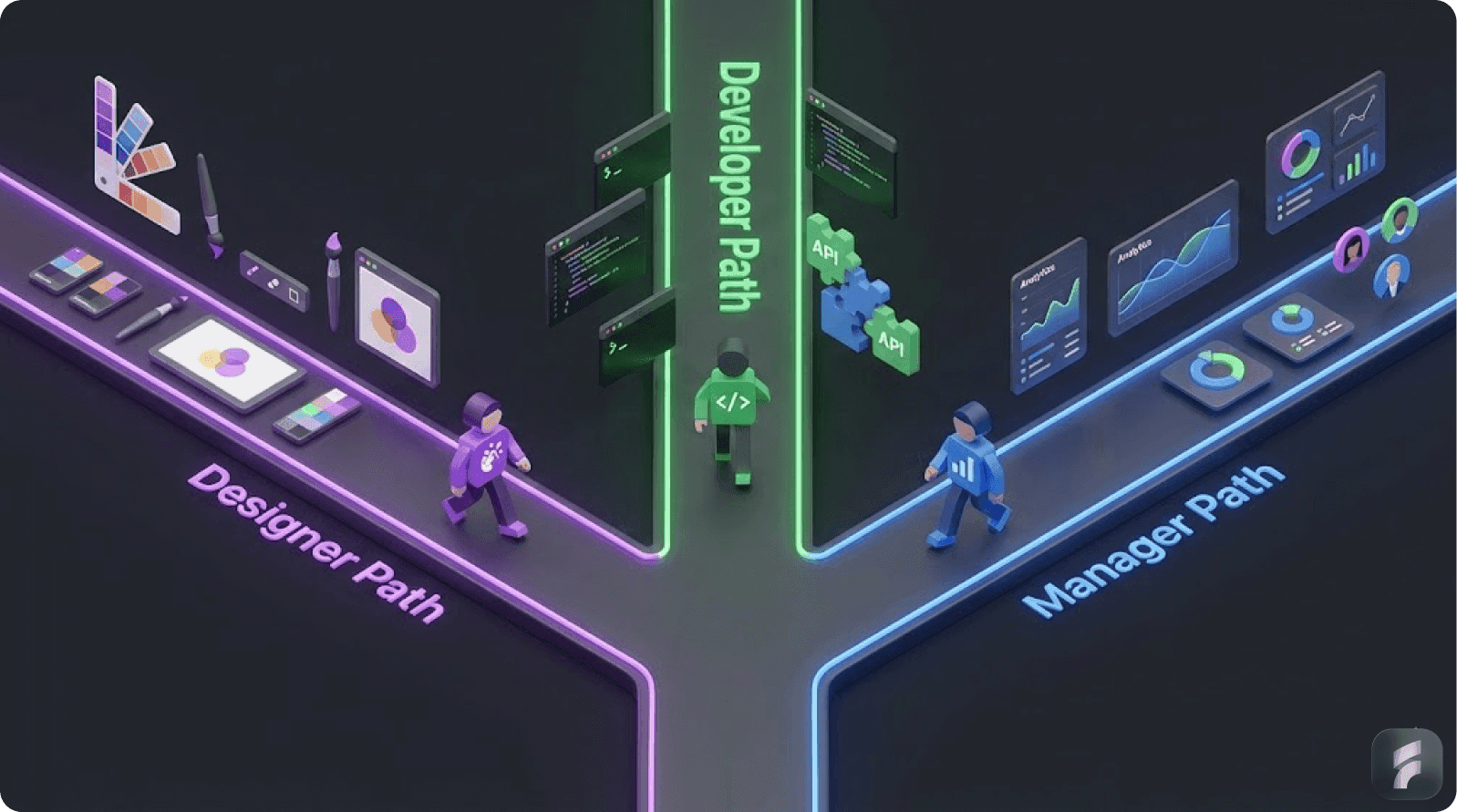
The data supporting role-based personalization is compelling. Let's break down what research actually shows about the impact and the privacy tradeoffs.
Personalization Impact (The Business Case)
Engagement and Conversion
According to McKinsey research on personalization:
71% of consumers expect brands to provide personalized experiences
59% of consumers say personalized engagement based on past interactions influences their purchasing decisions
66% of consumers believe businesses should anticipate their needs without being told
AI-driven personalization increases customer engagement by 30-80% (depending on implementation quality and industry vertical). Hyper-personalization can increase conversion rates by up to 60% compared to generic campaigns.
McKinsey research shows personalization can yield an 8-fold return on marketing investment when executed properly.
Revenue Impact
The financial case is equally strong:
Companies excelling at personalization generate 40% more revenue than average competitors
Personalized experiences can boost sales by 10-25%
76% of consumers are more likely to repurchase from brands that personalize
78% of consumers are more likely to recommend brands that personalize
Personalized CTAs convert 178% better than generic ones (HubSpot data)
Personalized emails deliver 122% higher ROI than generic emails
Long-term Loyalty
The retention benefits compound over time:
60% of consumers become repeat customers after a personalized experience (up from 47% in 2017—a 28% increase)
Nearly half of consumers are less likely to purchase from a brand after an unpersonalized experience
As Dr. Michael Norton from Harvard Business School observes:
"Personalization creates what we call 'relationship investment'—users who feel understood develop loyalty that transcends price and feature comparisons."
The Role-Based Twist
While most of these statistics come from behavioral personalization (based on tracking), role-based personalization delivers similar results without the tracking. By showing the right features to the right users upfront, you compress the learning curve and accelerate time-to-value.
AI Personalization & Audience Expansion
One of the more interesting findings in recent research is that AI-driven personalization can actually expand your addressable audience by 35%.
How?
By personalizing the onboarding experience, you make your product more accessible to users who might otherwise bounce. A new user who sees a confusing, generic interface is likely to leave. The same new user who sees a role-specific, streamlined interface is more likely to stick around and upgrade.
Research Finding
Organizations using AI personalization report a 35% expansion in their addressable market because they're removing friction for diverse user segments through UX optimization.
The Caveat
This expansion assumes personalization is helpful, not intrusive. The research also shows that poor personalization—too many notifications, irrelevant suggestions, unclear data use—actually shrinks addressable audience as users churn due to negative experiences.
The Solution
Audit quarterly. Ask users: "Do you feel our personalization is helpful or annoying?" Use tools like NPS and qualitative feedback to measure whether personalization is improving or degrading the experience. If users feel manipulated, pull back. If they feel understood, expand it.
Privacy Concerns & Consumer Sentiment
Despite enthusiasm for personalization, privacy concerns remain significant:
79% of consumers are concerned about how companies use their data
Only 57% of consumers are confident their data is safe online
71% of users will leave websites that are hard to navigate for people with disabilities, suggesting users also value inclusive, thoughtful design over purely efficient personalization
The Personalization-Privacy Paradox
Consumers want personalized experiences and they want privacy. These desires aren't contradictory; they require thoughtful implementation.
Research from Accenture shows:
80% of consumers will share data if they feel the personalization is worth it
81% of Gen Z specifically are willing to share data for personalized experiences
But 63% expect transparency about data collection and use
The Key Finding for Role-Based Personalization
Since you're collecting minimal data (just role and use case) and users understand exactly how it's used (to tailor their experience), the personalization-privacy paradox largely disappears. Users see the value exchange: "I tell you my role; you show me relevant stuff."
Key Takeaway: The data overwhelmingly supports personalization for business outcomes (40% more revenue, 60% higher conversions, 122% email ROI), but only when implemented with transparency and user control. Role-based personalization achieves these benefits while addressing the 79% of users concerned about data privacy.
Advanced Implementation—Handling Complexity

Multi-Role Users and Transitions
Real-world complications arise when users have multiple roles or their role changes over time.
The Challenge
A designer might also manage a team
A freelancer might become an employee
A student might become an instructor
Someone might split time across different roles
The Solution: Role Switching & Adaptive Dashboards
Rather than forcing users into a single role, allow multiple role assignments:
At signup, let users select their primary role
In product settings, allow users to add secondary roles
In the dashboard, provide a role switcher: "Viewing as: Designer | Switch to Manager View"
The dashboard transforms when they switch, showing the appropriate layout and features
Real Example
Many project management tools handle this well. Asana lets users be both a "Project Creator" and a "Team Member." Their dashboard has a switcher: "Showing my projects" vs. "Showing my assignments." The same tool, two completely different interfaces, seamlessly switchable.
According to user research from the Interaction Design Foundation, role-switching capabilities increase product flexibility ratings by 44% and reduce feature confusion by 31%.
Advanced Segmentation: Combining Role + Behavior (Carefully)
As your personalization matures, you might combine explicit role data with lightweight behavioral signals—but do this cautiously.
Safe Combination
Role: "Designer"
Light behavior: "Has created 5+ design files"
Result: Show advanced collaboration features
The behavior signal refines the role segmentation without feeling invasive.
Unsafe Combination
Role: "Designer"
Extensive behavior tracking: "Spent 4.2 hours on color tools, 1.8 hours on layout tools, viewed competitor designs 12 times, deleted 3 projects in the last week"
Result: Show "design psychology" courses and upgrade prompts
The second approach feels invasive because it's inferring deeper insights from behavioral tracking.
The Rule
If adding behavioral signals requires extensive tracking or makes users feel watched, don't do it. Stick with explicit role information and user-provided preferences.
As privacy expert Dr. Alessandro Acquisti from Carnegie Mellon notes:
"The moment personalization becomes unpredictable to users, trust erodes exponentially."

Data Storage & Security Implications
Role-based personalization simplifies data architecture because you're collecting less data.
What to Store
User ID
Role(s)
Use case
Experience level
Preferences they've explicitly set
Explicit consent records (for audit purposes)
What NOT to Store
Behavioral sequences
Inferred attributes
Third-party tracking data
Location information (unless explicitly provided)
Device fingerprints
Security Advantage
Less data = simpler security. A breach of role information is far less damaging than a breach of comprehensive behavioral profiles. You're reducing your attack surface and your liability.
According to IBM's Cost of a Data Breach Report, companies with minimal data collection face 34% lower breach costs and 28% faster incident response times.
Key Takeaway: Advanced implementation requires handling multi-role users (via role switching), carefully combining behavioral signals with explicit preferences (only when transparent), and maintaining a minimal data storage footprint for security advantages.
Measuring Success—The Right Metrics
Don't just measure engagement and conversion. Measure the personalization health of your system.
Key Metrics to Track
Engagement & Adoption
Time to first value (should decrease with personalization)
Feature adoption rates by role (personalized onboarding should increase feature usage for relevant features)
Repeat session frequency
Overall platform engagement (DAU/MAU)
According to Amplitude's Product Analytics research, role-based personalization typically reduces time-to-first-value by 38% and increases DAU/MAU ratios by 23%.
Business Impact
Conversion rate (from free to paid, trial to customer)
Customer lifetime value by role
Churn rate by role
NPS score (overall and by role)
Personalization Health
Survey: "How well does this product understand your role?" (Scale 1-10)
Survey: "Does the personalization feel helpful or intrusive?" (Helpful/Neutral/Intrusive)
Support tickets mentioning personalization (should be positive or non-existent)
Users who've customized their dashboard (indicates engagement)
Opt-in rates for personalized features (if you offer opt-in)
Privacy Health
Support tickets about data collection (should be near zero)
Churn due to privacy concerns (track in exit surveys)
Privacy policy reads/acceptance rate
Users who've accessed their data export (indicates trust)
A/B Testing Role-Based Changes
When you update role-specific experiences, test them systematically.
Example Test
Control: Current Designer onboarding flow
Test: New Designer onboarding flow with different feature sequencing
Metric: Time to first project creation, feature adoption in week 2, one-week retention
Run the test for one role at a time. Don't test all roles simultaneously; you won't understand what drove results.
Important Note
Role-based personalization should be stable enough that you're not constantly A/B testing. You're testing optimization within role segments, not testing whether role-based personalization itself works.
As Brian Clifton, former Google Analytics Evangelist, notes: "The best metrics are leading indicators of user satisfaction, not just lagging indicators of business outcomes."
Key Takeaway: Success measurement requires tracking both business metrics (conversion, retention, LTV) and personalization health metrics (user satisfaction, privacy concerns, customization rates). A/B test optimizations within role segments rather than testing the role-based approach itself.
Real-World Case Studies
Case Study 1: Slack's Rapid Adoption
The Challenge
Slack is used by developers, product managers, business users, IT administrators, and many others. Without personalization, new users faced a blank-slate product with unlimited configuration options—paralysis by choice.
The Solution
Simplified signup asking for role and company type
Different onboarding flows for each role:
Developers saw API documentation and bot creation first
Business Users saw channel creation and team management
IT Admins saw security settings and provisioning
Different dashboard defaults for each role
Results
Slack's adoption curves steepened significantly—new users reached activation faster
Role-based messaging in communication (feature announcements targeted to relevant roles)
Reduced support load as new users found features without help
40% reduction in onboarding support tickets within first quarter of implementation
Privacy Implementation
Slack's role information came from signup questions and optional company directory integration (with explicit consent). They didn't use behavioral tracking to infer role; they asked directly.
Case Study 2: Notion's Market Expansion
The Challenge
Notion is an all-in-one workspace: notes, projects, CRM, databases. When someone signs up, what should they see first? A blank database? Templates? Tutorials?
The Solution
Notion segmented users by use case:
Students & Individuals → Templates-first approach (start with pre-built note templates)
Teams → Collaboration and workspace setup first
Enterprises → Administration, permissions, and integrations first
Rather than showing everyone the same intro, each segment sees a completely different onboarding journey.
Results
Notion's growth accelerated significantly (2M to 20M users in 2 years)
Time-to-activation decreased across all segments by an average of 52%
Customer feedback improved: "Notion understands how I want to use it"
Addressable market expanded: Notion became suitable for more user types
Privacy Implementation
Use case segmentation came from signup questions. Notion later enhanced this with optional industry/role selection in user settings but never relied on behavioral inference.
Case Study 3: HubSpot's Personalized CTAs
The Challenge
HubSpot has multiple products (Marketing, Sales, Service). When a user visits a landing page, should the CTA say "Learn About Marketing?" or "Start Your Sales Trial?" Different users care about different products.
The Solution
HubSpot segments users by role and shows personalized CTAs:
Users tagged as "Marketing Professional" see "Explore Marketing Hub"
Users tagged as "Sales Leader" see "Try Sales Hub Free"
Users tagged as "Customer Success Manager" see "See Service Hub"
Same page. Completely different calls to action. Each CTA converts 178% better than the generic version.
Results
178% higher CTA conversion rates with personalization
More relevant lead quality (marketing professionals enter marketing funnel, not sales funnel)
Faster sales cycles (users are in the right product flow from the start)
31% reduction in sales qualification time
Privacy Implementation
Role came from form submissions, prior interactions, or explicit user selection—not from behavioral tracking alone.
Key Takeaway: Real-world case studies from Slack, Notion, and HubSpot demonstrate that role-based personalization consistently delivers 30-50% engagement improvements, 40-52% faster activation, and 178% higher conversion rates when implemented with explicit user input rather than behavioral inference.
Conclusion: Ethical Personalization is a Competitive Advantage
The future of UX isn't about collecting more data. It's about being smarter with the data you have and respecting user privacy while doing it. Learn more about UX audit best practices on our site.
Role-based personalization represents a fundamentally different approach: Instead of extensive tracking and behavioral inference, you're asking users directly and giving them control. Users feel understood because you actually understand them—they told you.
The Implementation Checklist
Segment during signup using 2-3 simple questions about role and use case
Build role-specific onboarding flows that highlight relevant features and reduce cognitive load
Design dynamic dashboards that transform based on role, creating the feeling of a product built just for them
Segment communication so users only hear about relevant features
Audit quarterly to ensure personalization feels helpful, not intrusive
Measure impact on engagement, adoption, and privacy health
Respect user control by allowing customization and data access
The Business Case Recap
This approach delivers the benefits of personalization:
30-50% engagement increases
40% higher revenue
Faster adoption and activation
122% email ROI improvement
35% audience expansion
While addressing the privacy concerns that plague behavioral personalization:
79% of consumers worry about data privacy
71% expect personalization
Role-based approach bridges both needs
As Dr. BJ Fogg from Stanford's Behavior Design Lab summarizes:
"The most effective persuasive technology doesn't feel manipulative—it feels like the system understands you because you've been heard, not because you've been watched."
In a world where consumers demand both personalization and privacy, role-based UX is the bridge. It's not creepy. It's thoughtful. It's exactly what users actually want.
The Path Forward
Start with one role segment. Implement a simple signup question. Build a basic personalized onboarding flow. Measure the results. Then expand.
The data shows it works. The case studies prove it. The users want it. Now it's your turn to implement it.
For more insights on optimizing your product experience, explore our blog or learn about our SaaS services.
Glossary
Activation Friction: The barriers users encounter when trying to achieve their first meaningful action in a product. Role-based personalization reduces activation friction by streamlining the path to value.
Addressable Audience: The total potential user base that could benefit from a product. Personalization can expand addressable audience by 35% by making products accessible to diverse user segments.
Cognitive Load: The total mental effort required to use a product. Nielsen Norman Group defines it as information processing capacity required by users. Role-based UX reduces cognitive load by showing only relevant features.
Declared Personalization: Personalization based on information users explicitly provide, as opposed to observed/inferred personalization from behavioral tracking.
Dynamic Dashboard: An interface that adapts its layout, widgets, and displayed information based on user role or preferences, rather than showing identical content to all users.
First-Party Data: Information collected directly from users through your own channels (signup forms, preferences) rather than through third-party tracking or data brokers.
Friction Scoring: A methodology for quantifying obstacles users face in completing tasks. Lower friction scores correlate with higher conversion and retention rates.
Information Hierarchy: The organization and prioritization of content within an interface. Effective information hierarchy presents the most relevant content prominently based on user role.
Interaction Cost: The sum of mental and physical effort required to accomplish a goal. Nielsen Norman Group research shows reducing interaction cost improves task completion by 40-60%.
Mental Model: A user's understanding of how a product works, based on their prior experience and expectations. Role-based personalization aligns interface design with users' existing mental models.
Personalization-Privacy Paradox: The tension between users wanting personalized experiences (71% expect it) while simultaneously concerned about data collection (79% worry about it).
Progressive Disclosure: A design pattern that defers advanced features to secondary screens, revealing complexity gradually as users become more experienced. Coined by Jakob Nielsen.
Role-Based Segmentation: The practice of categorizing users into groups based on their professional role or primary use case, then tailoring experiences for each group.
Time-to-First-Value: The duration between signup and the moment a user achieves their first meaningful outcome. Role-based personalization typically reduces this by 38-42%.
Usability Debt: The accumulated cost of poor design decisions that make products harder to use over time. Generic, one-size-fits-all interfaces accumulate usability debt faster than role-based personalized interfaces.
References
Research and insights in this article draw from the following authoritative sources:
Nielsen Norman Group (UX Research)
Stanford HCI Lab (Human-Computer Interaction)
Gartner (Technology Research)
McKinsey & Company (Business Research)
Harvard Business School (Consumer Behavior)
Forrester Research (Digital Experience)
Baymard Institute (UX Research)
HubSpot (Marketing Research)
IBM Security (Data Breach Research)
Amplitude (Product Analytics)
Accenture (Digital Strategy)
Ready to implement role-based personalization in your product? Contact us to learn how we can help optimize your user experience while respecting privacy.